


Manage lessons
Copy a lesson for the next season
Reuse the prices, questions, registrations and groups of an existing lesson
From one season to the next, the tennis school often looks like the previous one. Rather than entering everything again, copy the lesson: its settings, prices, preferences and questions are copied, and you choose what else should follow. The minimum number of time slots to choose is copied too.
The new lesson already exists? To retrieve only the groups of an old lesson (without the pupils), use Copy groups in Manage groups: see Copy last season's groups.
1Start the copy
On the Manage lessons page of the Lesson module, click the copy icon of the model lesson. For a finished lesson, first display the filter Ended or All.
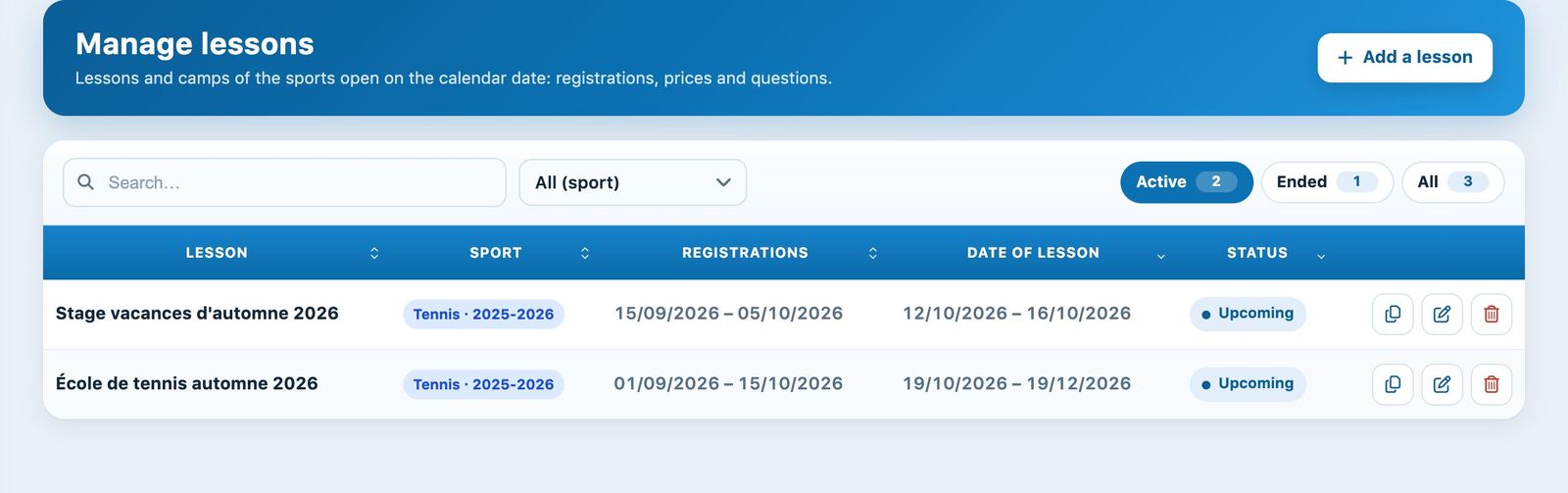
The copy icon, on the left of each lesson's actions.
2Destination and dates
Fill in the Destination section of the panel Copy lesson :
- Name of lesson: for example "Tennis school winter 2027";
- Copy in: the destination sport-season (only current or upcoming sport-seasons are offered);
- Registration period and Date of lesson: the new dates.
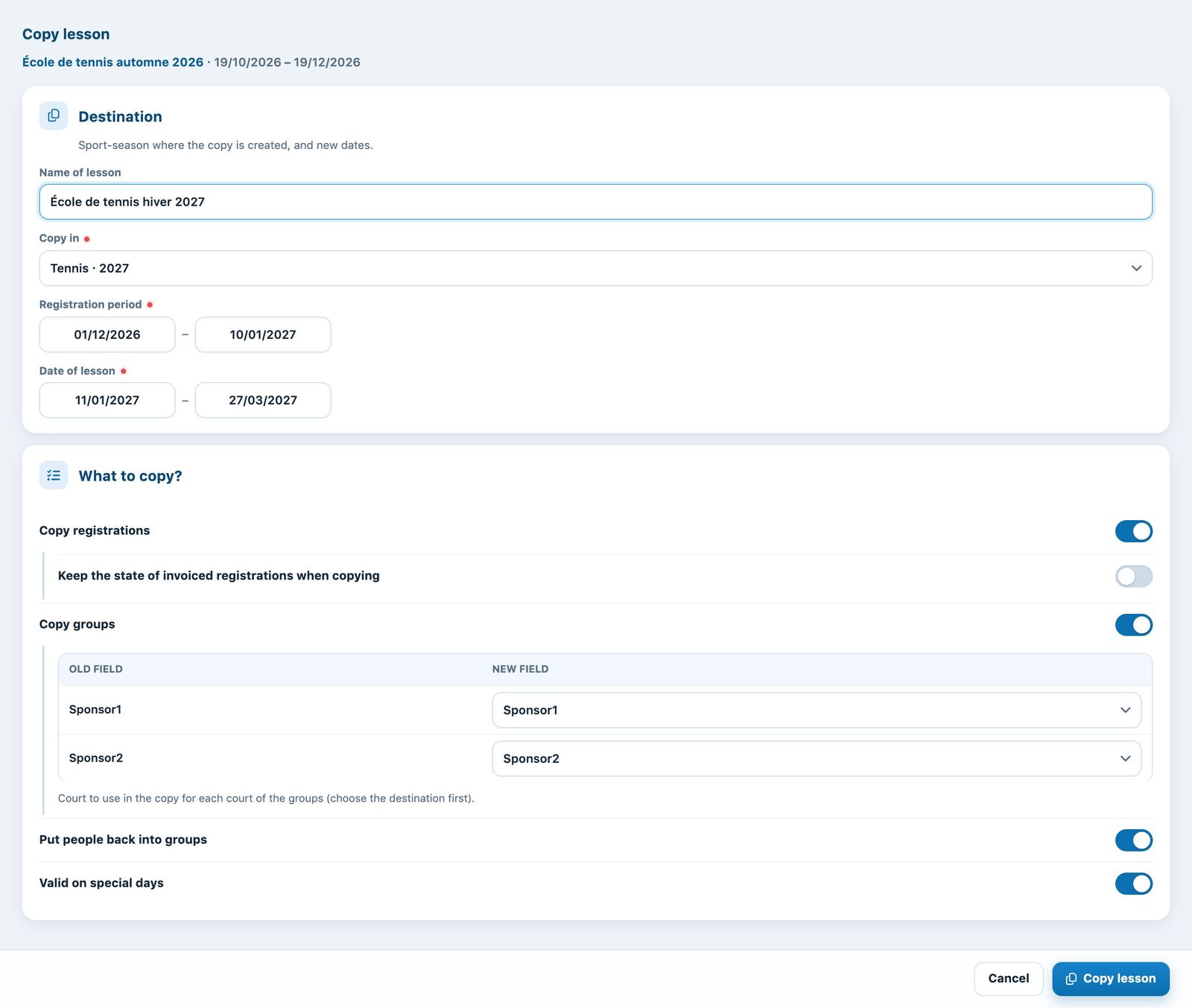
The "Copy lesson" panel.
3What to copy?
- Copy registrations: registers the same people again, with the same rate. Keep the state of invoiced registrations when copying: leave on No so that the new season can be invoiced;
- Copy groups: recreates the groups (coaches, days, times); the table Old field / New field indicates the court to use in the copy;
- Put people back into groups: puts each copied pupil back in their group;
- Valid on special days: No to choose the special days without a lesson.
Click Copy lesson. The new lesson appears in the list; the "lesson" family discounts of the original also apply to it.
4After copying
- check the prices and dates in Modify lesson ;
- check the assignment in Manage groups, then click Confirm the lessons in the bookings: the copied groups are not yet on the booking chart;
- invoice the new season from Manage registrations.
Copied registrations remain linked to those of the original lesson: do not use the rate change button on a copied registration until this is fixed (see Change the rate of a registration).
Plugin.ch tutorial — Manage lessons