


Tennis school tutorial
Sign up for a tennis lesson
What parents and players see when registering online
This article shows registration from the member's side, in the club's online interface. It helps you answer parents' questions and check your settings.
1Access the form
The member logs in and opens Sign Up for the Lesson in the left-hand menu. If they received an invitation e-mail with a registration link, they go straight there.
They first choose the Person to register: themselves or a family member. The open lessons that match this person (age, gender, subscription) are shown, with the number of places.
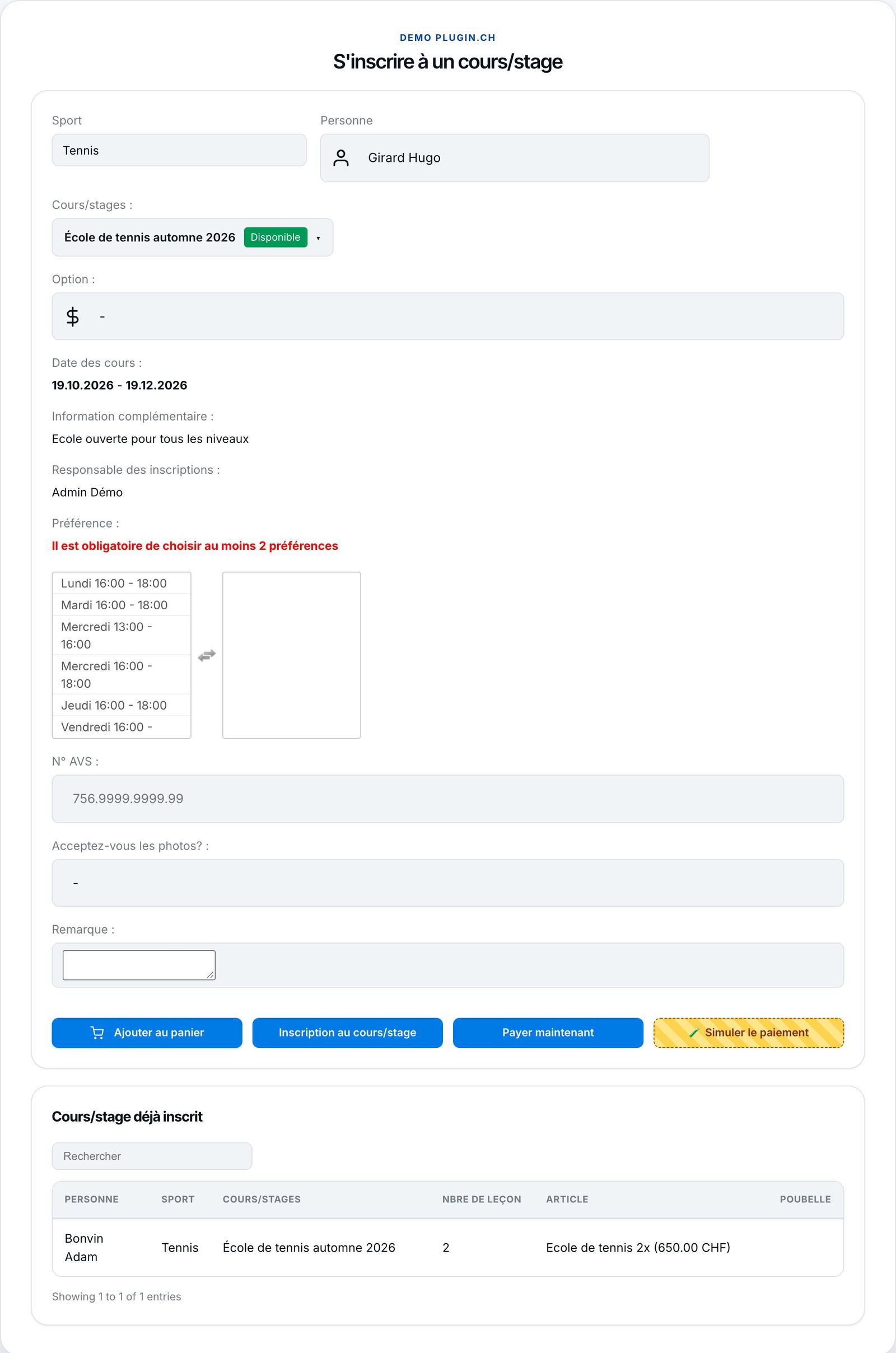
Choosing the person and the lesson.
2Fill in the form
For the chosen lesson, the member sees the Option (the rate matching their membership), the dates, the additional information and the person in charge. They tick their preferred time slots, in their order of preference (the number on each tag shows the 1st, 2nd… choice), at least as many as the required minimum, then answer the questions, such as the AHV number. As long as the minimum has not been reached, the registration is blocked (see Offer preferred time slots).
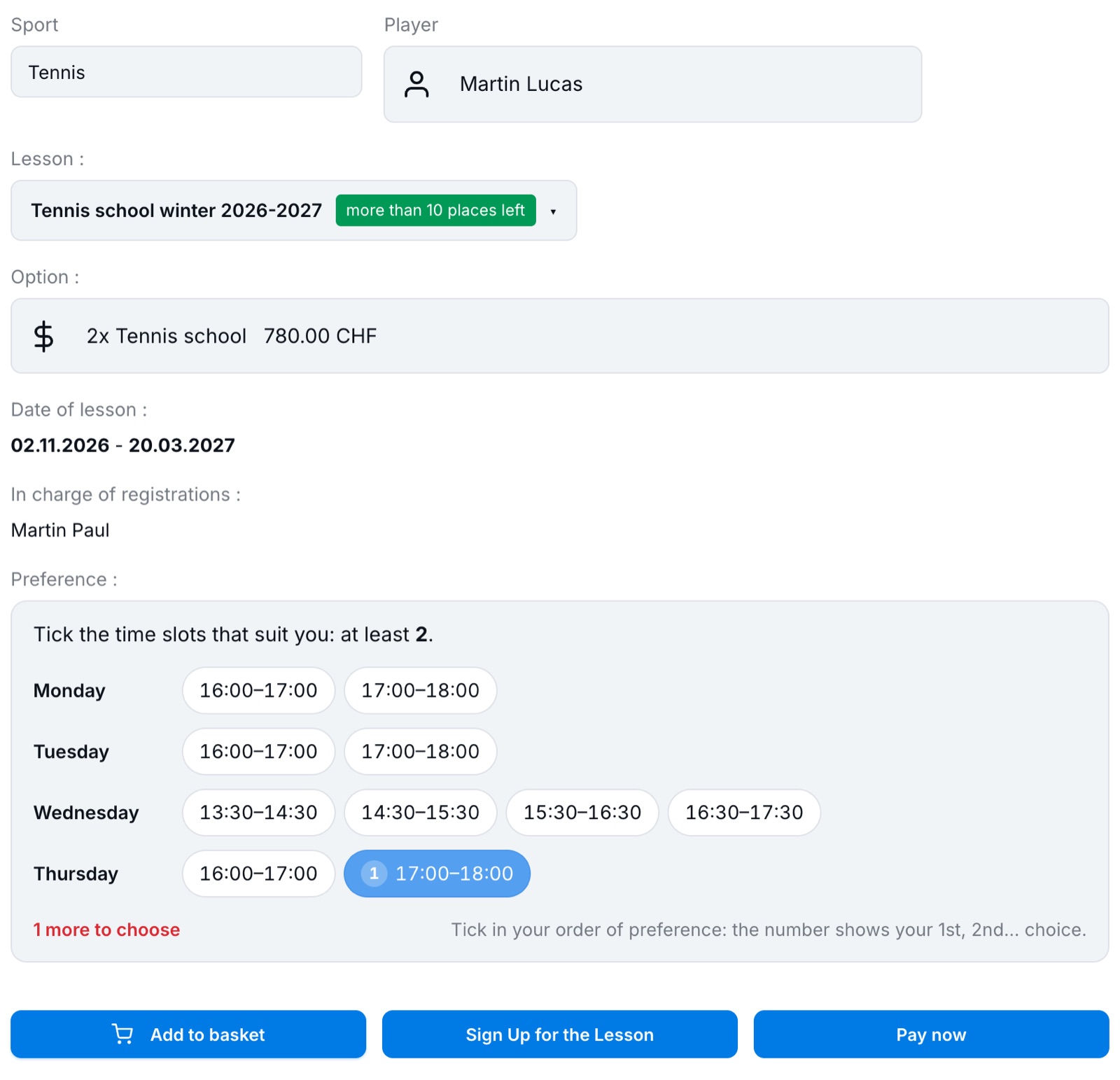
The registration form: option and preferred time slots.
If the lesson offers several rates (1x or 2x a week), the member chooses from a list; only the rates of their subscription are offered.
3Register or add to the basket
Depending on the lesson's payment type, the member can click Sign Up for the Lesson (invoiced later by the club), Pay now (online payment) or Add to basket.
The basket lets you register several children or several lessons in one go. It shows each registration and the total, then offers to pay online or to register and be invoiced later.
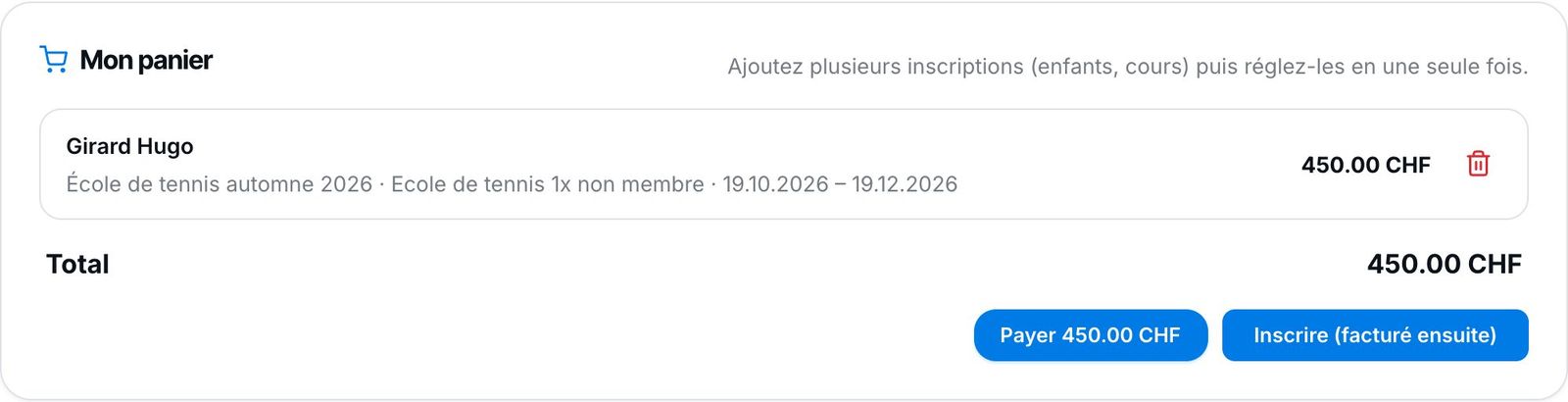
The basket with one registration.
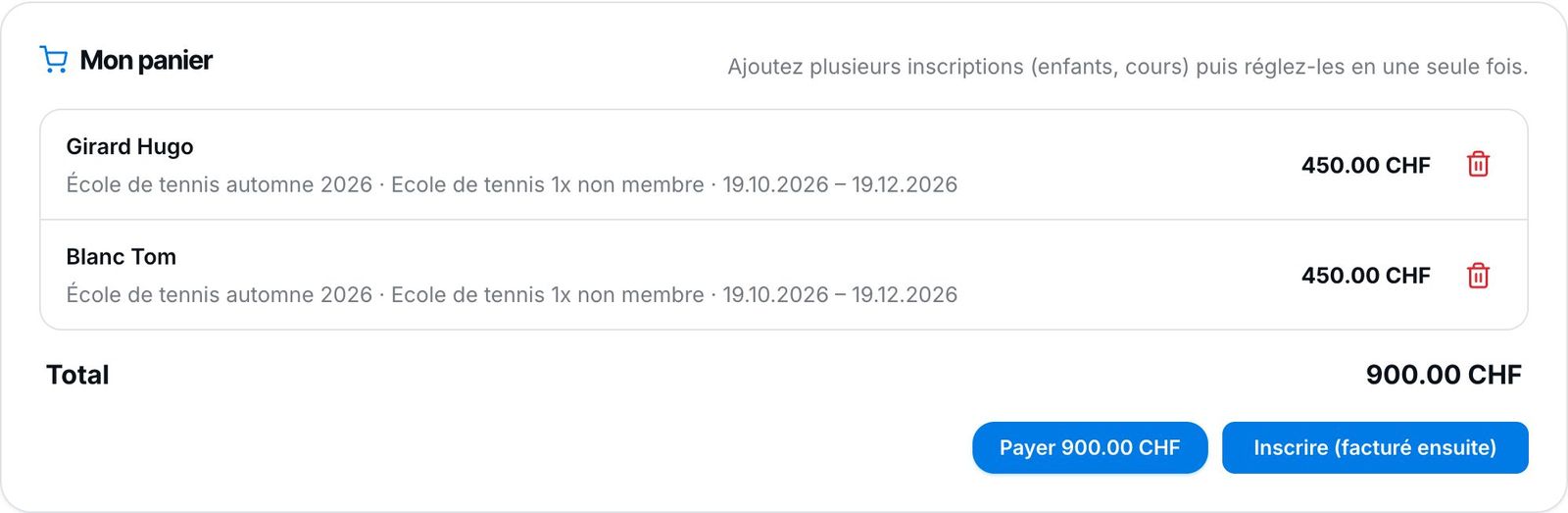
Two registrations in the basket.
4Confirmation
After confirmation, the result of each registration is shown ("Registered", invoiced by the club or paid online) and the table Already registered for course/camp is updated. On the administration side, the registrations appear in Manage registrations and, for a basket, in Grouped payments.
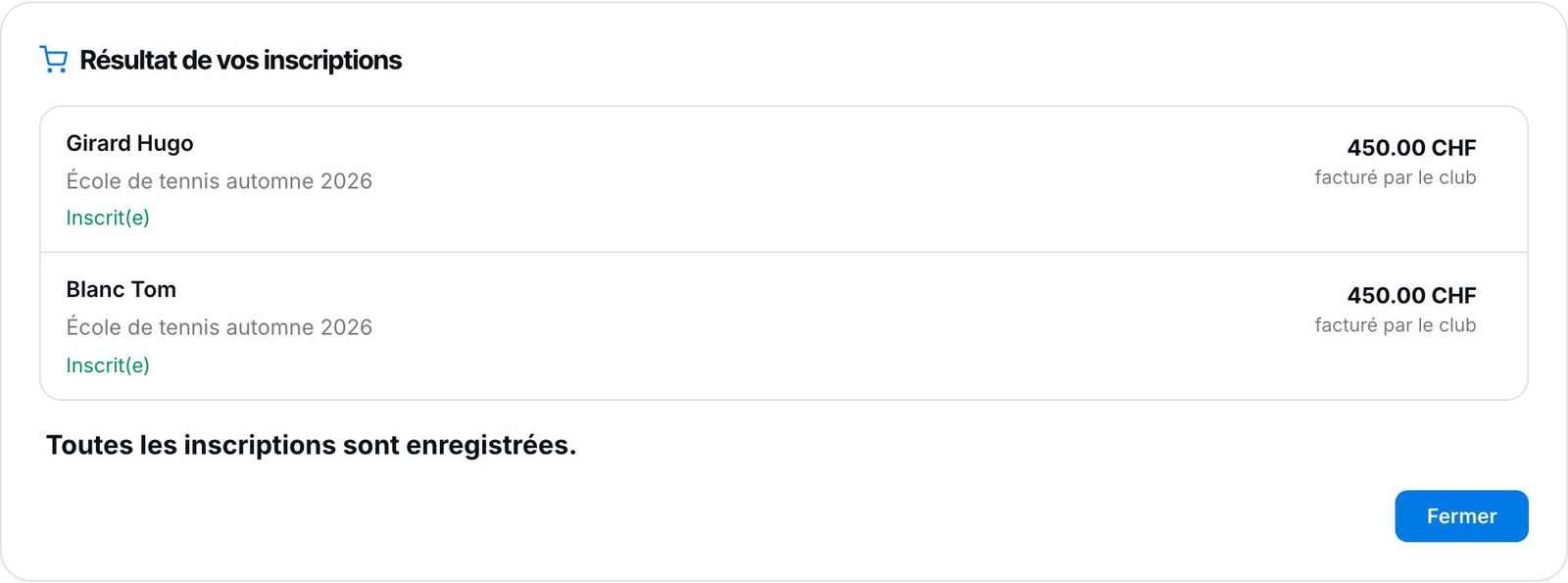
The result of the basket registrations.
Plugin.ch tutorial — Tennis school tutorial