


Manage items
Delete an item assigned to a member
Remove an item assigned to a member before it is invoiced
An item linked by mistake, or no longer needed, can be removed as long as it has not been invoiced. Once it is included in an invoice, it is the invoice that must be corrected.
Membership fee ≠ assigned item. A membership fee is generated automatically from the member's membership: it cannot be deleted here. To stop invoicing it, remove the member's membership in Members → Manage memberships, then refresh the invoice group.
Find the links not yet invoiced
In the left side menu, open Invoices then Link an item and click the chip Not invoiced: only the links still waiting for their invoice remain displayed. The search field lets you find a person or a name.
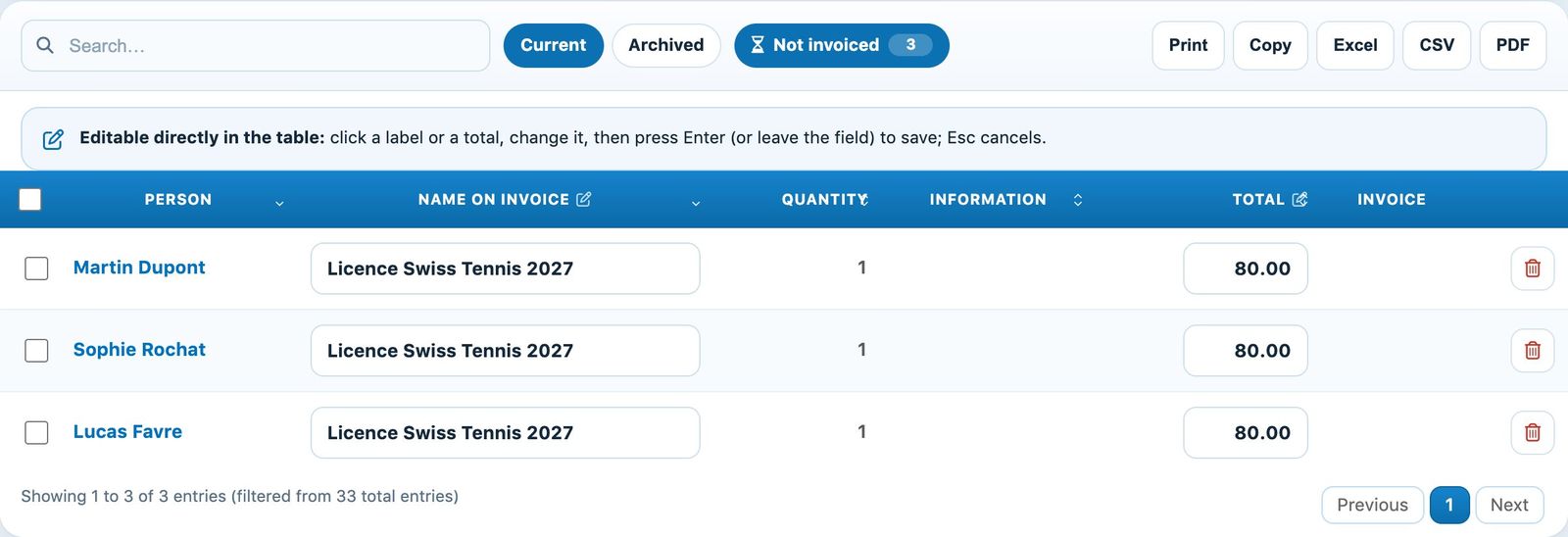
Linked items not yet invoiced
Delete the link
Click the bin at the end of the line: the line disappears and a message offers Cancel for a few seconds, in case you picked the wrong line. The deletion becomes final at the end of this delay. To remove several, tick the lines and use the selection bar that appears at the bottom of the screen.
You can also go through the person's record (Members → Manage members, click on the name, tab Linked item): only lines not yet invoiced have a bin.
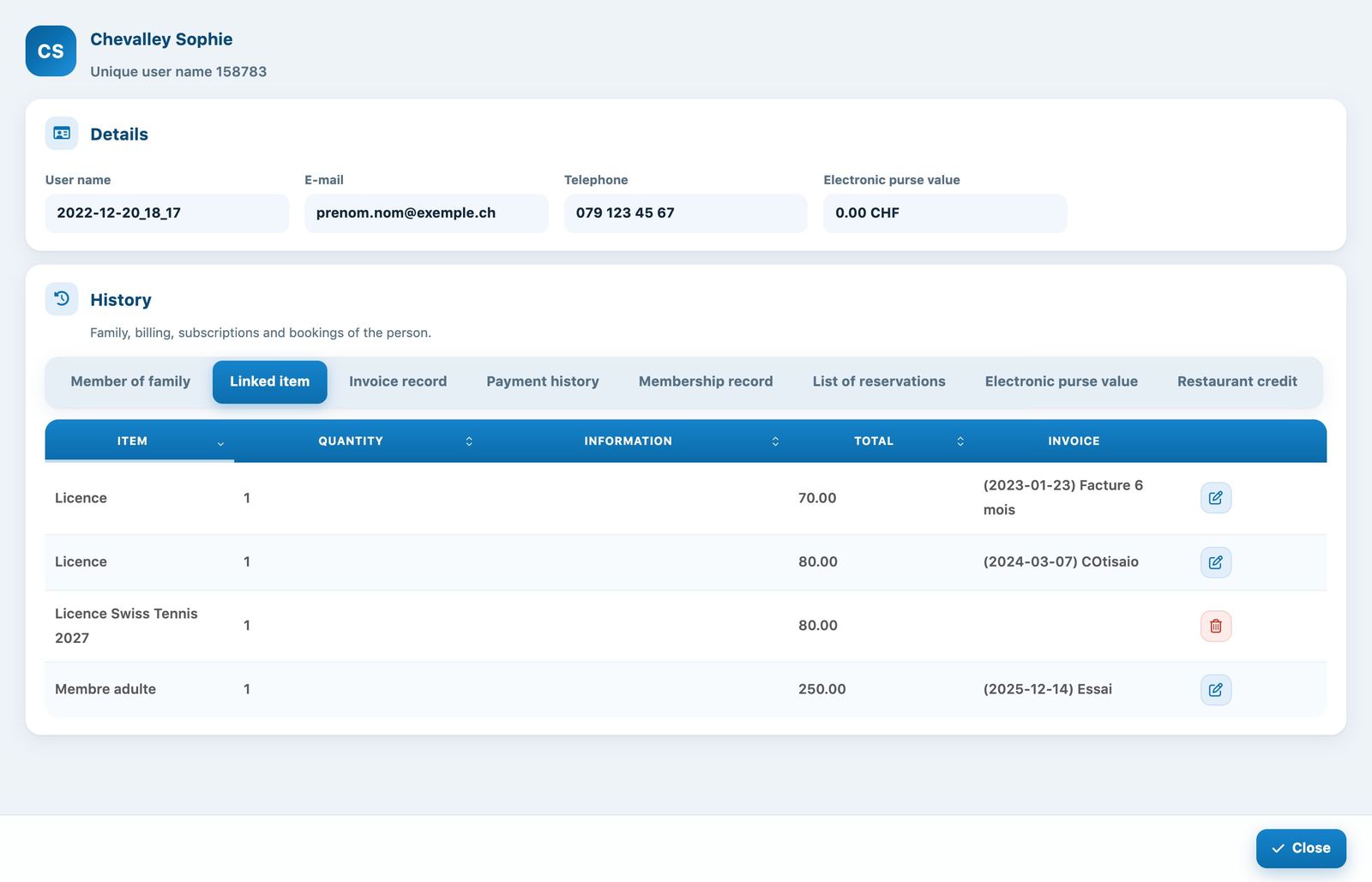
On the record, only the line not yet invoiced can be deleted
What if the item has already been invoiced?
If the column Invoice already shows an invoicing, deleting the link does not change the existing invoice. Correct the invoice instead: open it in Invoices → Manage invoices and set the line to 0 or add a discount (see Edit and delete invoices).
Tip: check the linked items before creating the season's invoices. It is the easiest time to correct a mistake.
Plugin.ch Tutorial — Manage items