


Manage reservations
Manage cash register prices
The cash register prices are the amounts offered to the administration when it creates or collects payment for a booking in the schedule: for example "Gratuit", "Heure non-membre" or "Tarif junior". They save retyping the price each time and ensure consistent amounts at the front desk.
The page only appears in the menu if Use the cash breakdown sheet is turned on in Parameters → Manage parameters. These prices do not replace the rates paid by members online, which are set in Memberships → Manage prices.
1. The list of prices
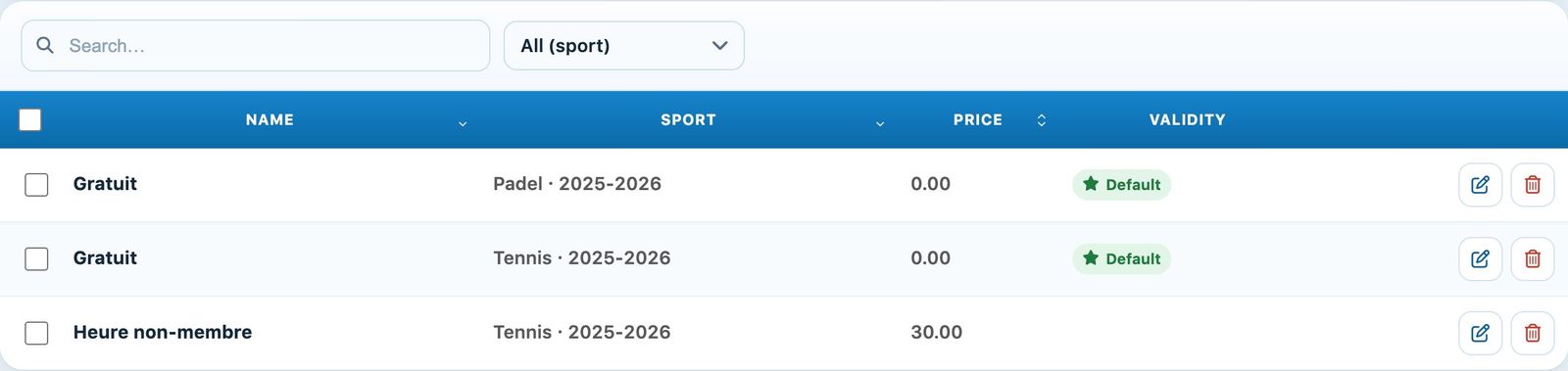
In the left-hand menu, open Reservations → Manage cash register prices. The list shows the name, sport, amount and validity of each price. The Default badge marks the preselected price, and the Courts / times badge a price limited to certain slots. The drop-down list filters by sport.
2. Add a price
Click + Add a price at the top of the page:
- Sport: the sport and season the price applies to;
- Name and Price: the label shown at the cash desk and its amount;
- Period of price validity: leave empty for a price valid with no date limit;
- Selected by default: this price is preselected at the cash desk (one default price is enough);
- Always valid: turn off the switch to limit the price to certain Courts, Days and hours. Add hours adds a time range.
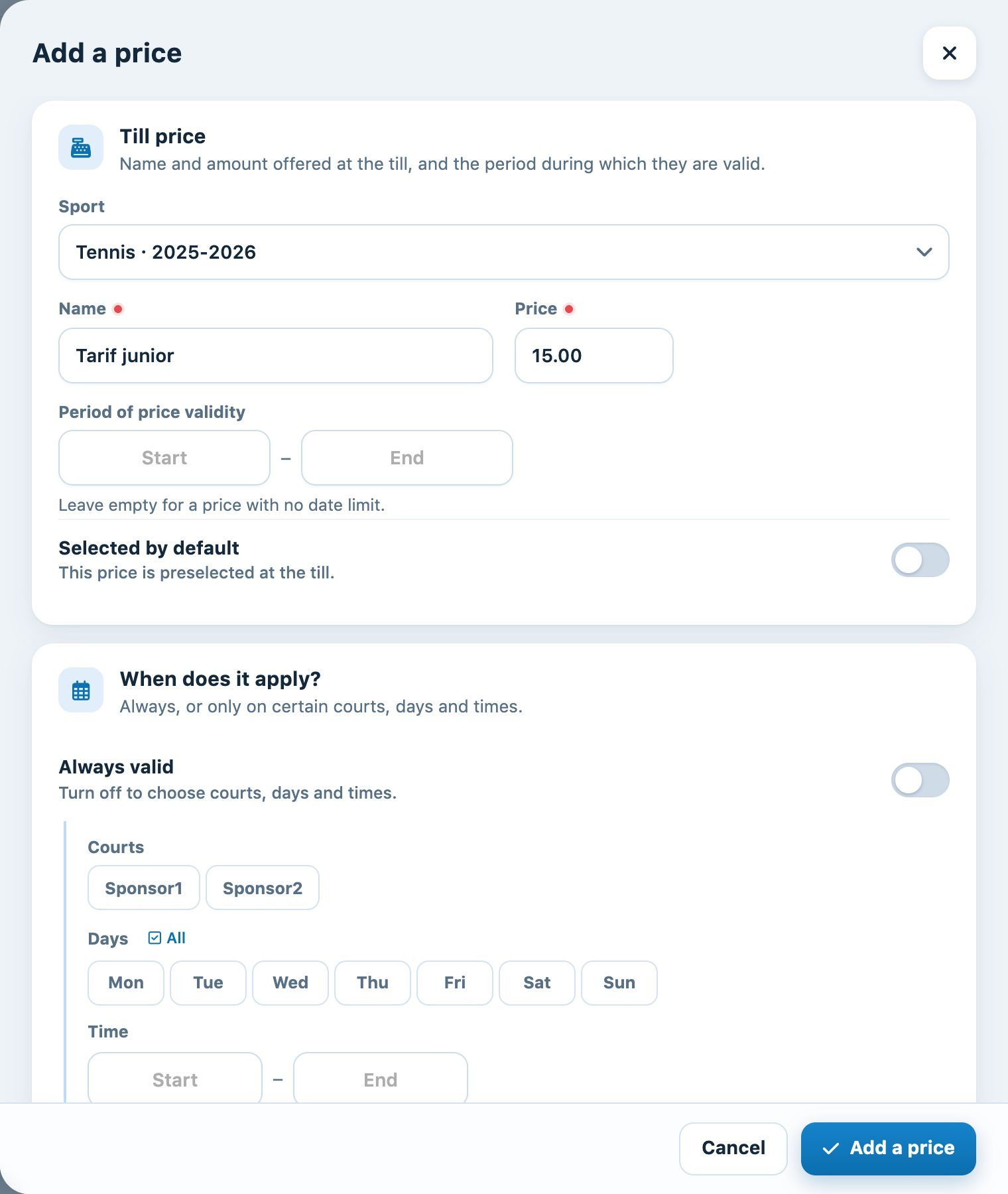
Click Add a price. The pencil on a row then lets you edit the price, and the bin delete it (a Cancel button stays on screen for a few seconds).
3. At the cash desk
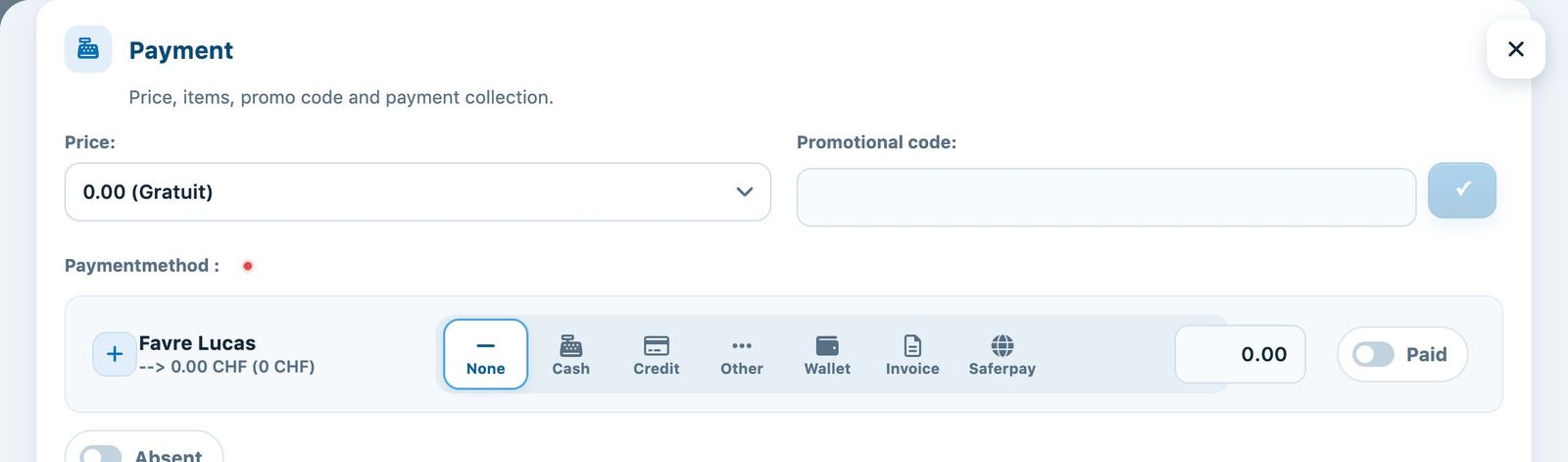
When you click a cell in the schedule to create or edit a booking, the Price field of the Payment part offers the prices valid for that court, day and time: a drop-down list if there are several, the amount directly if there is only one. Choose the right price, then the payment method.
See also Managing bookings in the schedule and The cash journal and the history of a booking.
Plugin.ch Tutorial — Manage bookings