


Manage lessons
Prerequisite
What to prepare before creating your lessons
Before creating your lessons, check that the following elements are in place. They are used by the lessons, the groups and invoicing.
1The checklist
- Module: the Lesson module is enabled (see Activating the Lessons module) ;
- Season: the sport-season covering the lesson dates exists, as the lesson is created in a sport-season open on the selected date;
- Courts: the courts used by the groups are created in this sport-season;
- Subscriptions: the subscription types (Junior, Adult member…) exist, to offer different prices to members and non-members;
- Items: the invoicing items are created (see Creating lesson items) ;
- Coaches: the coaches and the person in charge of registrations have a person record in the club;
- Online payment: a payment provider is configured and an invoice group exists to record the payments;
- Special days: if you use them (holidays, public holidays), they are entered in the settings.
2Check the courts
In the side menu, open Sport, then Manage courts, and select a date within the lesson season. The courts listed are those that can be chosen for the groups.
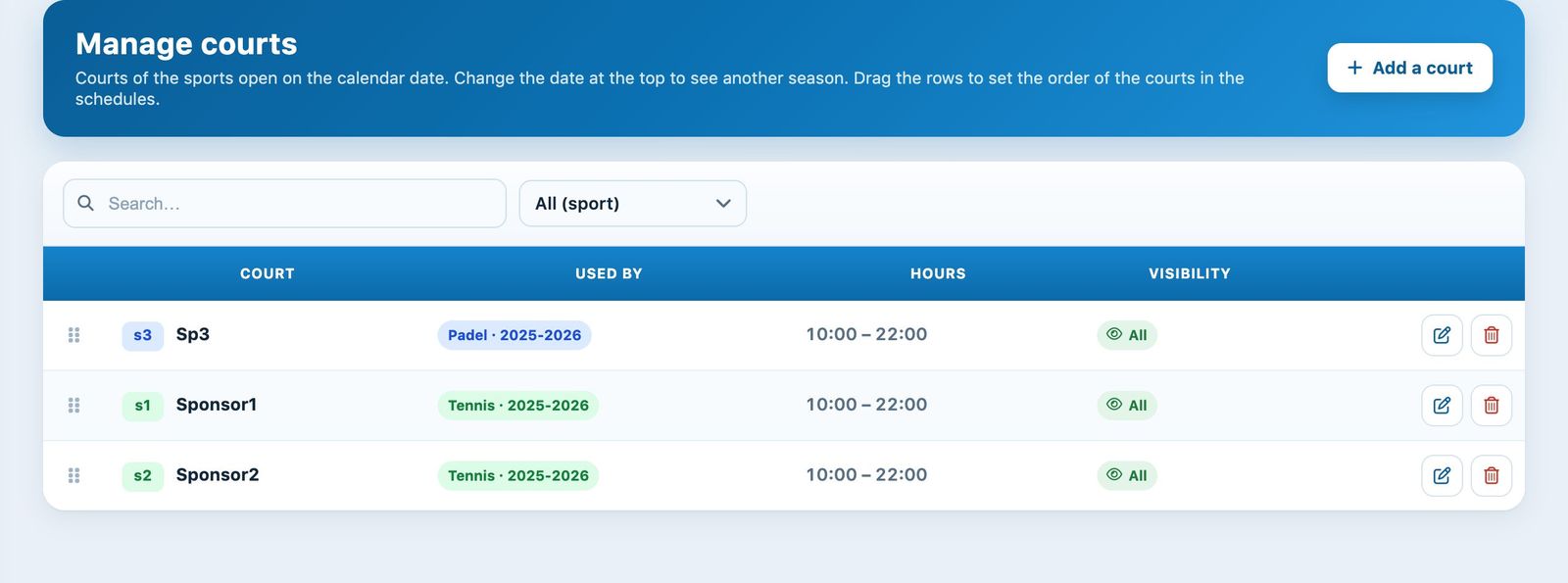
The Manage courts page.
3Organise your offer
Think about the structure of your lessons: a single lesson "Tennis school autumn 2026" with several prices (1x, 2x a week, members and non-members) is often easier to manage than several separate lessons. Create a separate lesson when the dates, the audience or the registration method differ, for example for a holiday camp.
Tip: from one season to the next, copy the existing lesson with its prices, questions and, if you wish, its registrations and groups (see Copy a lesson for the next season).
Plugin.ch tutorial — Manage lessons