


Manage lessons
Teachers' schedule
Lessons given, replacements and hours to pay
The Manage coaches' times page lists all the lessons of the course groups over a period: useful for checking the coaches' hours, replacing them occasionally or calculating their pay.
Looking for a coach's weekly schedule to send to them? Use the Coaches view in Manage groups: see Send a coach their schedule.
1Choose the period
In the side menu, open Lessons, then Manage coaches' times. By default, the page shows the last 30 days. Choose the dates of the Schedule display period, then click Change period.
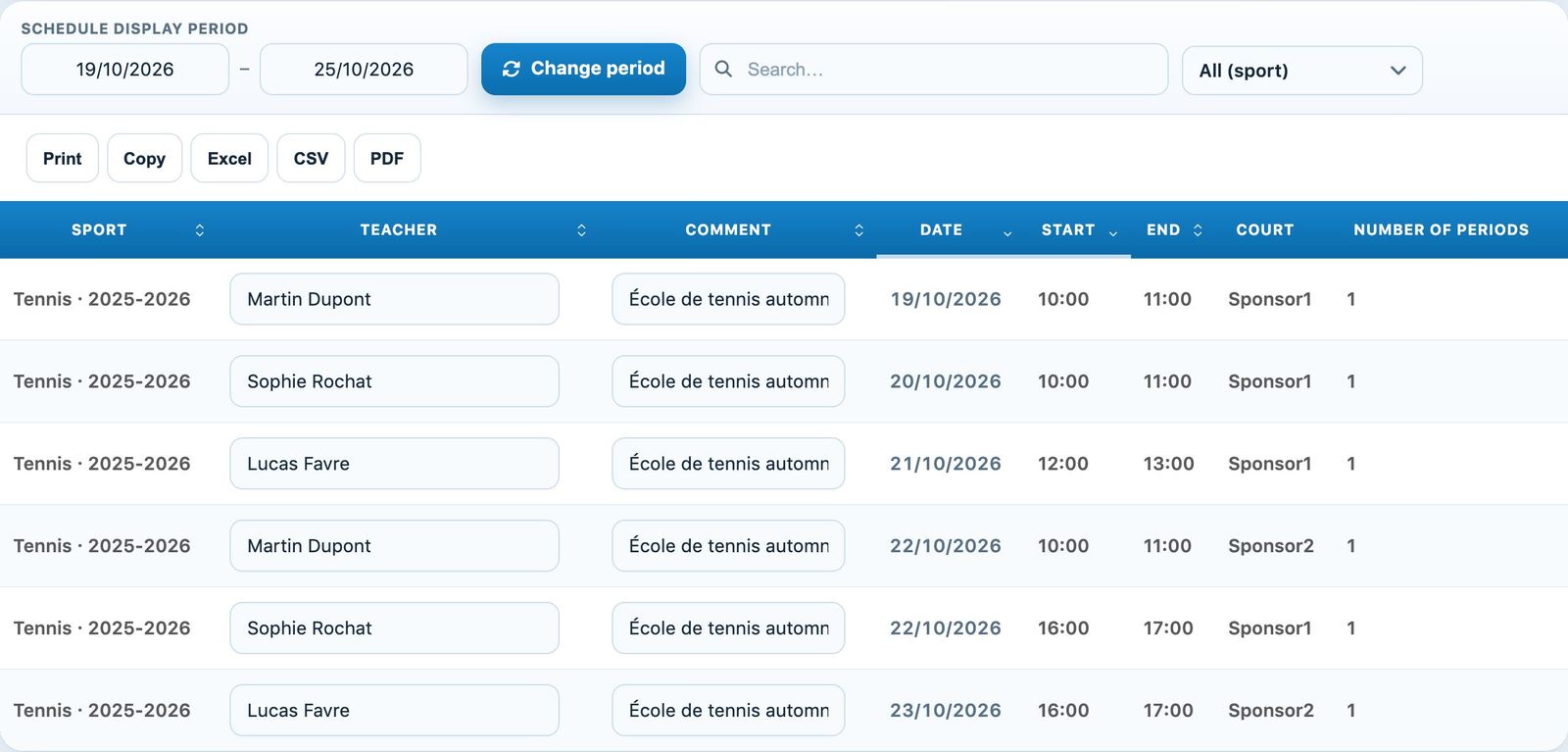
The period bar and the columns of the coaches' schedule.
2Read and filter the schedule
Each line is a lesson: Sport, Teacher, Comment, Date, Start, End, Court and Number of periods. The search field filters by coach or court name; the menu All (sport) limits the list to one sport-season.
3Replace a coach or add a comment
The coach and the comment are edited directly in the table, lesson by lesson: handy to note a replacement or a remark without changing the whole group. To change the coach for all lessons, edit the group in Manage groups.
4Export
The Print, Copy, Excel, CSV and PDF buttons export the displayed list, for example to calculate the hours to pay each coach for the month.
Only the lessons of groups confirmed in the bookings appear in this schedule.
Plugin.ch tutorial — Manage lessons