


Manage memberships
Manage restrictions
Forbid or limit bookings by membership, according to days, times and courts
A restriction forbids or limits bookings according to the member's membership, the days, the times and the courts: for example "juniors do not book on weekdays from 17:00 to 20:00" (forbidding) or "at most two bookings in the next seven days" (limit). Restrictions are specific to each sport-season, including those of upcoming seasons.
Read the list of restrictions
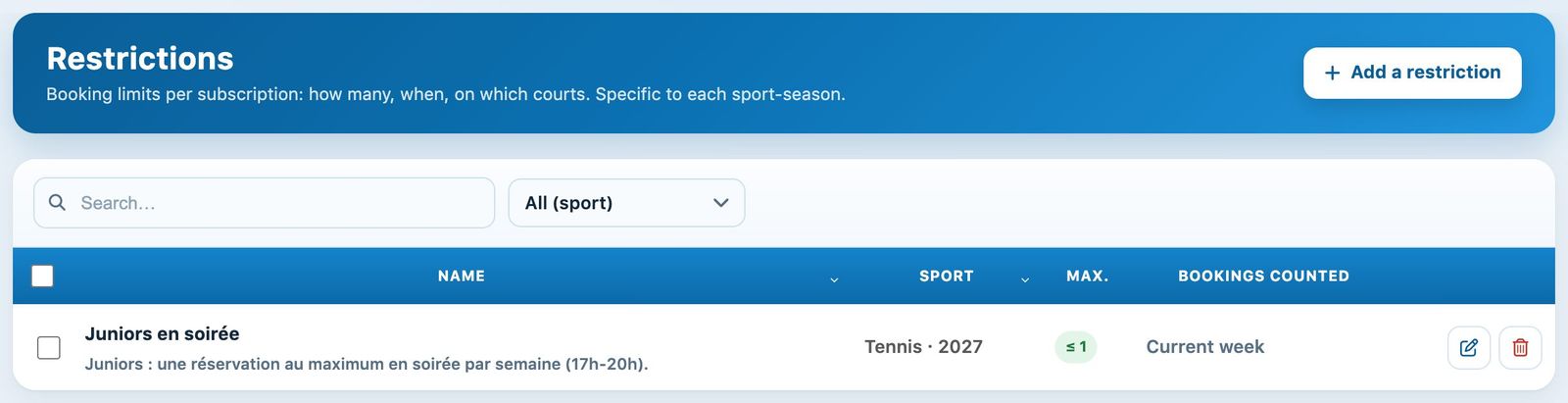
In the left side menu, open Memberships then Manage restrictions. Each line gives the name and a plain-language summary of the rule, then Who (memberships concerned and, where applicable, "with" certain partners), When (days and times), the Type (Forbidden or Max N) and the Status.
- No effect: the restriction can never apply; the reason is written below (no membership of the season chosen, empty "with" list, no time slot, period that never contains the slot…).
- Check: it applies, but part of it is ignored or questionable (overlapping time slots, exempted person who is no longer a member, quota already capped by the membership…).
- Error: unreadable period; the check fails and blocks the members concerned. Fix this first.
The filters at the top of the list show one sport-season, the Current or Upcoming seasons, or only the restrictions with a problem.
Forbid or limit, and for whom
Click + Add a restriction. At the top of the panel, the In plain words box describes the rule in one sentence and the Check box flags anything that would prevent it from applying: both update as you type.
- Type of rule : Forbid (no booking in the time slots) or Limit to N bookings counted within the period.
- Affected members: the memberships subject to the rule.
- Whoever the partner (on by default): the rule always applies, including when the member books alone. When switched off, it only applies when the member books with a member of the memberships ticked below.
Booking alone: with "Only when booking with…", a booking without a partner is only affected if the member's own membership is also ticked in this list (which then also includes bookings between members of that membership).
When: days and times
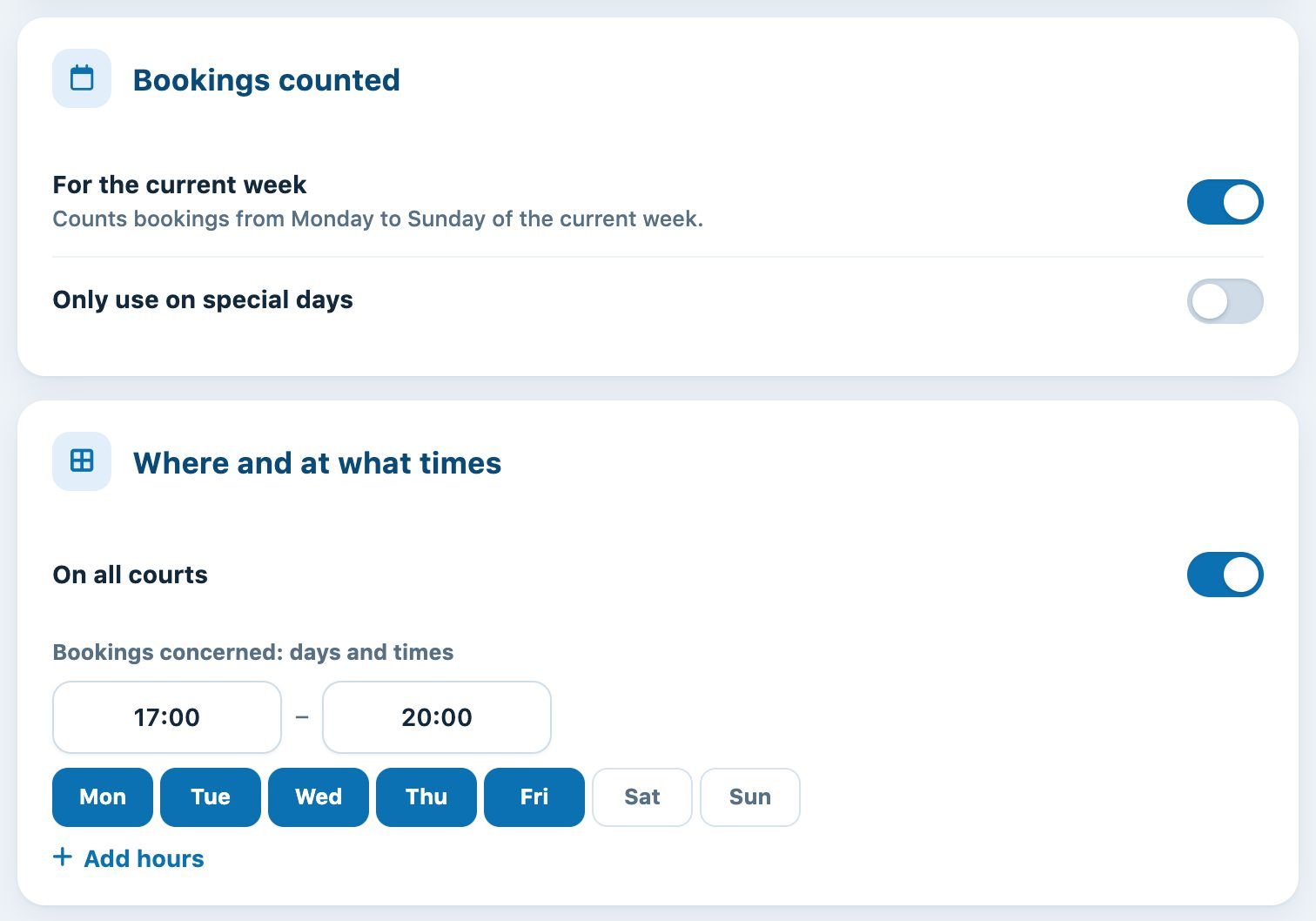
Each time slot has a start time, an end time and days; Add a time slot adds one, the bin removes it. A time slot whose end is before its start goes past midnight (22:00 – 07:00 = until 7 am the next day); 24:00 means midnight. A time slot longer than 30 minutes affects any booking that overlaps it; a time slot of 30 minutes or less only concerns the start time.
During which period
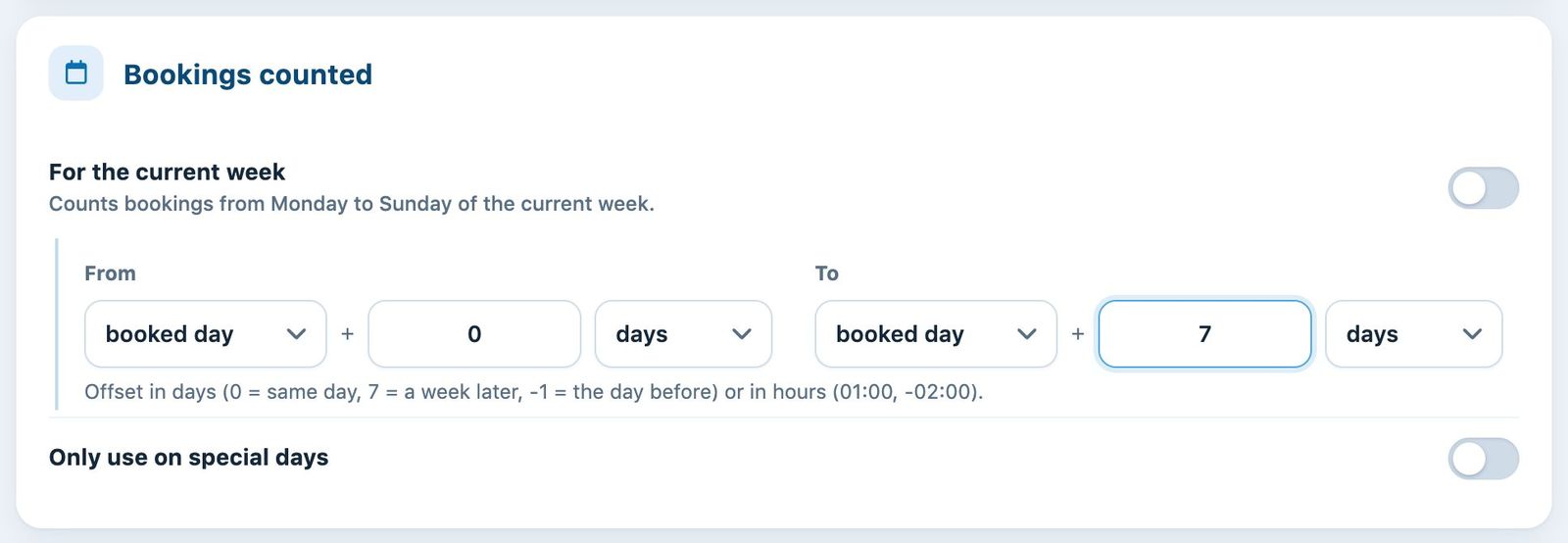
The period has two roles: the rule only applies to slots in the period and, for a limit, it is the bookings within this period that are counted.
- Week of the booked day: Monday to Sunday of the week containing the slot (not necessarily the current week).
- From / To in days: from today or from the booked day, from 00:01 to 23:59. E.g. today + 0 → today + 99 = all upcoming bookings.
- From / To in hours (02:00, -01:30): from now or from the booked time. E.g. booked time − 2 h → booked time + 2 h = at most N bookings around the slot.
- Only on special days (if the module is enabled): see Manage special days.
Courts, exceptions, postponement and message
- Where: all courts, or only the ticked ones.
- Exceptions: people never limited (committee, coaches).
- Postpone start if busy: if all the time slots of the restriction are already taken, the member may book the next free hour. Example: you may only book the next 2 hours, unless they are already taken.
- Message to members: shown above the planner and when a booking is refused (355 characters at most; a single space = no message). The German, English and Italian translations are optional.
Click Add a restriction: any errors are shown at the top of the panel and nothing is saved until they are fixed. To edit, click the pencil on the line; to delete, click the bin ("Undo" remains possible for a few seconds).
Test: can a member book?
The button Test a booking (or Test this restriction in the edit panel) replays the check made when booking, without booking anything: choose the member, optionally a partner, the date, the time, the duration and the court. The result shows whether they can book, the reason for a refusal with the club's message, and for each restriction whether it applies to them (with its counter, e.g. "2/2") or why it does not.
Tip: after creating or editing a restriction, test it on a member it applies to and on a member it does not. The admin assistant can also answer "why can't X book on Tuesday at 18:00?".
Plugin.ch Tutorial — Manage subscriptions