


Manage parameters
Manage member groups
Sort your members into groups, by hand or automatically
Member groups let you sort your members into categories such as "Juniors", "Seniors", "Interclub" or "Committee". You then use them to filter the member list, choose the recipients of a group e-mail or charge an item to a whole group. A group can be filled by hand or automatically by age and subscription.
Open the list of groups
In the left side menu, click Parameters, then Manage member groups. The list shows each group and, in the Automatic filter column, its criteria if any (for example an age range). A dash means the group is filled by hand. The Search… field filters the list as you type.
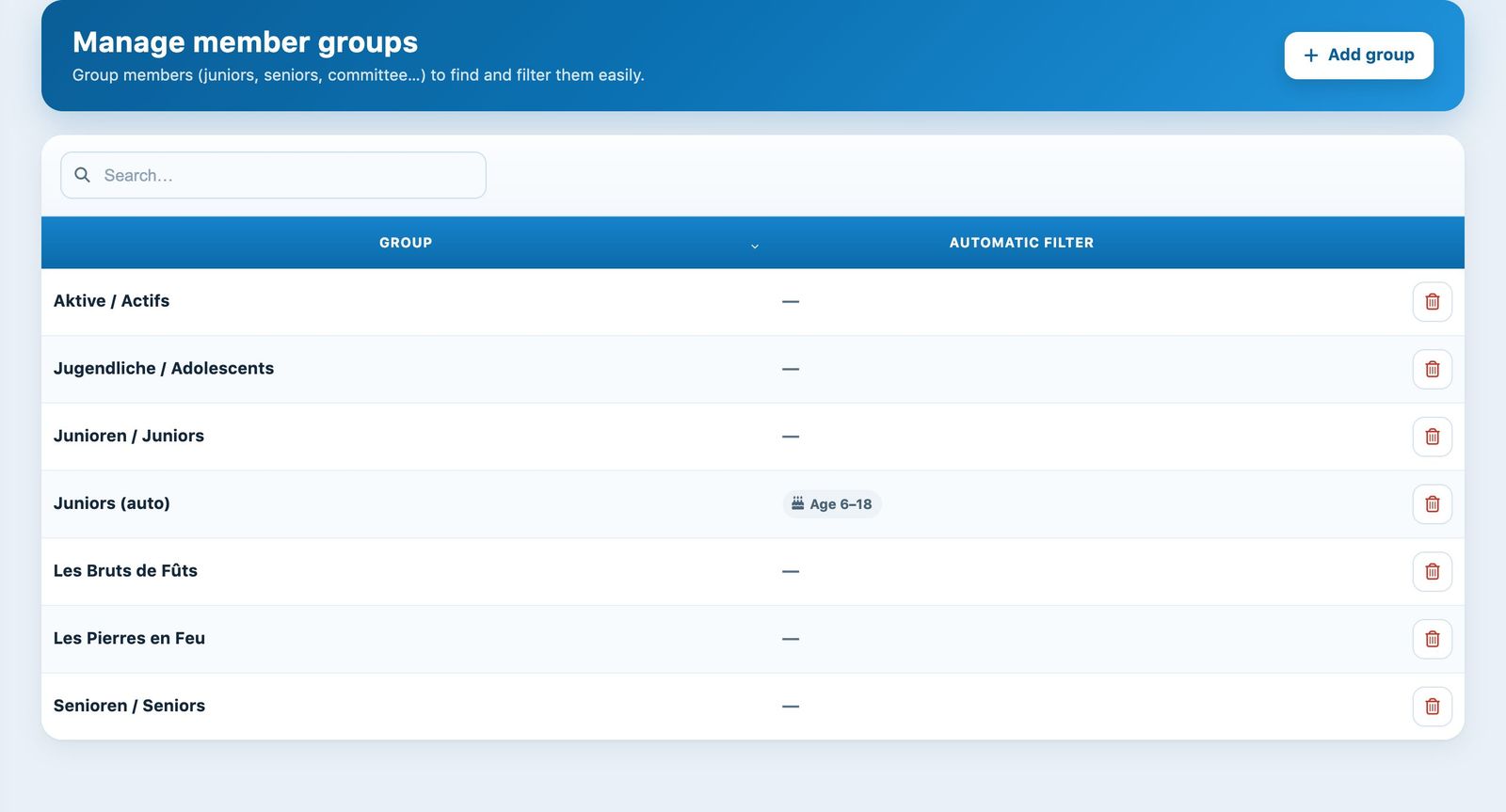
The list of groups, with one automatic-filter group
Add a group
Click Add group at the top right. A panel opens on the side.
- Group: the group name, 30 characters at most. Choose it carefully: it cannot be changed afterwards.
- Criteria (optional): leave them empty for a group you fill yourself. Otherwise, enter an Age range and/or check one or more subscription types per sport (the Select all link selects them all).
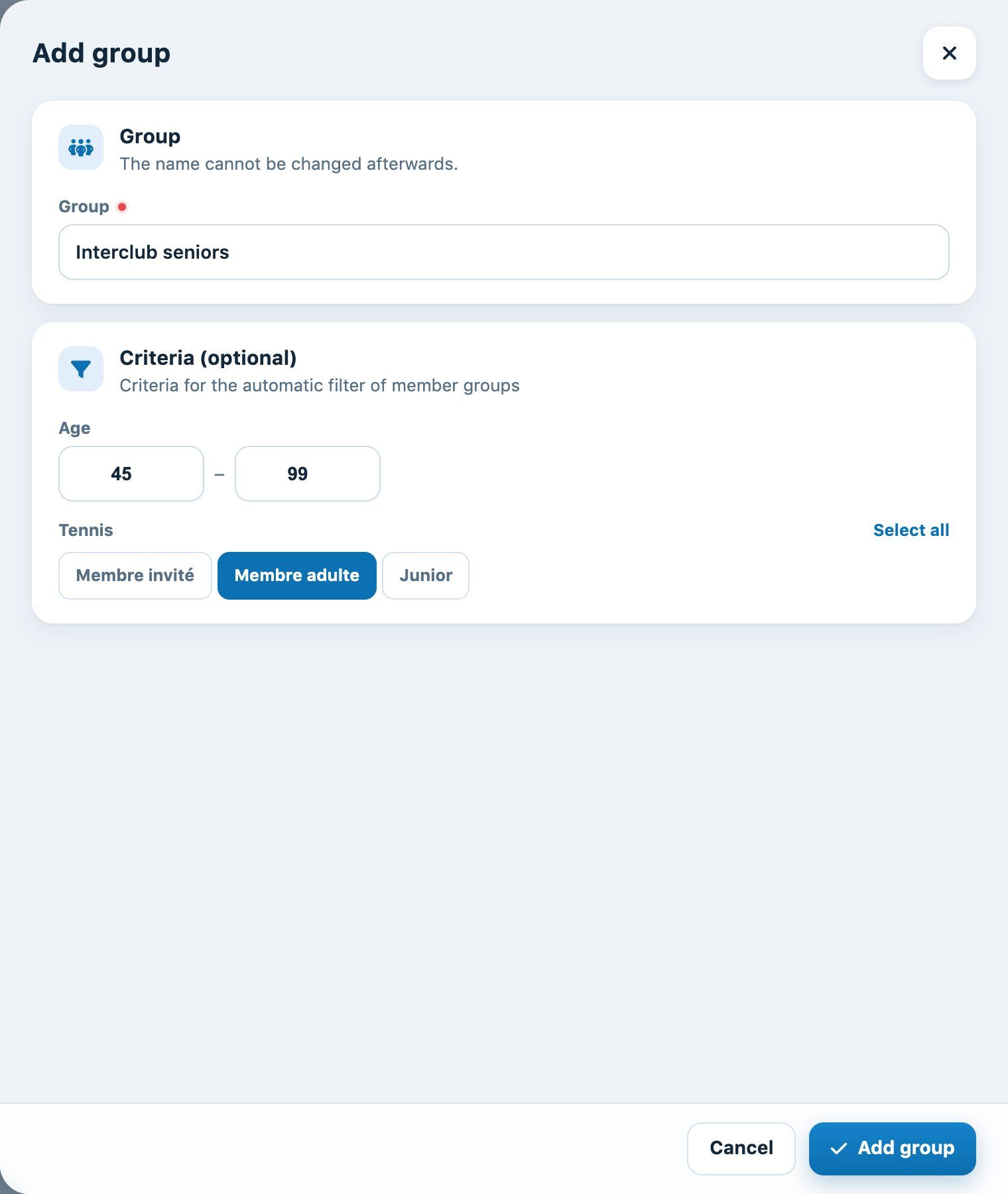
An automatic group: adult members aged 45 and over
Click Add group at the bottom of the panel. The message "The group has been added" appears and the group shows up in the list.
Understand the automatic filter
Every night, Plugin.ch recalculates the content of groups that have criteria: the group is emptied, then filled with the club's active members who meet all the criteria.
- Age: age reached in the current year (current year minus year of birth). Fill in both limits, minimum and maximum.
- Subscription types: the member must have one of the checked subscriptions in a current season.
The group thus updates itself: juniors who become adults leave it, new members who meet the criteria join it.
Put members into a manual group
For a group without criteria, add members from Members → Link a member to a group, or tick the group directly on the member's record. See Link a member to a group.
Delete a group
Click the bin icon at the end of the row, then confirm. The group disappears from the list and the members linked to it are no longer part of it; the members themselves are not deleted.
A group cannot be edited: to change its name or criteria, create a new group then delete the old one.
Plugin.ch Tutorial — Manage settings