


Manage memberships
Manage recurrence authorisations
Allow certain members to create recurring bookings themselves
Some members, for example coaches, team captains or tournament managers, need to book the same slot every week. A recurrence authorisation creates a recurrence type (with its name and colour), designates the people who can use it and sets its limits. These people then create their recurrences themselves from the schedule, once logged in.
Open the list of authorisations
In the left side menu, open Memberships then click Manage recurrence authorisations. The list shows each authorisation with its sport-season (Used by), the number of authorised people and its Period: "Always valid" or "Courts, days, times", followed by the limits.
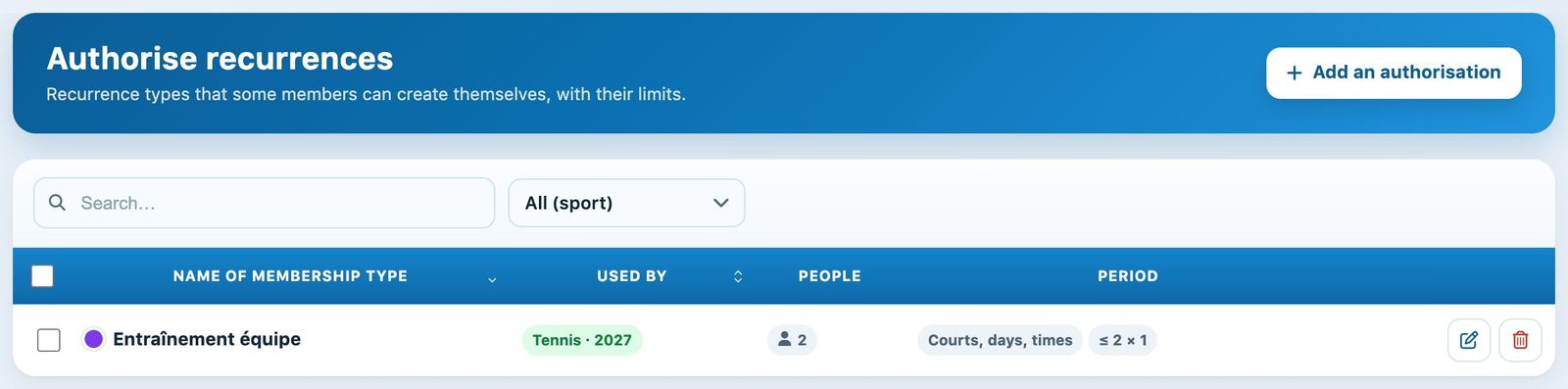
An "Entraînement équipe" authorisation for two people
Create an authorisation
Click + Add an authorisation and fill in the panel:
| Field | Description |
|---|---|
| Sport | The sport-season concerned, if several sports are open. |
| Name | The name of the recurrence type, for example "Entraînement équipe" or "Tournament". |
| Group colour | The colour of this recurrence's slots in the schedule. |
| Authorised for | The authorised people: type a few letters of their name and choose them from the list. A cross removes a person. |
| Maximum number of periods | The maximum number of periods a recurrence can occupy. |
| Limit per person | The maximum number of recurrences the same person can create. |
| Always valid | On: no limit on court, day or time. Off: tick the permitted Courts and the Days and enter the time ranges (Add hours to add more). |
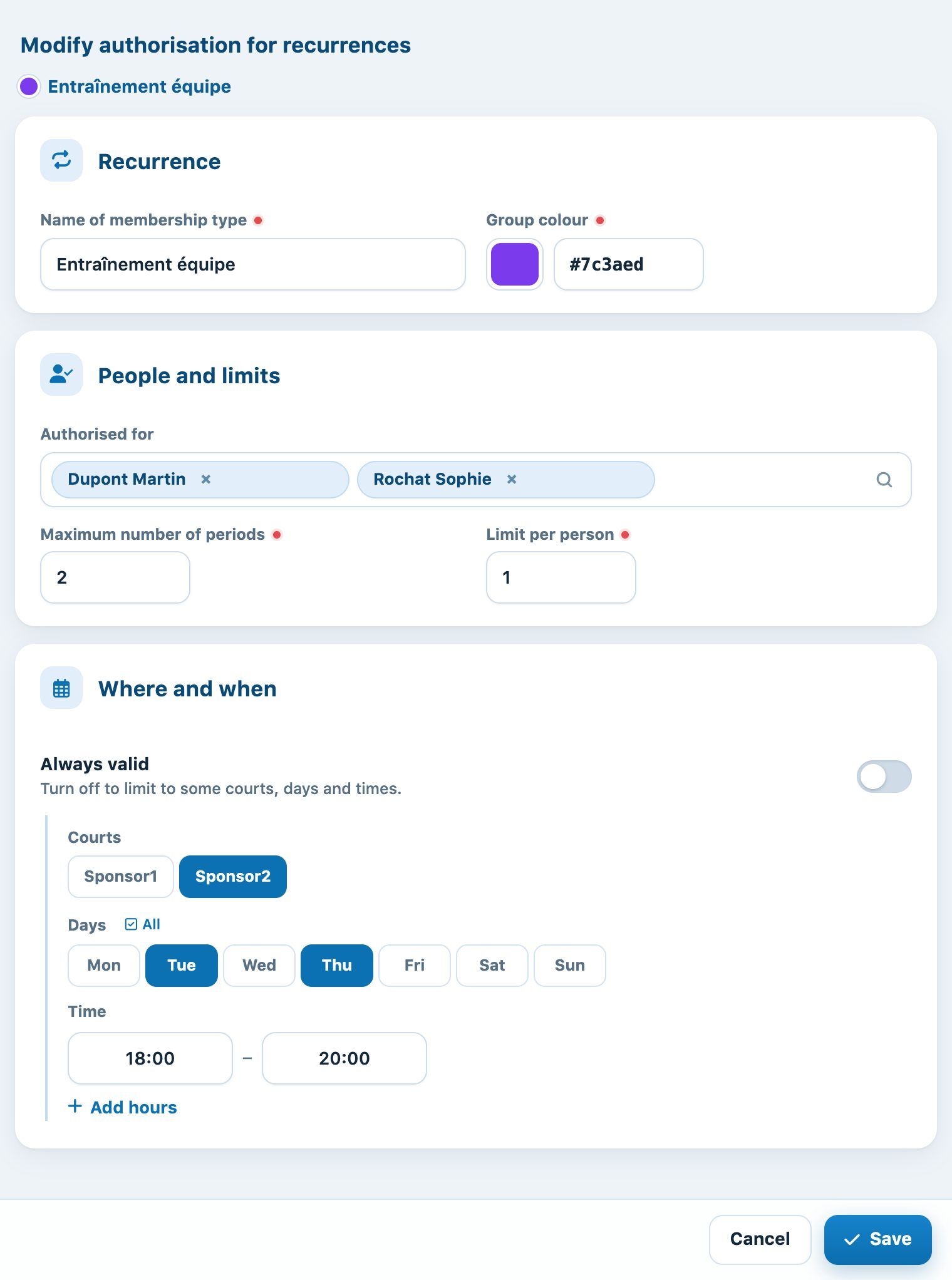
Two people authorised to book court Sponsor2 on Tuesdays and Thursdays from 18:00 to 20:00
Click Add an authorisation to save.
Edit or delete an authorisation
Click the pencil icon to open the Modify authorisation for recurrences panel: you can add or remove people and change the limits, then click Save. The trash icon deletes the authorisation after confirmation; you can also tick several rows to delete them together.
Tip: to suspend an authorisation without deleting it, simply remove the authorised people. Recurrences already created remain in the schedule and are managed in Reservations → Manage recurrences.
How the member uses their authorisation
Once logged in to Plugin.ch, the authorised member selects a slot in the schedule and chooses to create a recurrence with the type they are authorised to use. They enter the dates, days and courts, within the limits set by the authorisation. The slots appear in the schedule in the type's colour.
For a complete example (a manager booking a tournament), see the article Manage court usage.
Plugin.ch Tutorial — Manage subscriptions