


Manage members
Manage member subscriptions
Assign memberships, track fees and block access to bookings
Open the page and choose the sport
In the left-hand menu, open Members › Manage memberships. Choose the sport and season in Filter by sport. The list offers the sport-seasons running on the date chosen at the top of the screen: to prepare the next season, change the date first.
Reading the fee overview
The tiles summarise the sport-season: Subscribers, Fees paid, Awaiting payment, Not invoiced and No membership. The table details each membership: paid, partial, unpaid, not invoiced, free and duplicate, with the breakdown men / women / not specified.
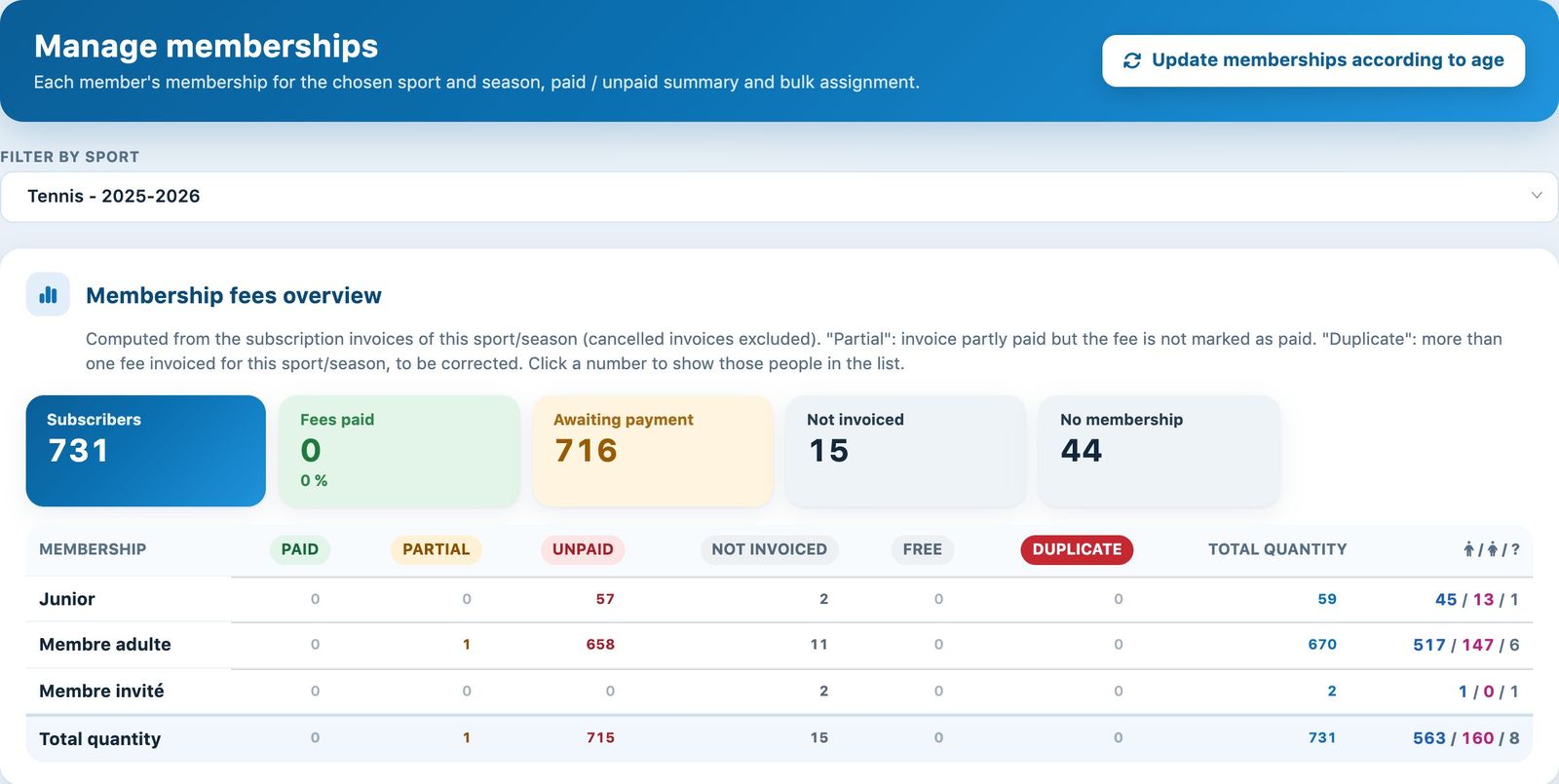
The fee overview of a sport-season
These figures come from the sport-season's membership invoices (cancelled invoices excluded). "Partial" flags an invoice that has been partly paid without the fee being marked as paid; "Duplicate", a person who was invoiced the fee twice, to be corrected. Click a number to show these people in the list.
Filtering the list
Above the list, the field Search… and the menu All subscriptions filter by name and membership. Two families of chips are added:
- Membership fee (according to the membership invoice): Paid, Partial, Unpaid, Not invoiced, Free, No membership;
- Member status (in the club): Active, Inactive, Removed and Deleted (deleted people whose invoiced fee is still counted).
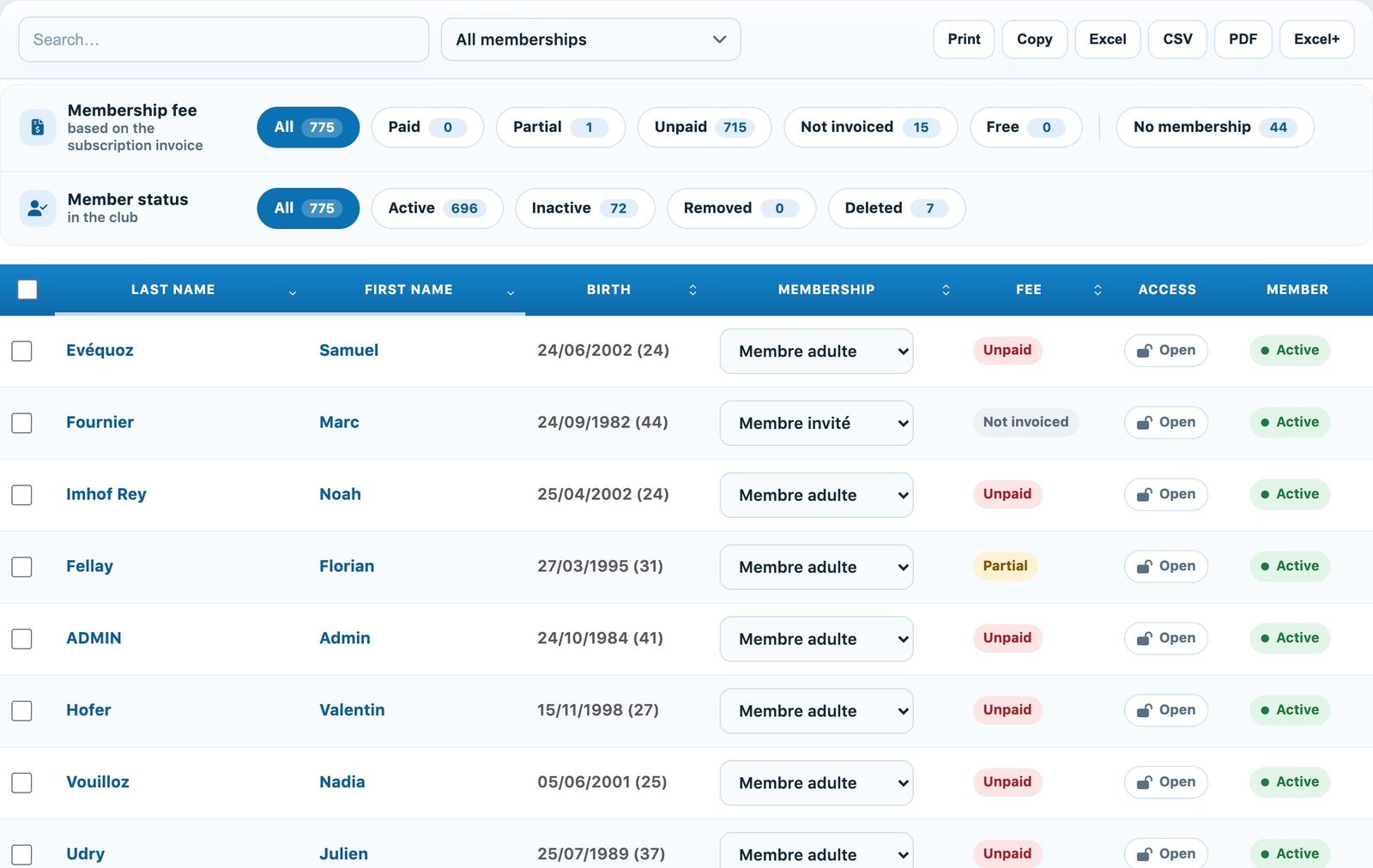
The filters and the list of memberships
Changing a member's membership
In the column Subscription, choose the new membership: it is saved immediately. The choice None (remove the membership) removes the membership for this sport-season.
- Access : Open or Blocked. Click to block bookings with this membership, for example until the fee is paid; this lock is independent of the invoice.
- Member: the badge Active or Inactive activates or deactivates the account, as in the list of members.
Time-limited subscriptions (12 months, 6 months…): when you change the subscription on the member's record, the dates are suggested automatically. Same subscription or same validity period: the current dates are kept. Otherwise, the new subscription starts at the end of the old one if that is still ahead, or today, and ends after its validity period. If you change the start date by hand, the end date follows; you can still edit it afterwards.
The member receives a reminder 30 days and then 10 days before their subscription ends (automatic e-mail “Membership limit”, if it is turned on). A subscription whose “Subscription after expiration” setting points to the same subscription renews automatically: a reminder 30 days before (“Automatic renewal - reminder before expiry”), then the new period starts at the end of the old one and the member receives the confirmation.
Assigning a membership to several members
Tick the members concerned (or the header box for all those displayed, for example with the chip No membership). A bar appears at the bottom of the screen: choose the membership in Assign subscription : then click Assign and confirm. Clear selection clears the selection.
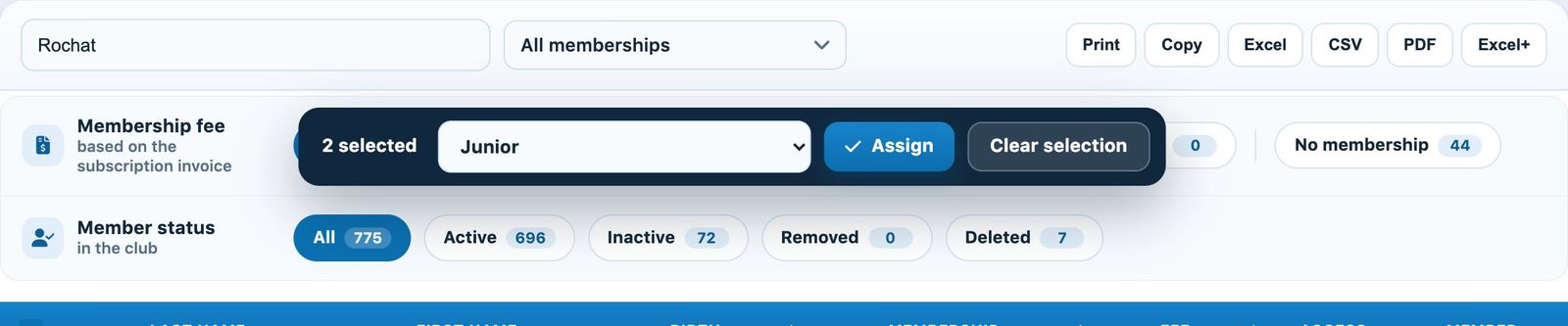
Two members ticked and the bulk assignment bar
Removed members are not changed by the bulk assignment.
Updating memberships by age
The button Update memberships according to age, at the top of the page, automatically moves members who have passed the maximum age of their membership to the higher membership (for example from Junior to Adult member), according to the membership type settings. Run it before creating the fee invoices.
💡 Helpful tip
Membership changes take effect immediately and appear in the next fee invoicing. To set up a membership type (maximum age, higher membership…), see the article Manage membership type.
Plugin.ch tutorial — Managing members