


Manage courts
Manage court usage
Block courts, book them for a tournament and release them afterwards
To simply close a court to members (maintenance, works, weather, watering), use the page Court closures: members see the reason and cannot book, and no booking is created. See the article Close courts.
To occupy a court with real bookings (interclub matches, training, tournament), you use a recurrence: a booking repeated on each ticked day between two dates, on the chosen courts. This article shows how to add a recurrence, how to remove it, and how to let a person in charge book a tournament.
Occupy a court with a recurrence
In the left side menu, open Reservations then click Manage recurrences. Click + Add recurrence and fill in the panel:
- Sport: the sport-season concerned, if several sports are open.
- Recurrence text: the text shown in the schedule slots, for example “Interclub” or “Junior training”.
- Colour: the colour of the occupied slots. Copy from reuses the colour, text and person of an existing recurrence.
- Date: the first and last day of the recurrence.
- Time: the start and end time of the recurrence.
- Court and Day: tick the courts and days of the week concerned. The All shortcut ticks every day.
- Valid on special days : Yes to create the recurrence during special days too; No not to create it during the special days you tick (holidays, closures).
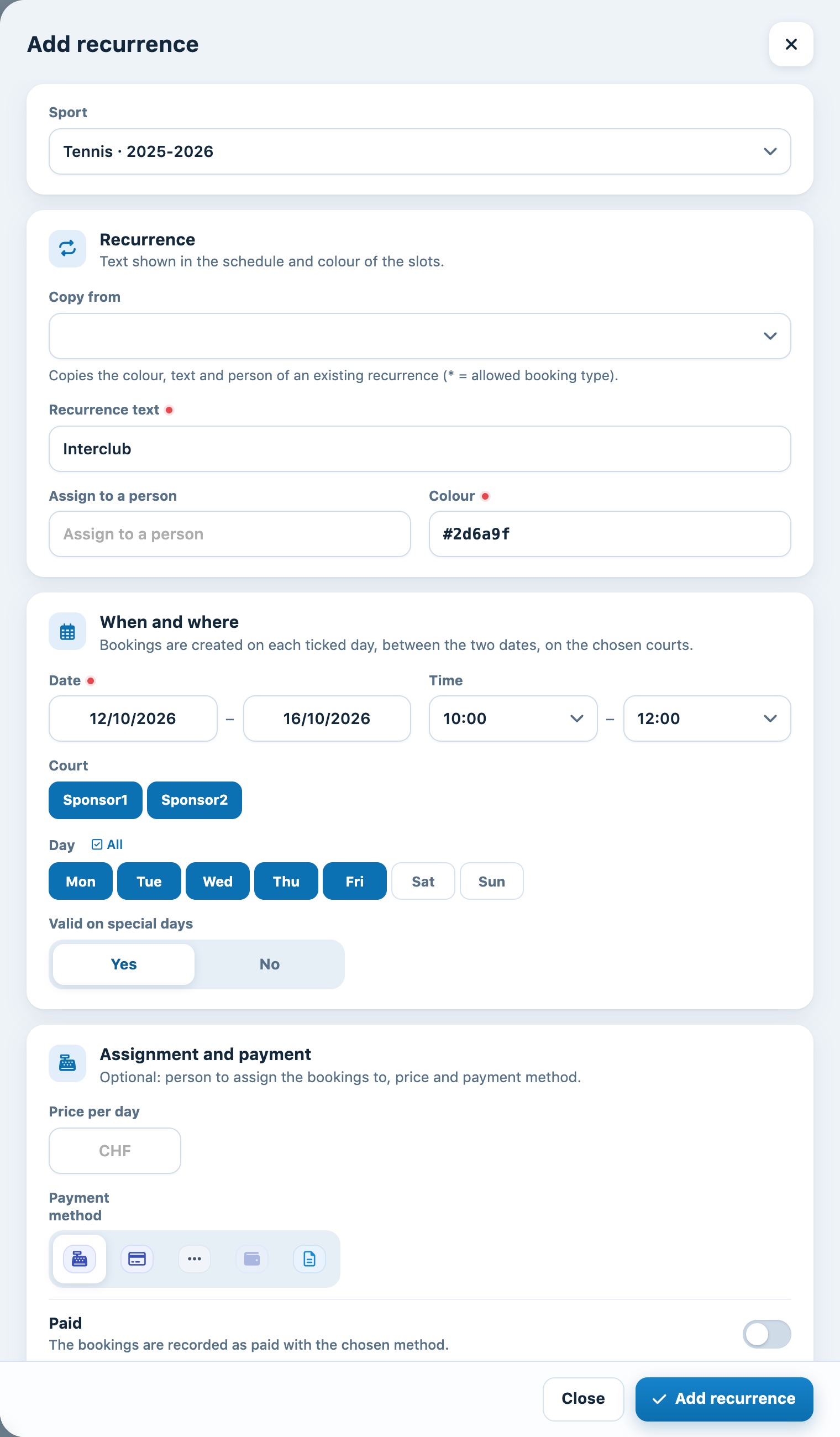
Example: both courts occupied from 10:00 to 12:00, Monday to Friday, for one week
The Assignment and payment section is optional: it is used when the recurrence is a rental to be invoiced. If there is nothing to invoice, leave it empty and click Add recurrence.
Warning: if bookings already exist in these slots, Plugin.ch lists them and asks you what to do: Replace the reservations or Do not replace (the occupied slots are then skipped). Let the players concerned know if you replace their bookings.
Find and remove a recurrence
The list on the same page shows all recurrences: text, sport, period, time, courts and days. The Active, Ended and All chips filter the list by date; the Search… field and the All (sport) help you find a recurrence.
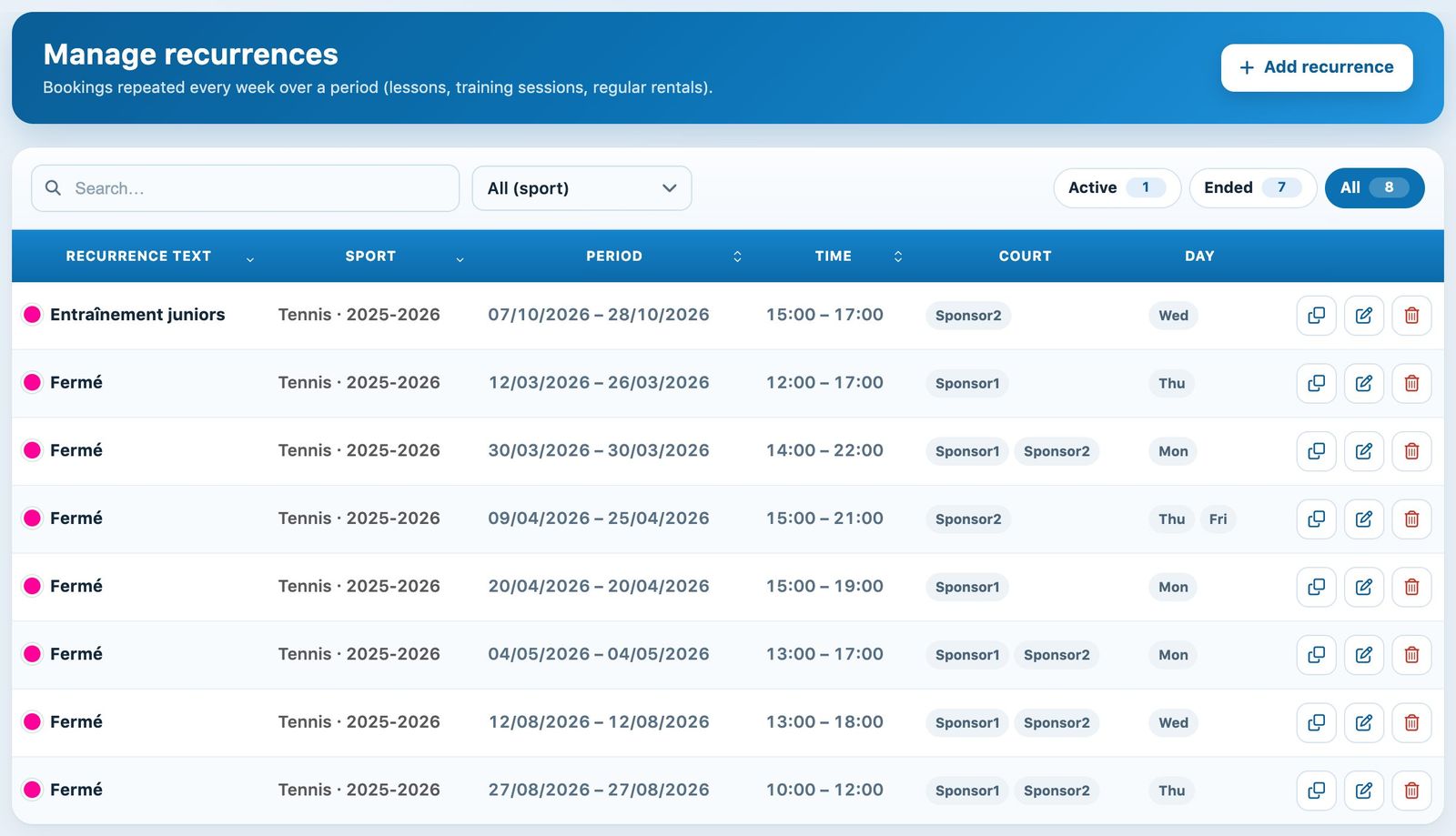
The list of the season's recurrences
- The pencil icon edits the recurrence.
- The trash icon deletes it: the slots become free again.
- The copy icon reuses the text and colour in a new recurrence, handy for repeating the same recurrence on other dates.
You can also click a slot of the recurrence directly in the booking schedule to open the recurrence and delete it.
Let a manager book a tournament
The simplest option is for the administration to create the tournament itself as a recurrence (step 1), with a text such as "Internal tournament". If you prefer the tournament manager to book the courts from their own account, proceed as follows:
a) Create a subscription type for the manager
In Memberships → Manage membership type, create a "Comité" type whose Number of days ahead allowed for booking is large enough to reach the tournament dates (for example 365).
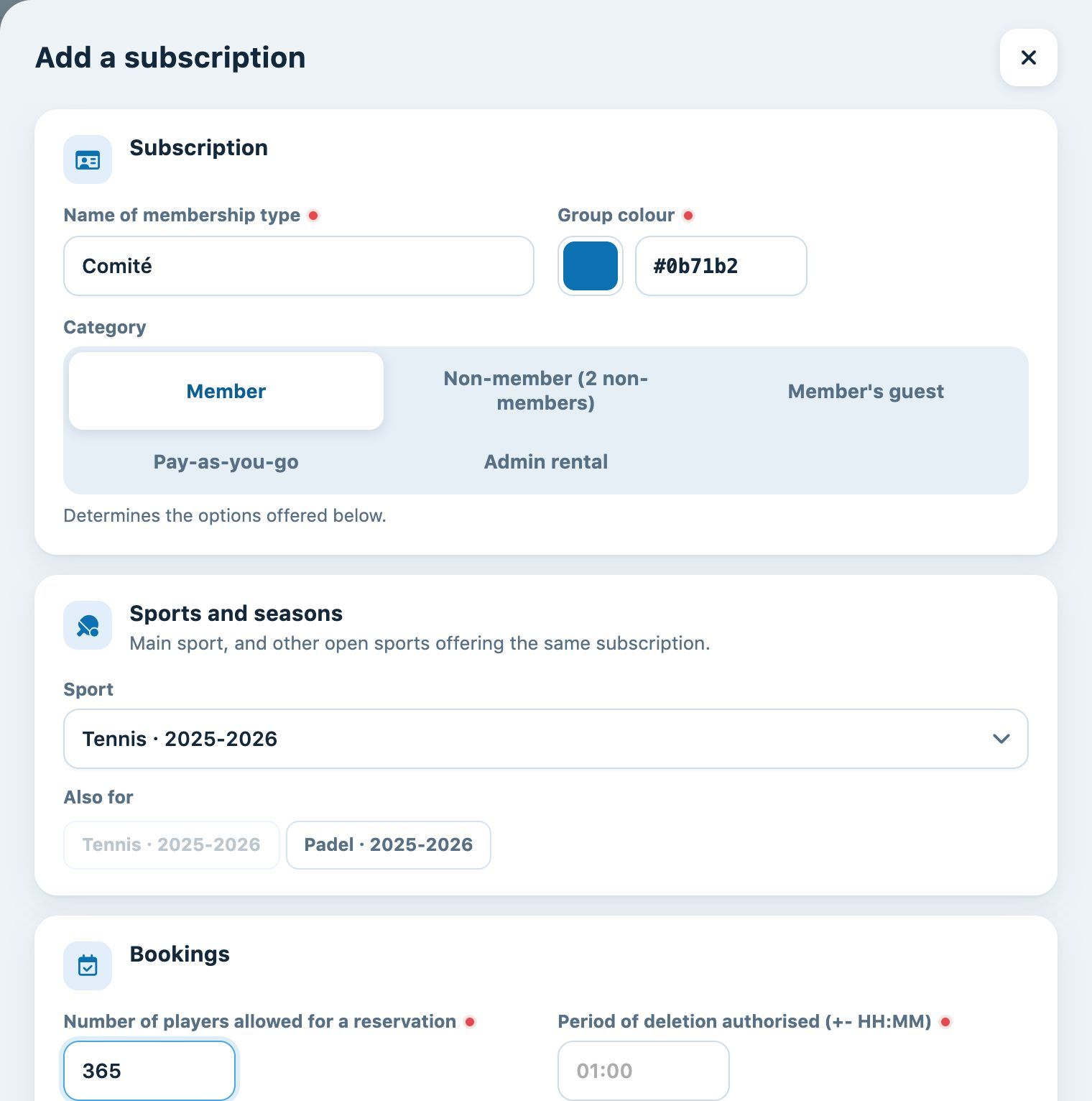
A "Comité" subscription type that can book up to 365 days in advance
b) Assign this type to the manager
In Members → Manage memberships, assign the "Comité" subscription to the tournament manager. See the article Manage member subscriptions.
c) Authorise the recurrence
In Memberships → Manage recurrence authorisations, create an authorisation (for example "Tournament") for the manager, with the permitted courts, days and times. See the article Manage recurrence authorisations.
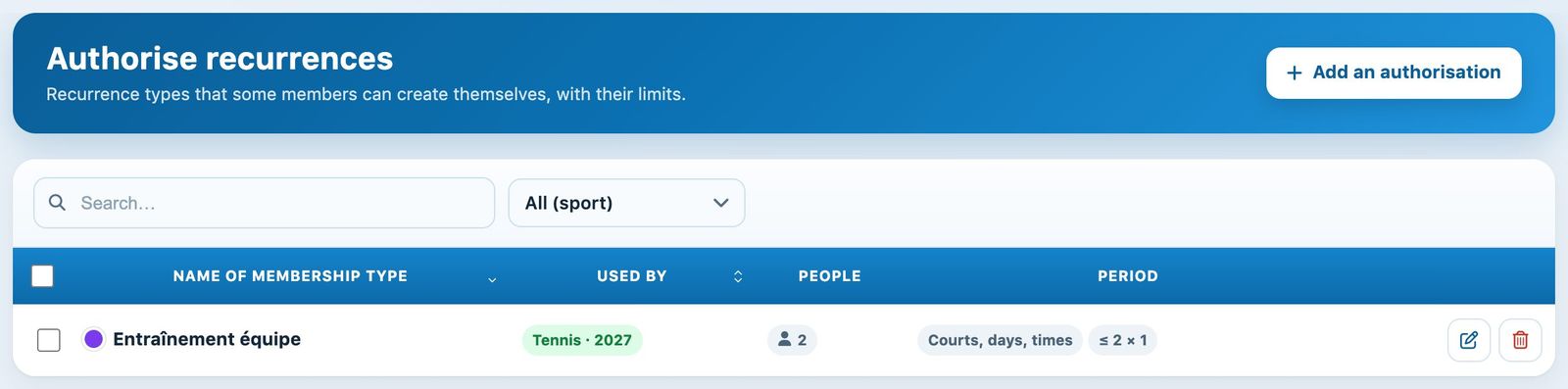
A recurrence authorisation limited to certain courts, days and times
d) The manager books the courts
The manager logs in to Plugin.ch, selects the tournament slots in the schedule, chooses the authorised recurrence type and enters the courts, dates and days. The slots then appear in the schedule and in Manage recurrences, where you can edit or delete them like any recurrence.
Tip: once the tournament is over, remove the "Comité" subscription or the recurrence authorisation from the manager to avoid unwanted bookings.
Plugin.ch Tutorial — Manage courts