


Manage invoices
Invoicing a membership fee or an item: what's the difference?
Plugin.ch has two ways of invoicing a member: the membership fee, linked to their membership, and the item, for a one-off service. They work quite differently. The golden rule: the membership fee is automatic and unique per season; the item is manual and can be repeated as many times as needed.
The membership fee: automatic, only once per season
The membership fee follows from the member's membership type (Adult member, Junior…). You never assign it by hand: it is generated automatically when you create the season's invoice group, in Invoices → Manage invoices → Create invoices, by ticking the memberships concerned under Invoice memberships.
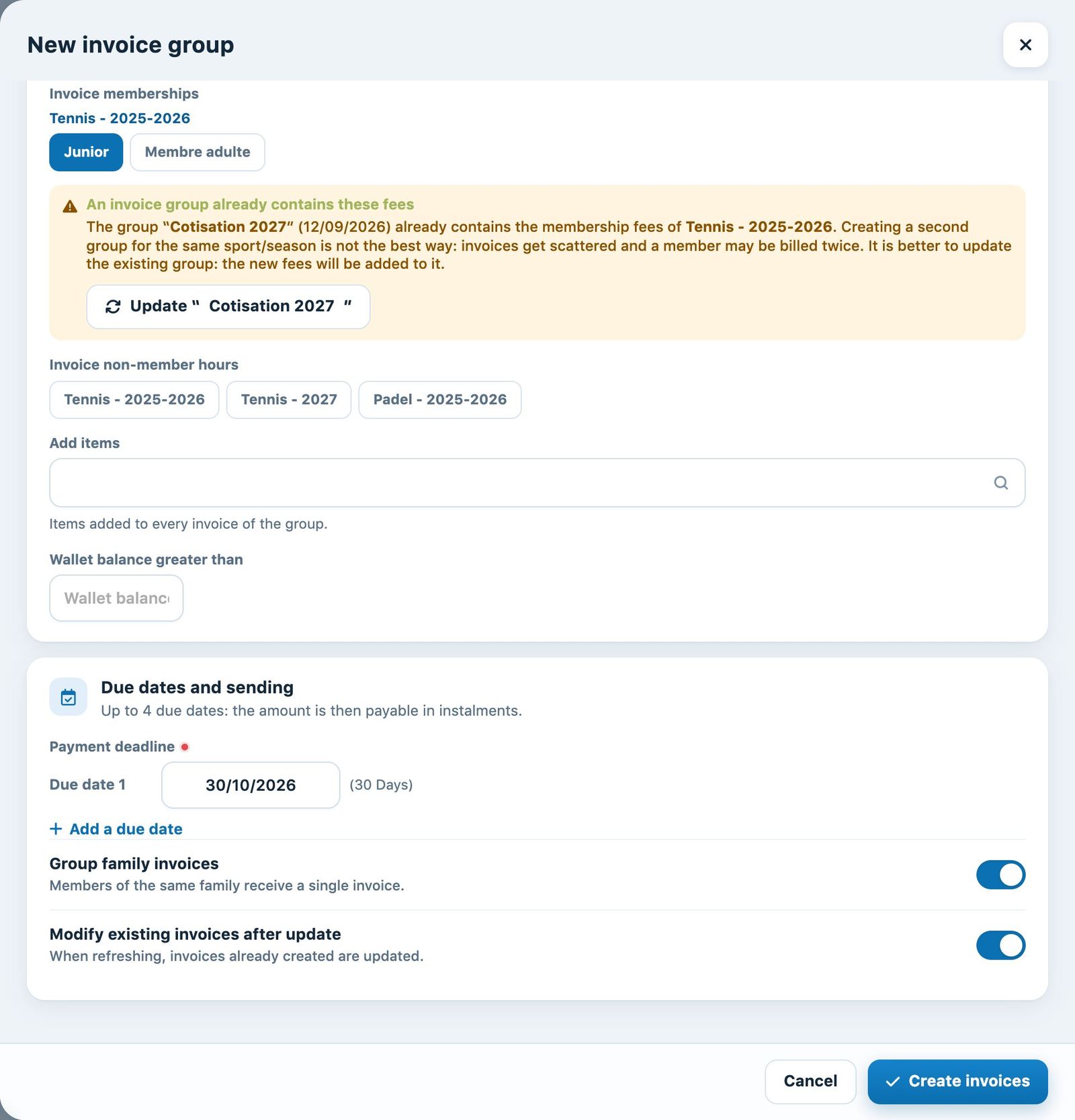
The membership fees to invoice, in the “New invoice group” panel
The program ensures that a member receives only one membership fee per season: refreshing an invoicing never creates a second membership fee for the same person and the same season. If a group already contains these fees, the panel tells you and offers to refresh that group.
The item: manual, as many times as you like
The item is used for everything else: courses, equipment, entry fee, discount (negative amount)… Unlike the membership fee, nothing is automatic: you must link it to the member yourself in Invoices → Link an item.
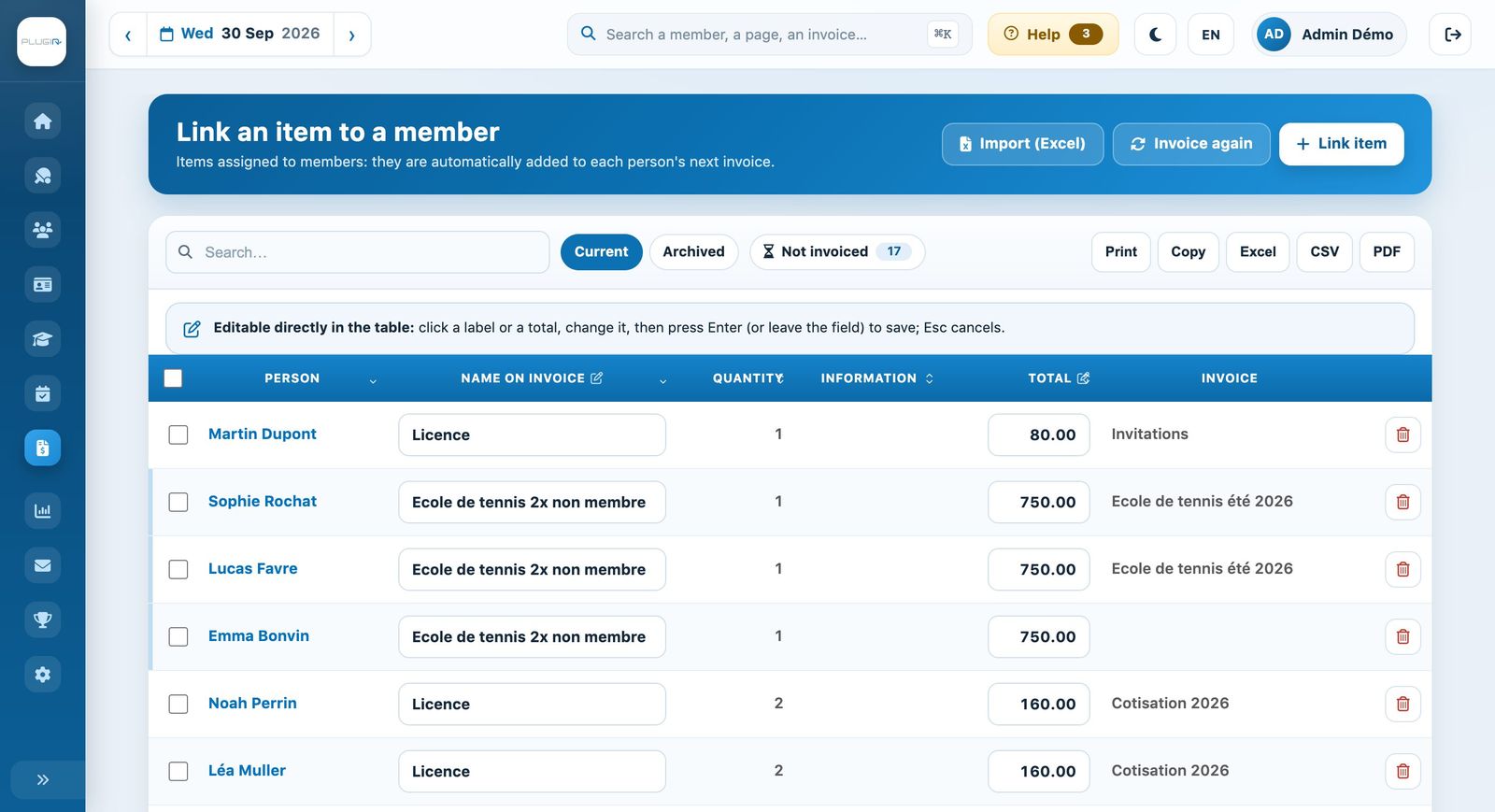
Items linked to members
An item can be assigned several times, with no annual limit. Once linked, it is automatically included in the next invoice concerning that member.
Making a new membership fee appear: “Refresh invoices”
A new member joined the club after invoicing? A member changed subscription? Their fee will not appear on its own: open Invoices → Manage invoices, choose the season's invoice group, then click Group → Update invoices.
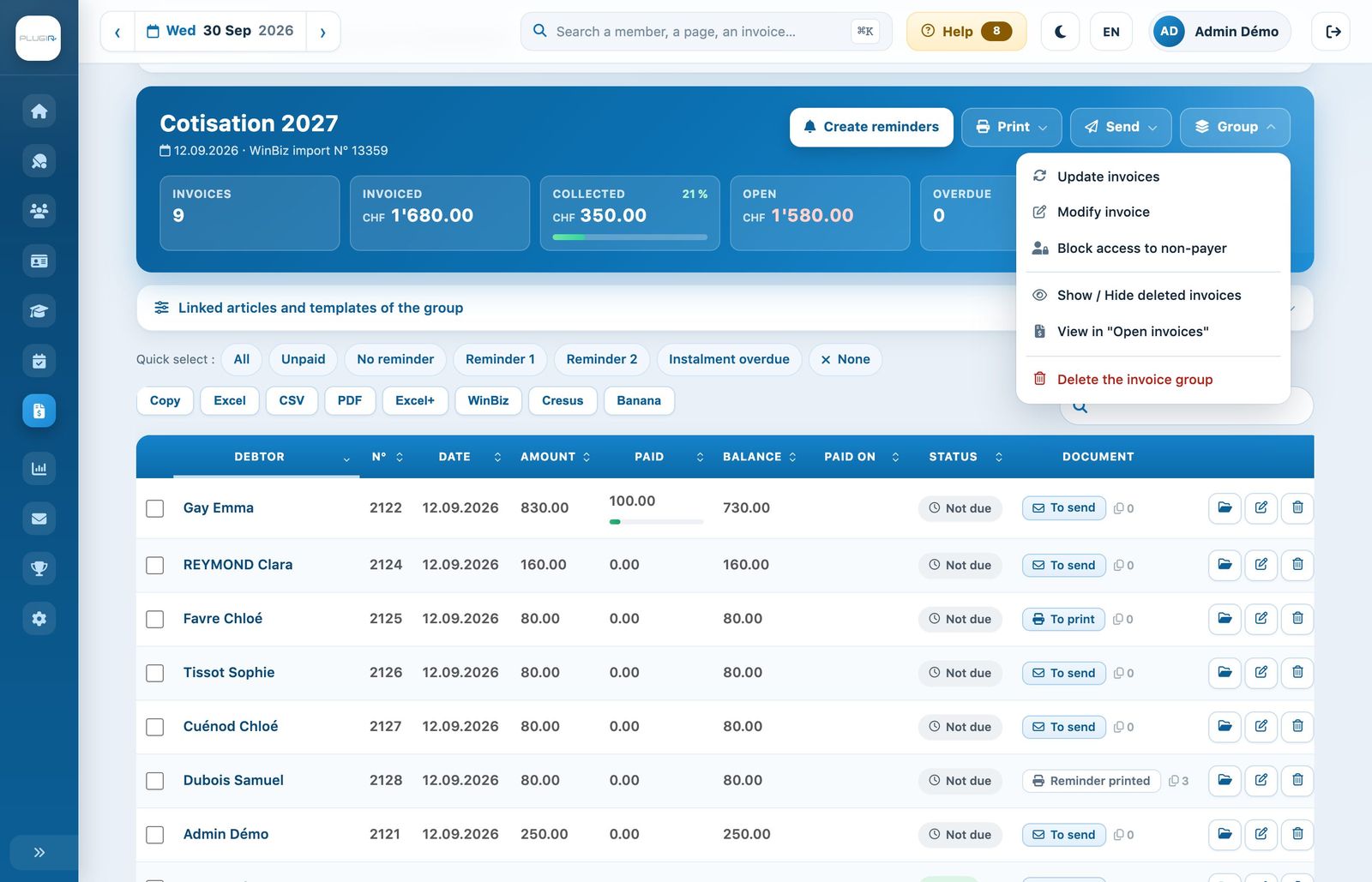
“Refresh invoices” in the “Group” menu
Refreshing creates the missing invoices (new membership fees, items linked in the meantime) and updates the existing ones, without ever duplicating membership fees already invoiced.
Do not create a new group for this: you would get a second, duplicate invoice group. To complete an existing group, always use Update invoices.
In short
- Membership fee: automatic, linked to the membership, only one per member and per season. Generated when the group is created, completed by “Refresh invoices”.
- Item: manual, linked in “Link an item”, repeatable without limit. Included in the member's next invoice (or when the group is refreshed).
Plugin.ch Tutorial — Manage invoices