


Manage lessons
Creating lesson items
Prepare the invoicing items used by the lesson prices
Each price of a lesson is linked to an invoicing item. The item mainly provides the accounting account number and a default price; the invoiced description and amount are then set in the lesson itself.
1Open the item list
In the side menu, open Parameters, then Manage invoicing. The list of Items is at the bottom of the page, grouped By account (or as a List). The number on the right of each item shows how many times it has already been used.
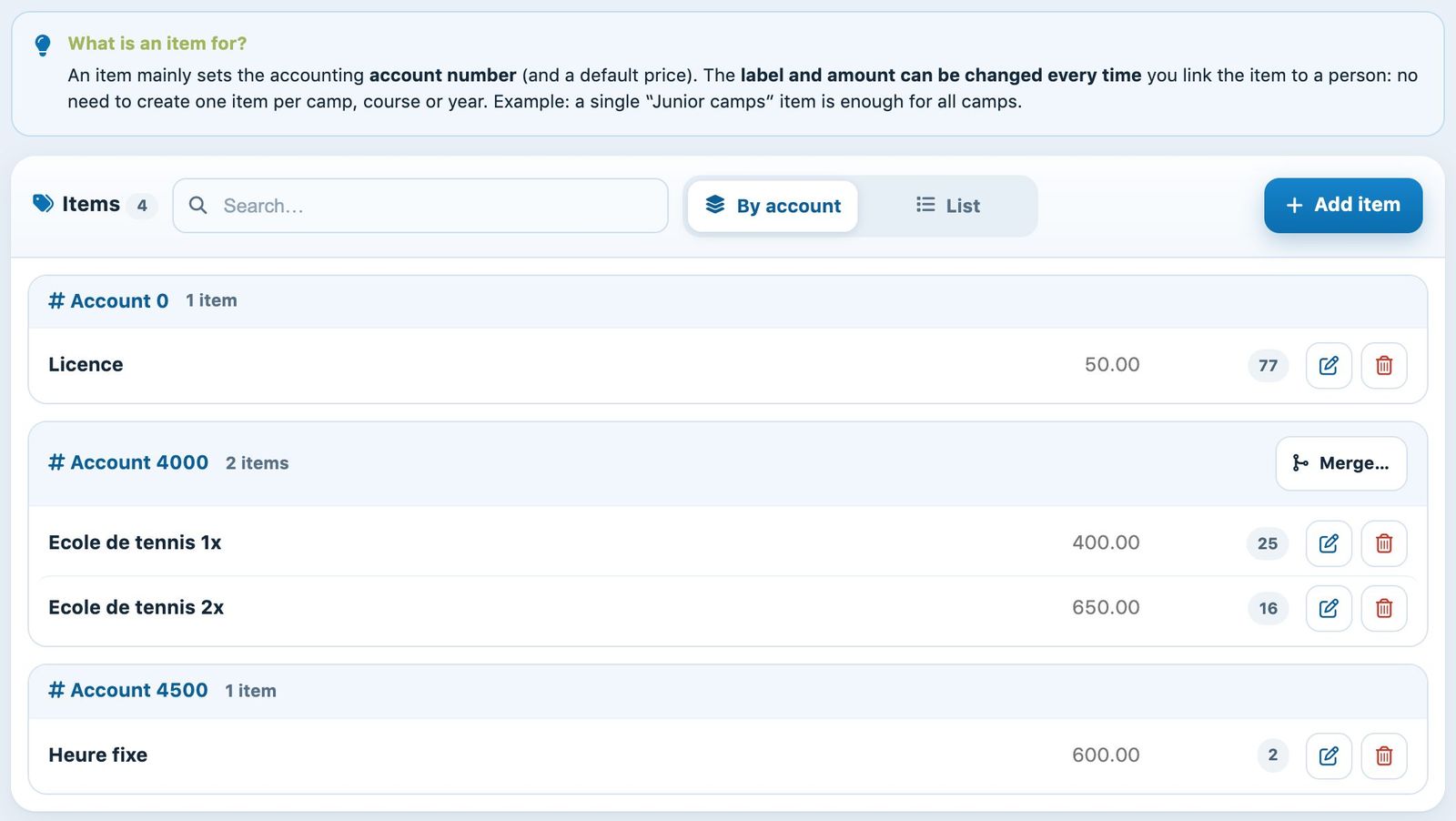
The item list, grouped by account number.
One item per account, not per lesson: there is no need to create an item per camp, per lesson or per year. A single "Tennis school" item can be used for all tennis school prices: in the lesson, you choose the item and then adapt the description (for example "Tennis school 2x non-member") and the price.
2Add an item
Click Add an item. In the side panel, enter:
- Label: the name of the item, for example "Tennis school";
- Price: the default price, possibly by age group;
- Account number: the income account in your accounts (required);
- Article code: optional, for your accounting software.
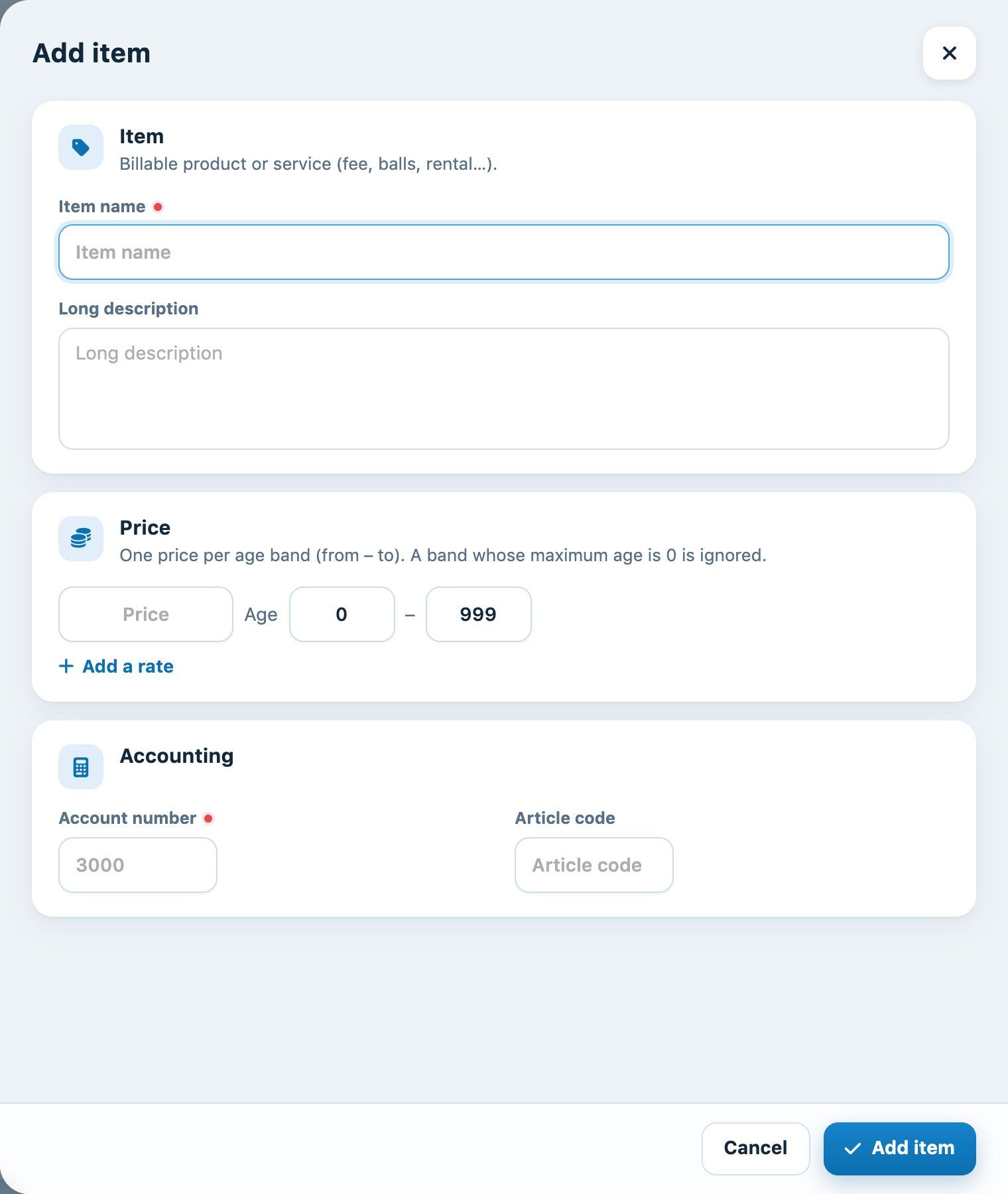
The "Add an item" panel.
Confirm with the Add an item button at the bottom of the panel.
3Using the items in the lessons
When you create a lesson, each line of the Prices and payment section starts with the choice of the item. The item's label and price are copied, then remain editable for this lesson. If the item's label contains "1x" or "2x", the number of lessons per week is filled in automatically. See the article Create, edit, and delete a lesson.
Warning: changing an item's default price does not change the prices already entered in the lessons, nor existing invoices. To correct a rate, edit the price line in the lesson.
Plugin.ch tutorial — Manage lessons