


Manage invoices
Find old invoice groups (archives)
All your invoice groups remain accessible: here is how to quickly find an old invoicing
In the former interface, invoice groups were archived and hidden after one year. This is no longer necessary: the new page Manage invoices loads only one group at a time and offers a search across all groups. All your groups, recent or old, therefore stay in the list, and there is nothing left to archive or unarchive.
Choose an old group
In the left side menu, open Invoices then Manage invoices. Click the list Invoice group: groups are sorted from most recent to oldest, with their creation date in brackets. Type a few letters (“membership 2024”, “licence”…) to filter the list.
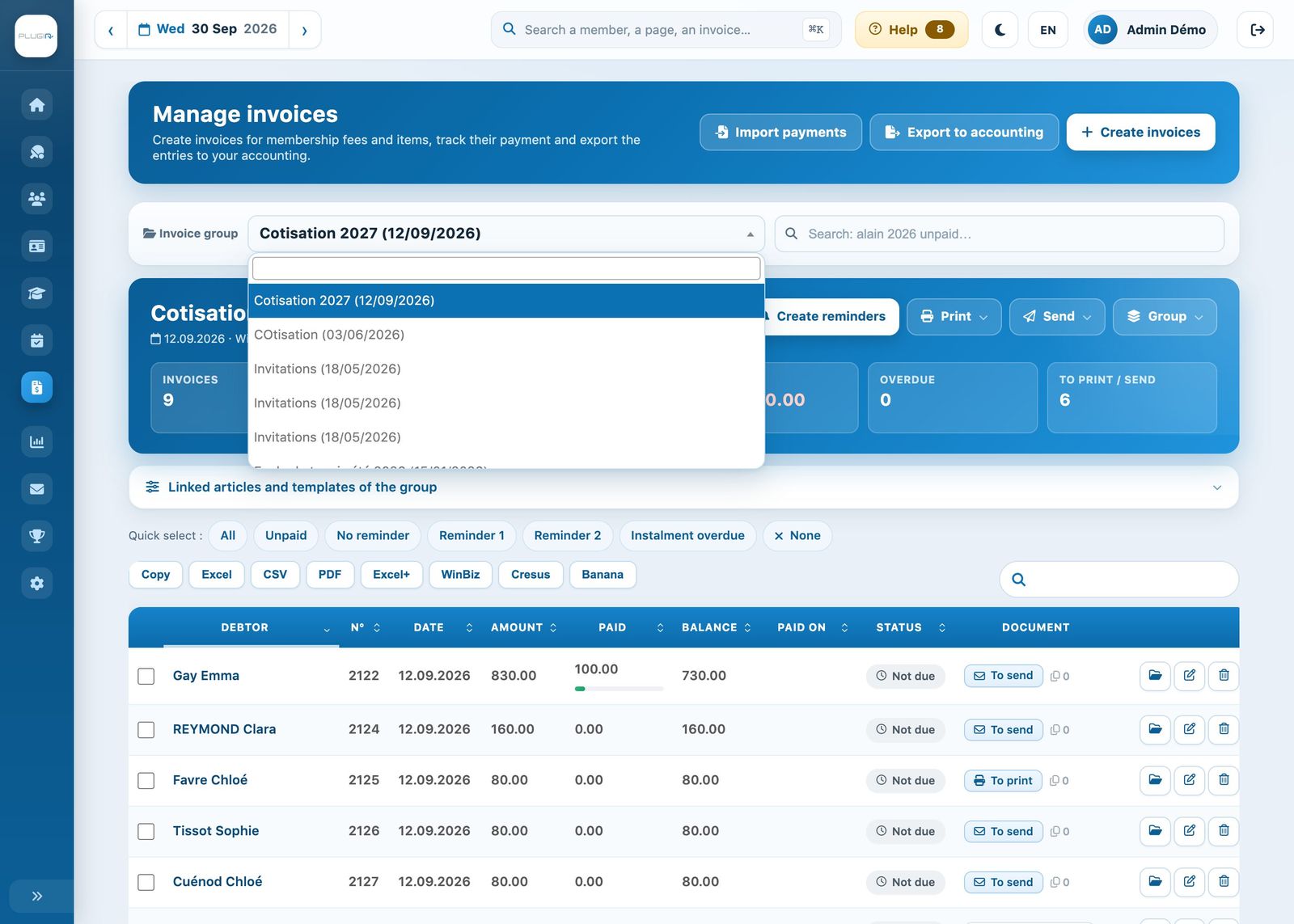
The list of invoice groups, with its filter field
Find an invoice without knowing its group
Use the search field next to the list: it searches all groups at once, by name, year, invoice number, amount or status. For example “smith 2024” or “2023 unpaid”. Each result shows its group; click it to open it.
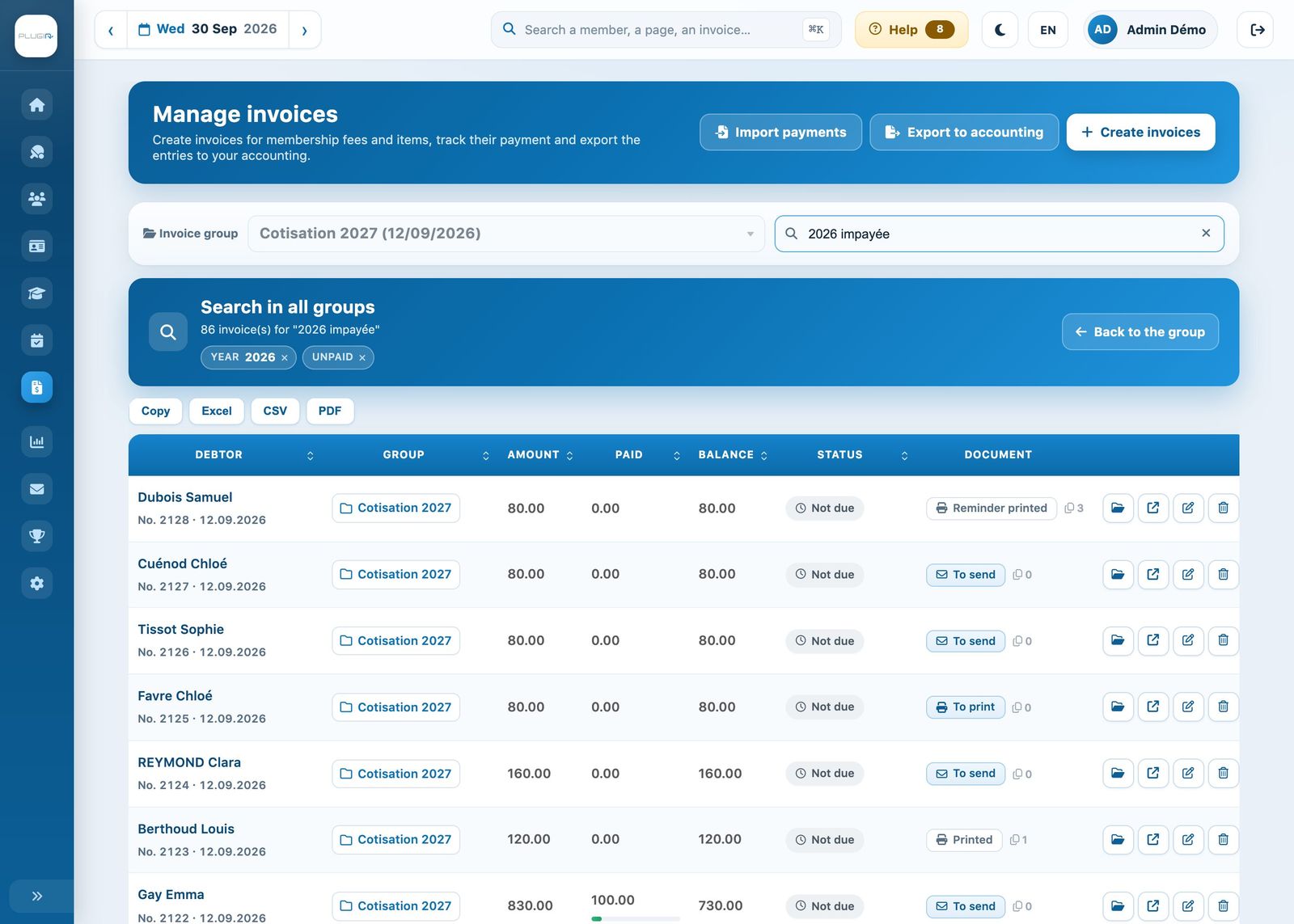
Searching across all invoice groups
For details of the search criteria, see List and search invoices.
Show a group's cancelled invoices
Cancelled invoices are hidden by default. To see them, open the group, then click Group → Show / Hide deleted invoices: they appear struck through and can be restored.
Nothing is ever lost: Plugin.ch keeps all your invoices, their successive versions and their payments. The file of each invoice (folder button at the end of the line) traces its complete history, and each member's record lists all their invoices in the tab Invoice record.
What about “Archived” items? In Invoices → Link an item, the chip Archived shows linked items that were invoiced in past invoicings. It is used to consult the history; current links remain under the chip Current.
Plugin.ch Tutorial — Manage invoices