


Manage members
Link a member to a group
Group your members by team, category or committee
Prerequisite: create the groups
Member groups are created in Parameters › Manage member groups. As long as the club has no group, the page Link a member to a group does not appear in the menu.
Seeing who belongs to which group
Open Members › Link a member to a group. Each row links a person to a group. Filter with Search… or with the menu All groups, then export the list with Copy, Print, CSV, PDF, Excel or Excel+ (complete data of the members displayed).
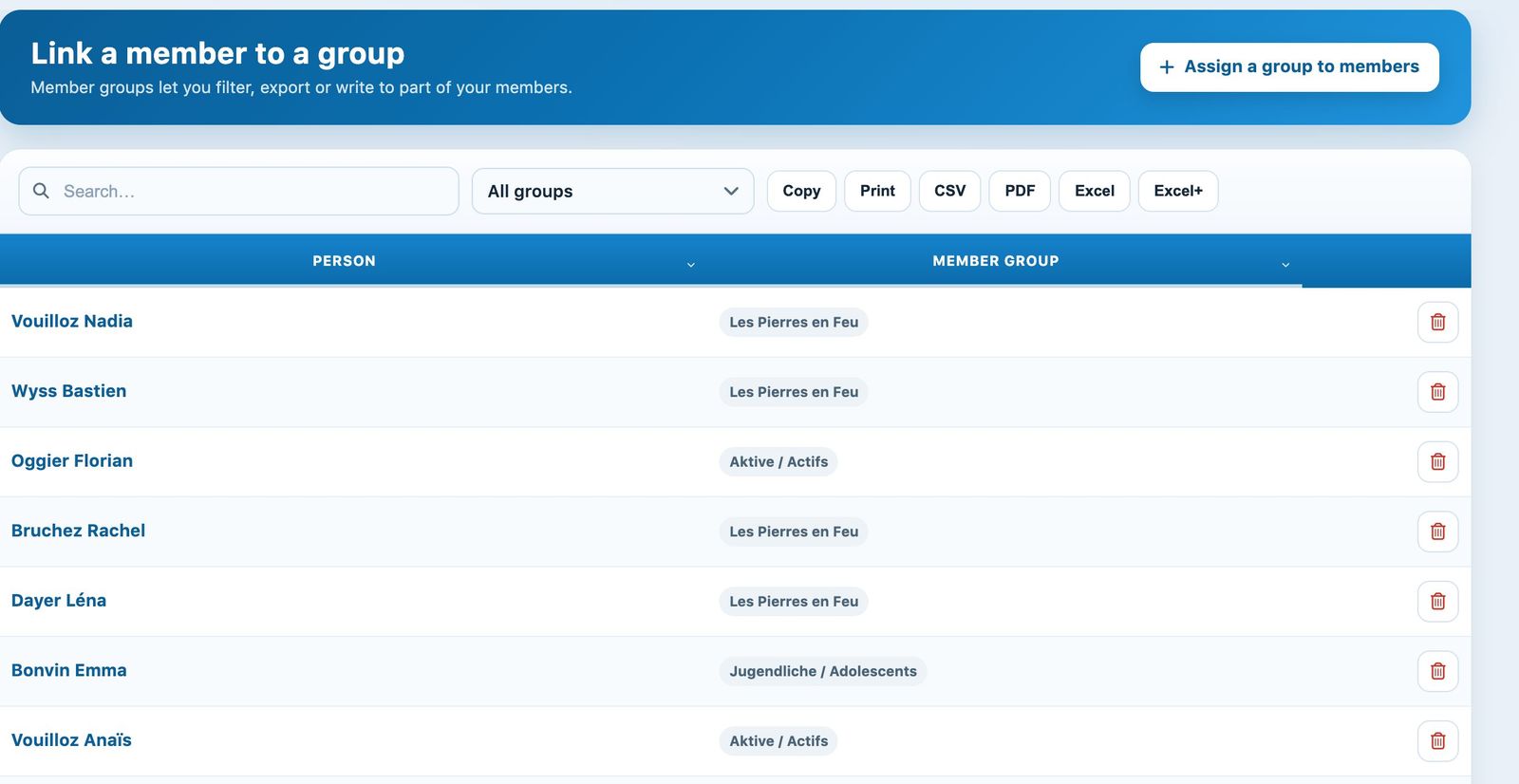
The list of members linked to a group
Adding members to a group
Click Assign a group to members. In the panel, choose the Member group, then add one or more people: type a few letters and click the suggested name. Confirm with Assign a group to members.
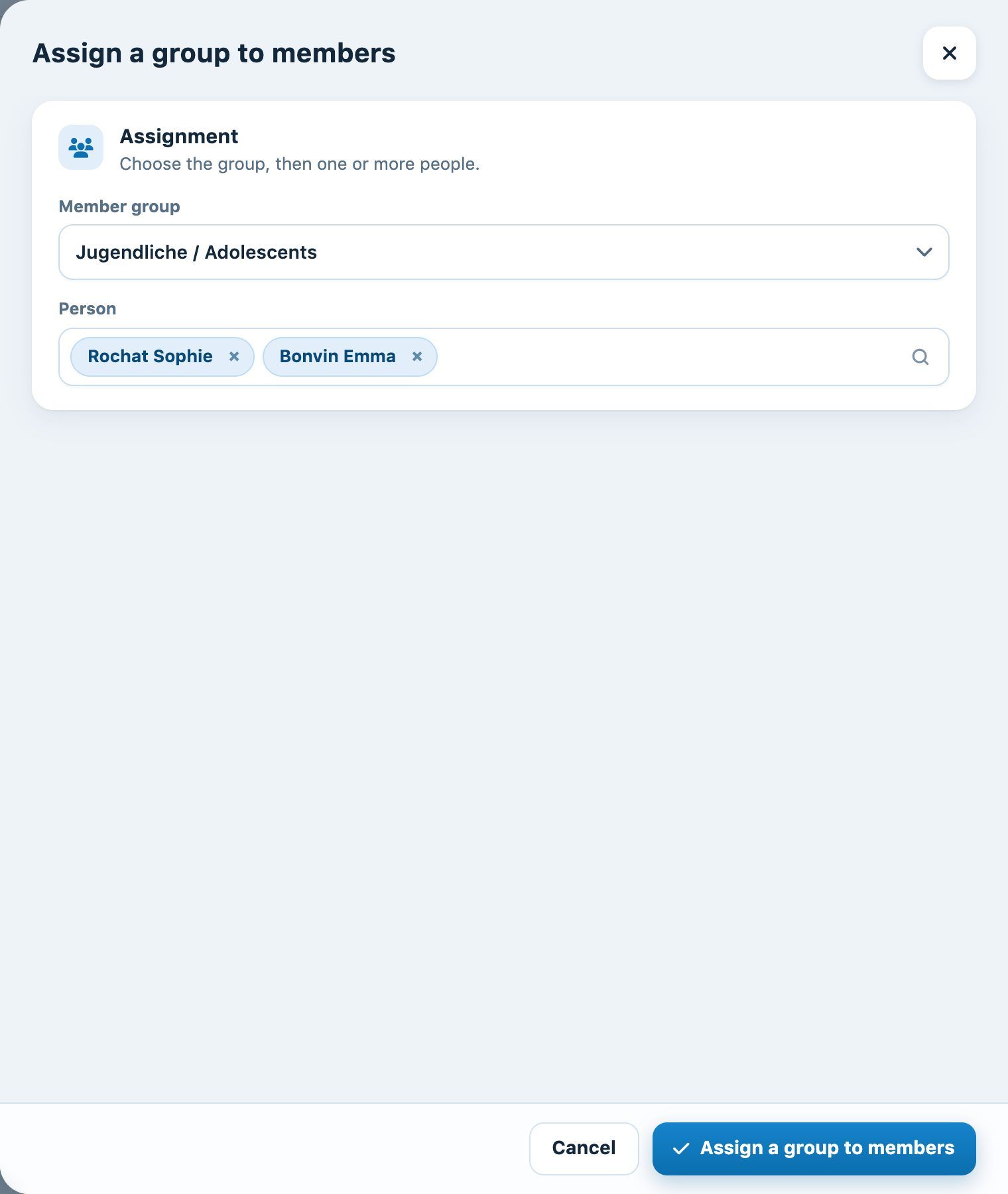
The Assign a group to members panel with two people chosen
Groups can also be ticked in the member's profile, section Account and access.
Removing a member from a group
Search for the member, then click the bin at the end of the row and confirm: only the link with the group is deleted, not the person.

Searching for a member and the Remove from group bin
💡 What are groups for?
Groups let you filter and export part of the members, send them a group e-mail or charge them an item in one go (see the article Charge an item to a member or a group).
Plugin.ch tutorial — Managing members