


Défi-Plugin tournaments
Manage the challenge tournaments
Create a challenge tournament, register players, follow the ranking and the matches.
In a challenge tournament, players are ranked and each one can challenge a higher-ranked player. The winner moves up the ranking. The tournament runs all season: members sign up, challenge each other and enter their results online, and you keep control of the ranking from the administration.
1Enable the module
In the left menu, open Parameters then Manage challenge tournaments. Switch on Use the challenge tournaments module: the setting is saved as soon as you toggle it. The menu Défis then appears in the sidebar, and the list of your tournaments is displayed.
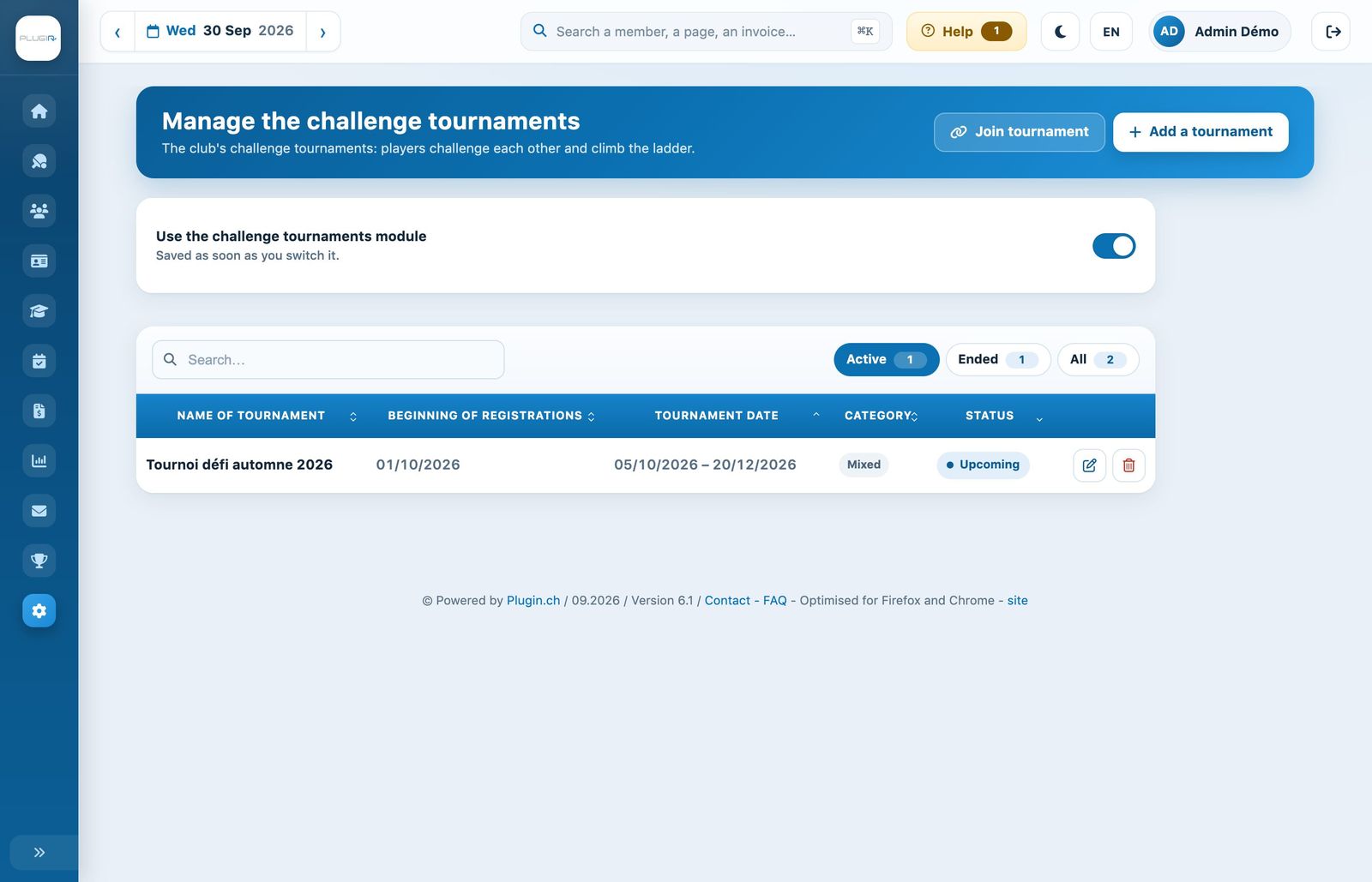
The challenge tournaments page: the module switch and the list of tournaments.
The list offers a search and the chips Active, Ended and All. The pencil icon opens a tournament to edit it, the trash icon deletes it.
2Create a tournament
Click Add a tournament. The form opens in a side panel.
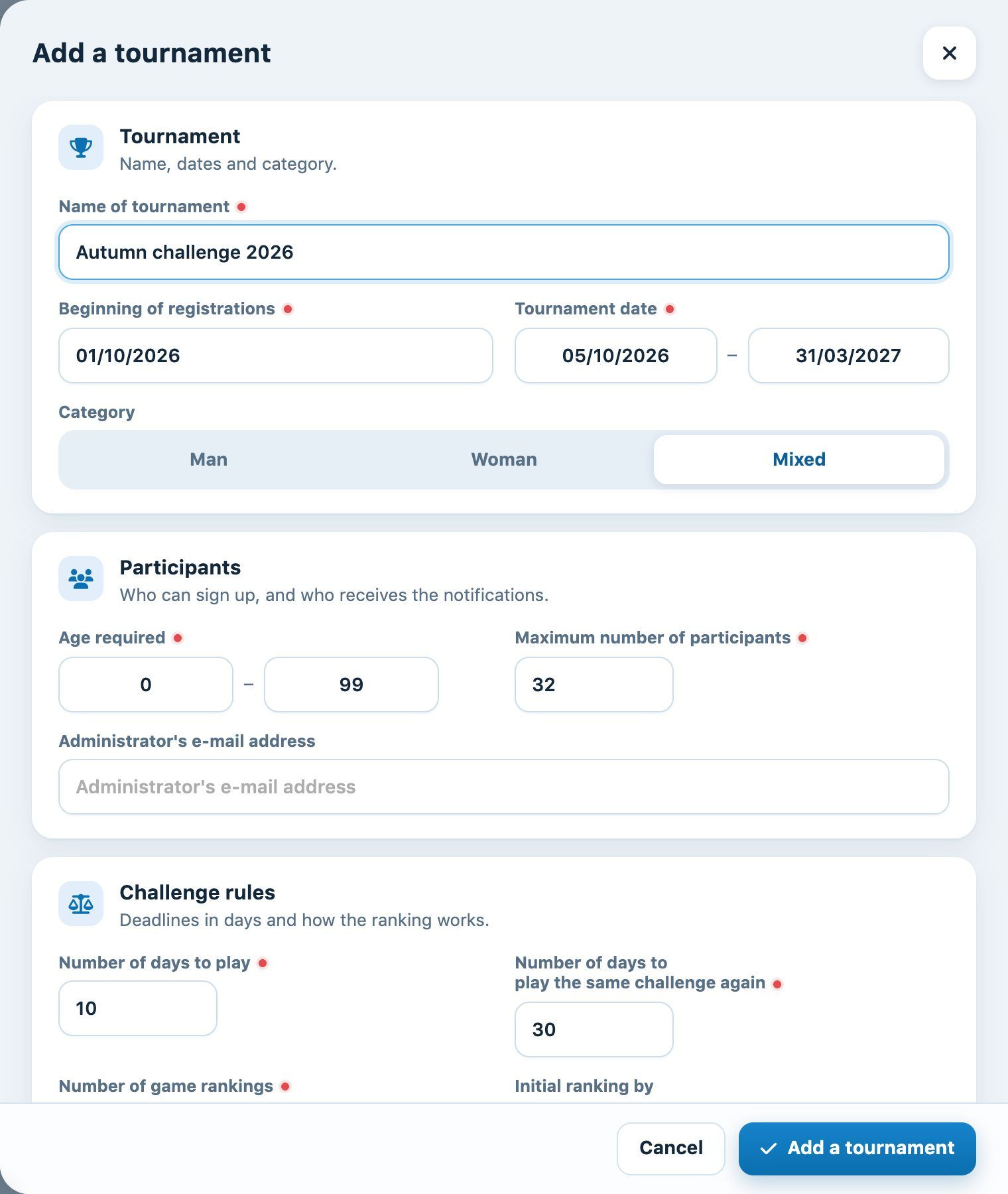
The panel for creating a challenge tournament.
Tournament
- Name of tournament: the name shown to members.
- Beginning of registrations: from this date, members can sign up.
- Tournament date: the period during which challenges can be played.
- Category: Man, Woman or Mixed.
Participants
- Age required: the minimum and maximum age of participants (0 and 99 for everyone).
- Maximum number of participants: beyond this, the tournament is full.
- Administrator's e-mail address: this address is notified of each new registration.
Challenge rules
- Number of days to play: the time allowed to play the match once the challenge has been issued.
- Number of days to play the same challenge again: the minimum time before the same two players can challenge each other again. This encourages a variety of matches.
- Number of game rankings: how many places above them a player can challenge. With 3, the player ranked 10th can challenge the players ranked 7th, 8th and 9th.
- Initial ranking by: a custom field from the members' records, for example their official ranking. Its value is taken when each player signs up to establish the starting ranking, and is shown in the ranking.
- Improve ranking with a win: Yes or No.
Explanation
The tournament rules, shown to players on the tournament page. Be precise: deadlines, balls provided, entering results, what to do in case of refusal.
Click Add a tournament at the bottom of the panel.
Tournament shared by several clubs: open the tournament with the pencil to display its Tournament shared key and copy it. The other club pastes this key into the panel Join tournament on its own page: its members then take part in the same tournament.
3Follow the current tournament
In the menu Défis, click Current tournament. If the club has several tournaments, choose it with the tabs at the top of the page.
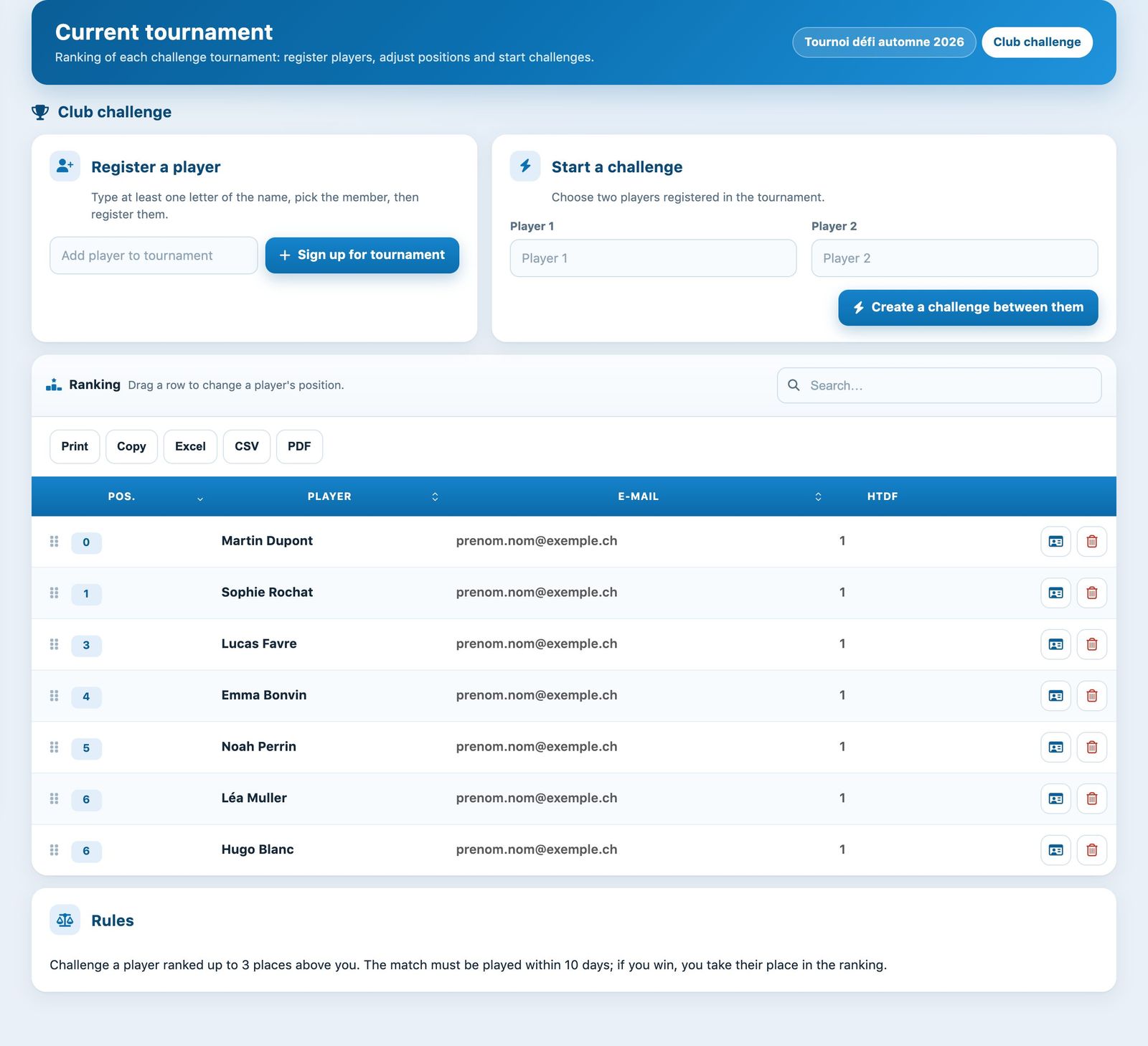
The current tournament: registering a player, starting a challenge and the ranking.
- Register a player: type at least one letter of the name, choose the member in the list, then click Sign up for tournament and confirm.
- Start a challenge: choose two registered players in Player 1 and Player 2, then click Create a challenge between them. The match appears in the history.
- Ranking: to correct a player's position, grab the handle at the start of their row and drag it to the right place. The ranking is saved immediately.
- At the end of each row, the record icon opens the player's record and the trash icon removes them from the tournament.
- The buttons Print, Copy, Excel, CSV and PDF print or export the ranking, for example to display it in the clubhouse.
4Follow the matches
In the menu Défis, click List of matches. Each challenge is listed with the date of the request, the two players, their answer, the match date, the winner and a comment.
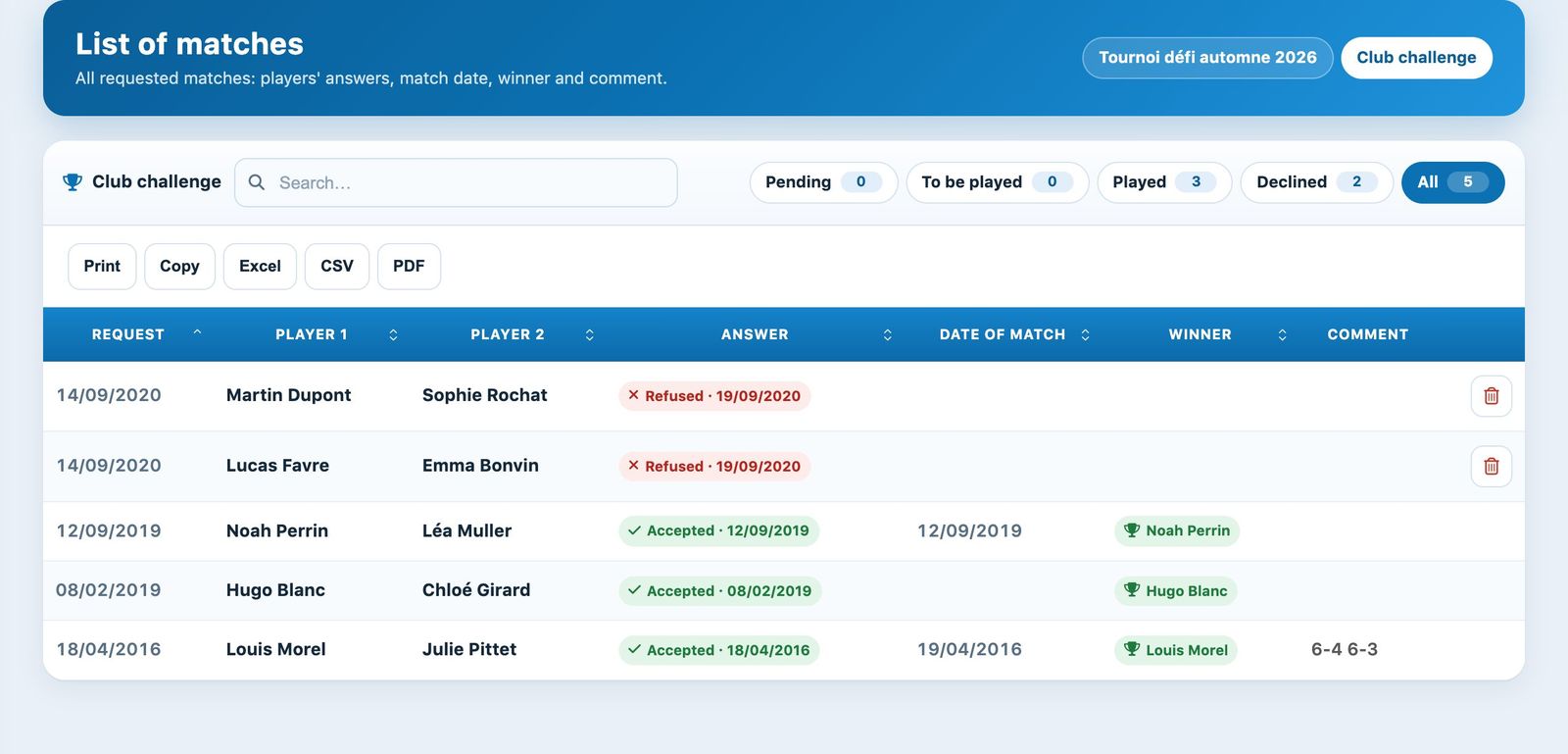
The match history and its status chips.
- The chips Pending, To be played, Played, Declined and All filter the matches.
- As long as the challenged player has not answered, you can answer on their behalf in the column Answer: the tick accepts the challenge, the cross declines it.
- For an accepted challenge, the pencil icon (Enter the result) opens a panel where you enter the match date, the winner and a comment.
- A challenge that does not yet have a winner can be deleted with the trash icon.
Regularly check the chip To be played: a challenge that was accepted but never played blocks both players. Remind them or delete the challenge once the playing deadline has passed.
For how members sign up, challenge a player and enter their score from the booking site, see the article How do I take part in the Défi-Plugin (challenge tournament)?. The e-mail sent to the challenged player is customised in the notification Sending a challenge request (see Manage automatic e-mails).
Plugin.ch Tutorial — Challenge Tournaments