


Manage parameters
Manage registrations
Open or close online sign-up for new people
The Manage registrations page decides whether new people can create their own account from the club website, whether that account is active straight away or after your approval, which terms and conditions they must accept and which subscription they get by default.
Open the
In the left side menu, click Parameters, then Manage registrations.
Open online sign-up
In the Online sign-up card, set the Individuals can register directly from the site switch to Yes. The sign-up form then becomes available on the member site, and the options below are displayed. With No, nobody can create an account alone: you add the members yourself.
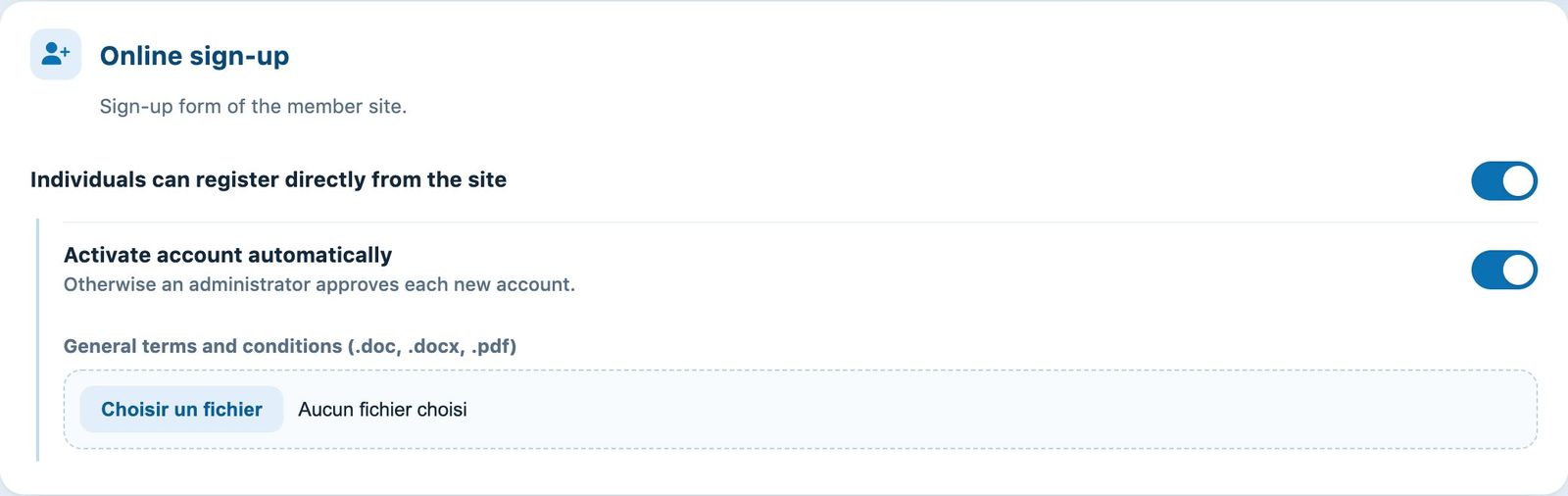
Online sign-up turned on, with its options
- Activate account automatically: with Yes, the person can log in as soon as they have signed up. With No, they get the pre-registration message and their account stays inactive until an administrator activates it from their record in Members → Manage members.
- General terms and conditions (.doc, .docx, .pdf): click Choose File to attach the club's rules or terms and conditions. The person must accept them to complete their sign-up. The current file is shown above the field; the bin icon removes it immediately.
Choose the default subscription
The Default membership card lists each current sport and season with its subscription types. Click the chip of the subscription to give to new sign-ups (for example Membre adulte); click again to deselect it.
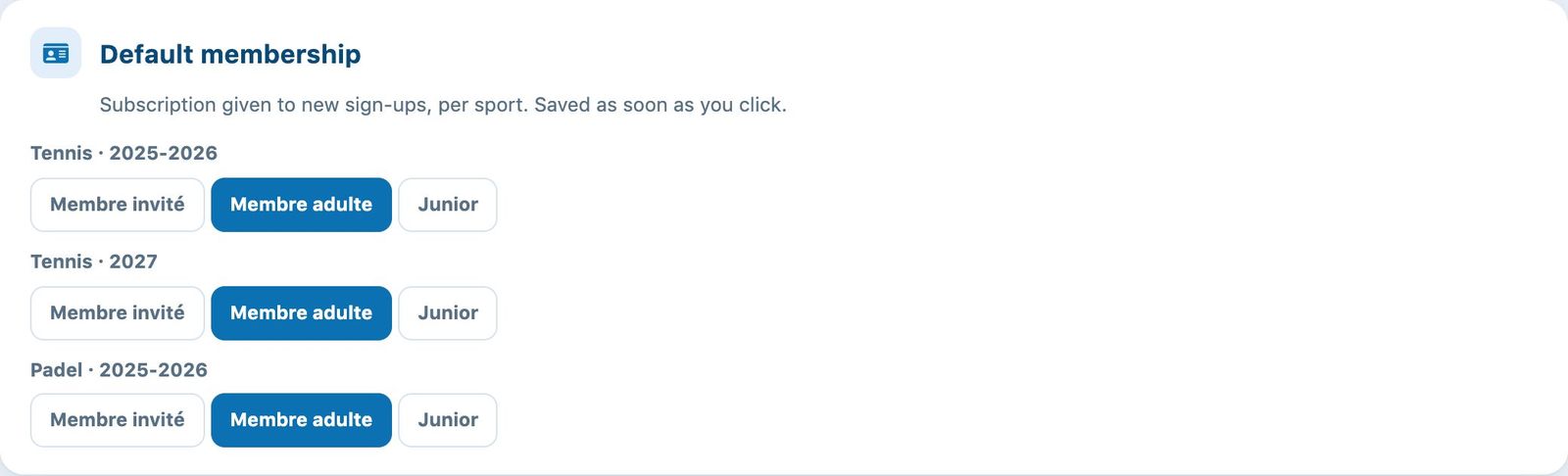
A default subscription chosen for each sport and season
Each click on a chip is saved immediately, without using the Save button. A subscription shared between several seasons is checked or unchecked everywhere at once.
Save
Click Save at the bottom of the page to save the sign-up switch, automatic activation and the terms and conditions file. The message "The modifications have been made" confirms the save.
Plugin.ch Tutorial — Manage settings