


Manage courts
Manage groups of courts
Group your courts to apply rates, restrictions and a colour to them
A court group brings together courts of the same sport-season, for example the clay courts on one side and the artificial grass courts on the other. Each group has a name, a colour and one or more time slots. Groups are mainly useful for clubs whose bookings span several periods: they let you apply different rules depending on the courts and the times.
If these distinctions don't apply to you, a single group with the time slot 00:00 – 23:59 is enough: all the sport's courts are assigned to it.
Open the list of groups
In the left side menu, open Sport then click Manage groups of courts. This link only appears in the menu if one of your sports is booked in periods of 30 minutes or less. You can also reach it from a court's form, using the link Create a court group.
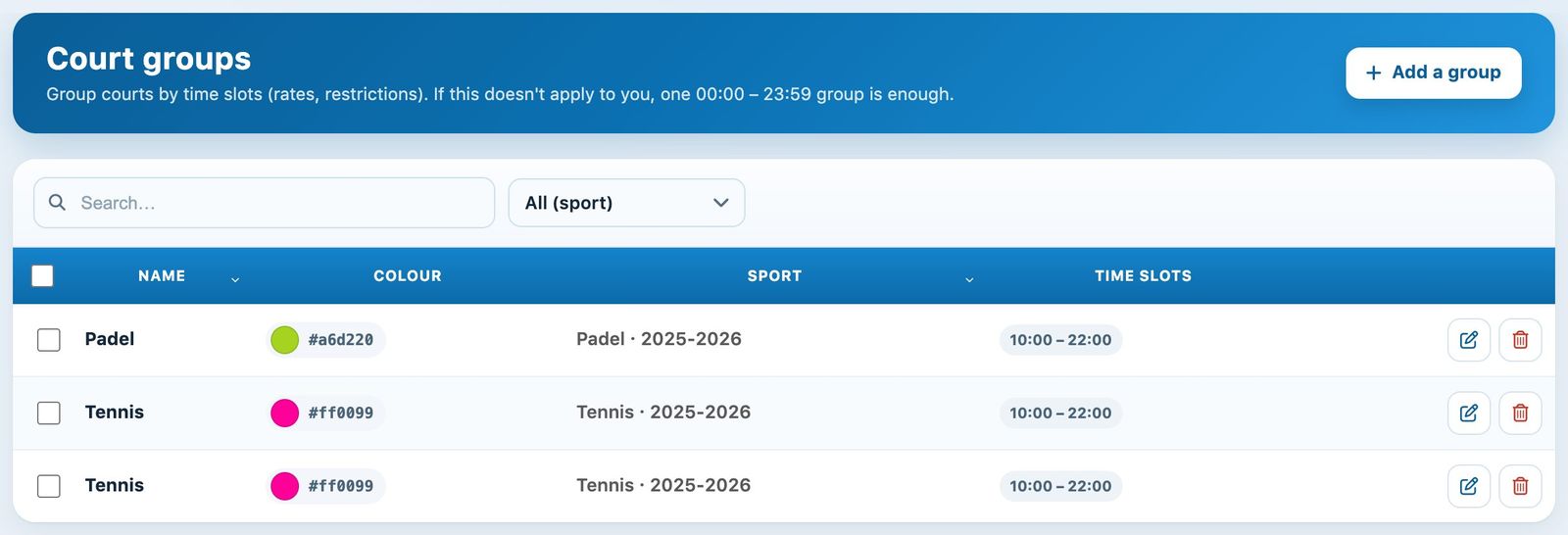
The list of groups: name, colour, sport-season and time slots
The list shows the groups of the sports open on the date in the date picker, at the top of the screen. Tick one or more rows to delete them together; after a deletion, the Cancel button remains available for a few seconds.
Create a group
Click + Add a group and fill in the panel:
- Sport: the group's sport-season, if several sports are open.
- Group name: for example "Terre battue".
- Colour: click the colour dot to choose a colour, or enter its code (#d9622b).
- Time slots: the start and end times during which the group applies. Add hours adds another time slot.
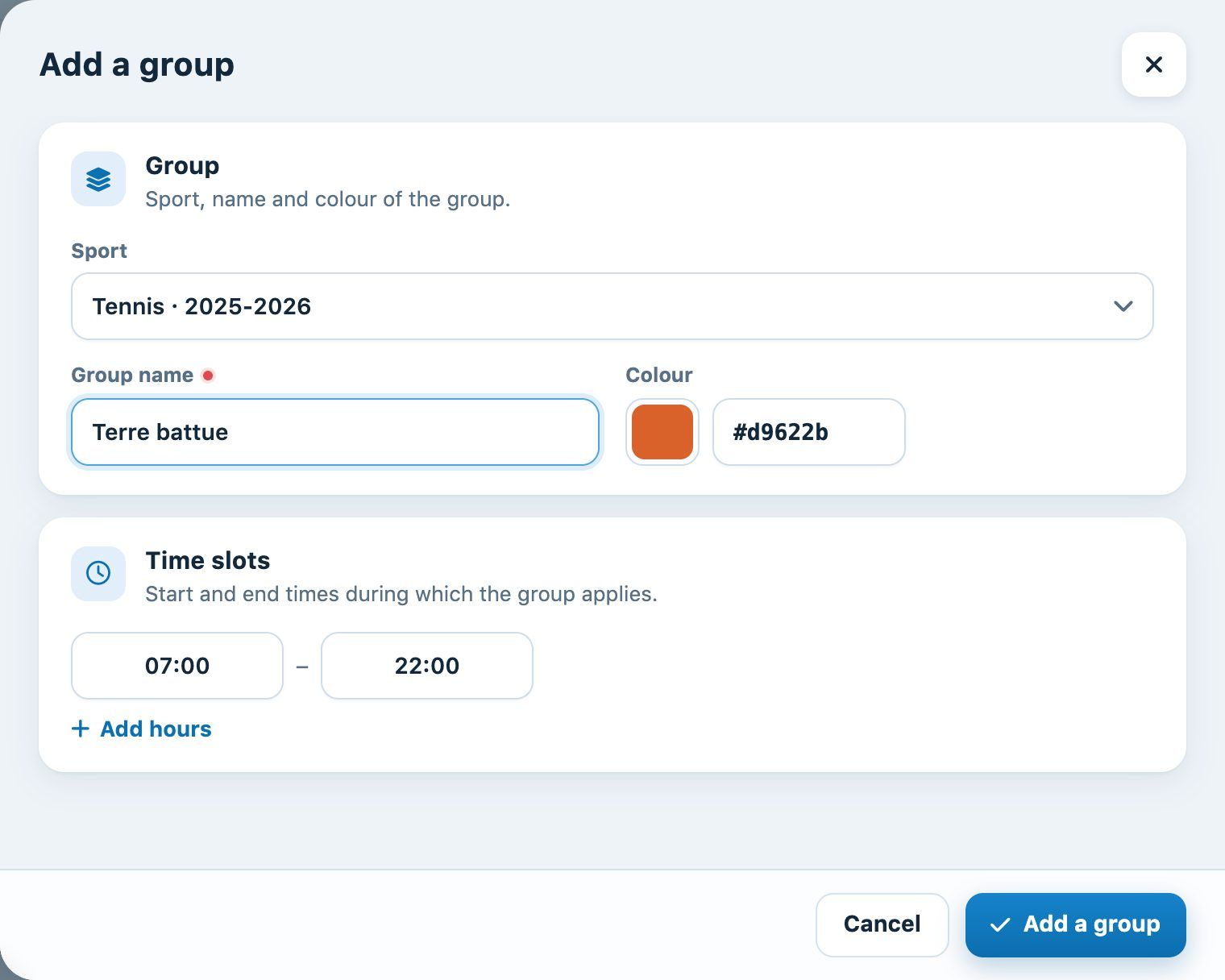
The "Add a group" panel
Click Add a group: the group immediately appears in the list. To edit it, click the pencil icon on its row.
Assign courts to groups
Courts are assigned to groups from Sport → Manage courts, in the Court groups section of a court's form. Choose the group from the list; Add a court group lets you place the court in an additional group.
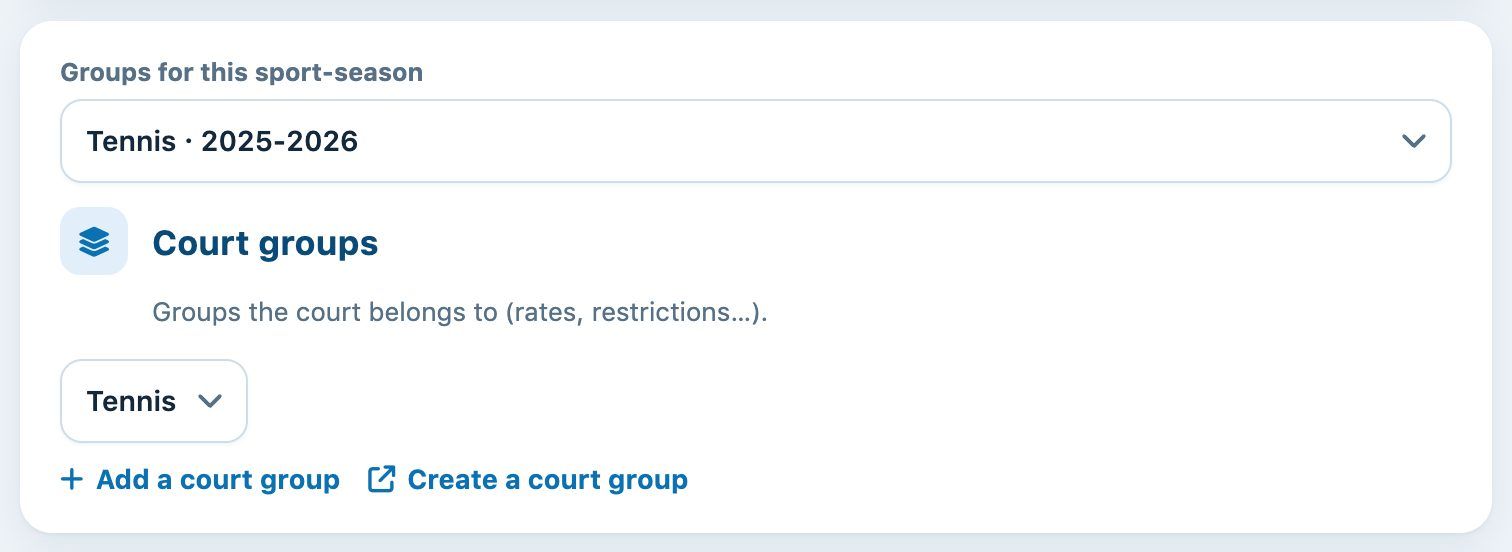
The "Court groups" section of a court's form
Groups are specific to each sport-season. For a court shared by several seasons, first choose the sport-season in Groups for this sport-season. See the article List, edit, or delete a court.
Plugin.ch Tutorial — Manage courts