


Manage parameters
Manage club manager
Change the club logo and appoint its manager
The name, logo and manager make up the club's identity in Plugin.ch: they appear on the booking site, in e-mails and on documents such as invoices. The manager is also the person whose name and address are used as the sender of the club's automatic e-mails.
In the side menu, open Parameters, then Manage club manager. The Modify club page has two blocks: The club and Manager.
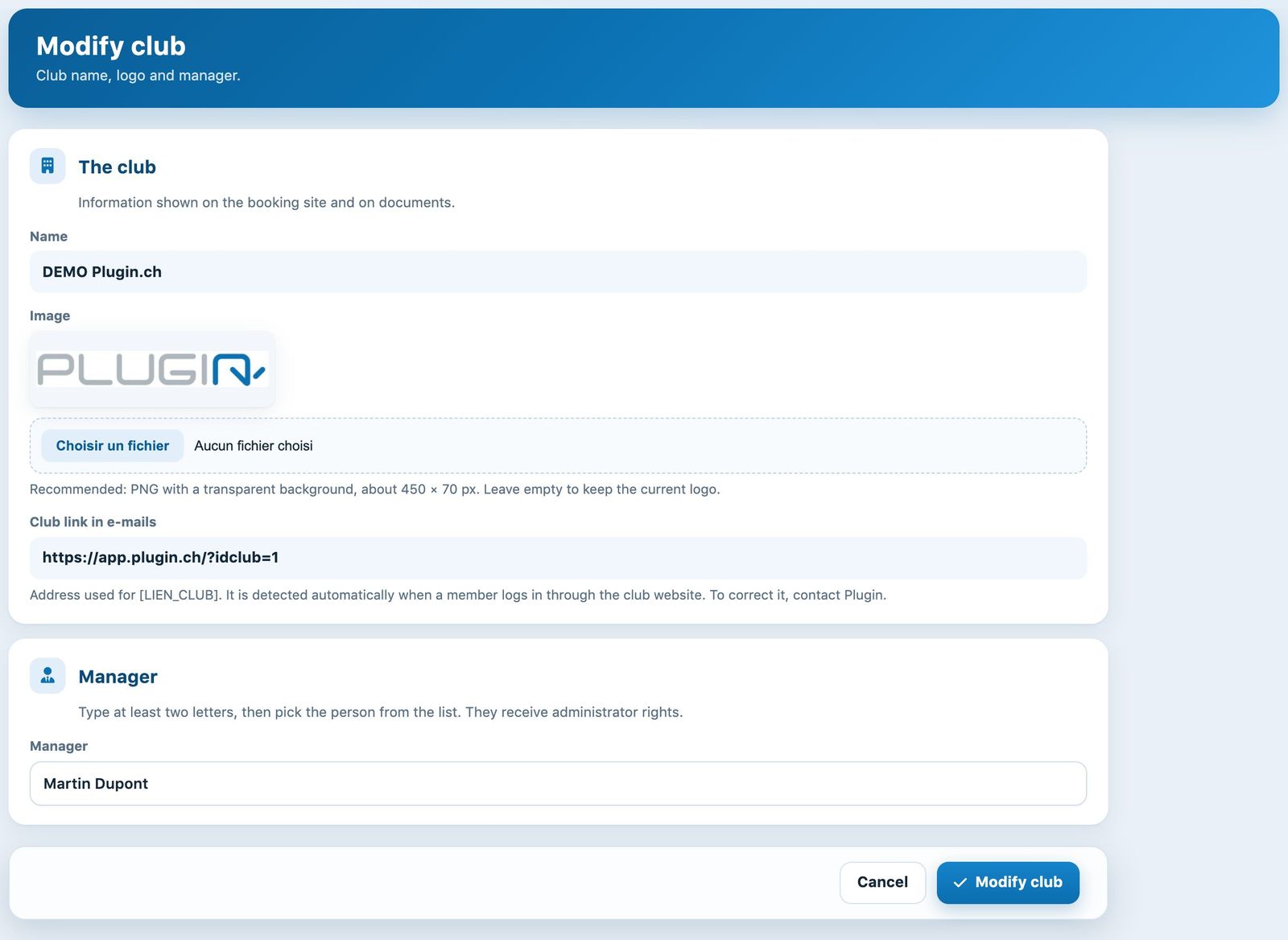
The Modify club page
1. The club: name, logo and link
- Name: the club's official name, shown read-only. To correct it, contact Plugin.
- Image: the current logo is shown. To replace it, click the file field and choose an image. A PNG with a transparent background of about 450 × 70 px gives the best result; the image is automatically reduced to a height of 150 px. Leave the field empty to keep the current logo.
- Club link in e-mails: the address inserted in e-mails in place of the [LIEN_CLUB] variable. It is detected automatically when a member logs in through the club website and cannot be changed here. If it is wrong, contact Plugin.
2. Appoint the manager
In the Manager block, delete the name shown and type at least two letters of the person's name: a list of club members opens. Click the right person in the list.
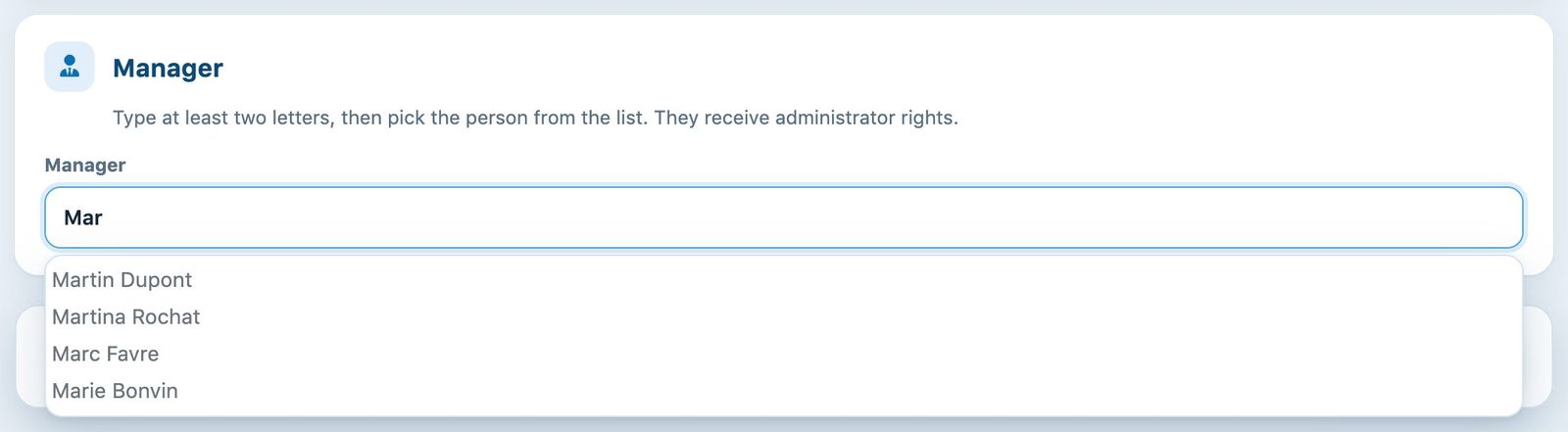
Type a few letters, then choose the person in the list
Always choose from the list: a name simply typed on the keyboard, without clicking in the list, is not taken into account and the previous manager stays in place. The person must already exist among the club members.
3. Save
Click Modify club in the bottom bar. The message “The information about your company has been modified” confirms the save. The Cancel button restores the values shown when the page was loaded.
Administrator rights: the new manager receives the Administrator role, and the previous manager loses it. If the previous manager should keep access to the administration, assign them a role afterwards, see the article Assign and remove a role.
E-mail sender: the manager's name and e-mail address are used as the sender of the club's e-mails. Check their member record (name and e-mail) after the change. For setting up the sending mailbox, see the article Manage email sending.
Plugin.ch Tutorial — Manage settings