


Tennis school tutorial
Tennis lesson invoicing
Prepare the invoicing of registrations and create the invoices
Once the pupils are placed in groups, start invoicing. It happens in two steps: the registrations become items to invoice, then these items are included in the club's invoices.
1Start invoicing the lesson
In Manage registrations, choose the lesson. For a lesson For the season, two buttons are offered:
- Invoice registrations: everyone, even pupils not yet assigned;
- Invoice people who are in a group: only the assigned pupils (recommended).
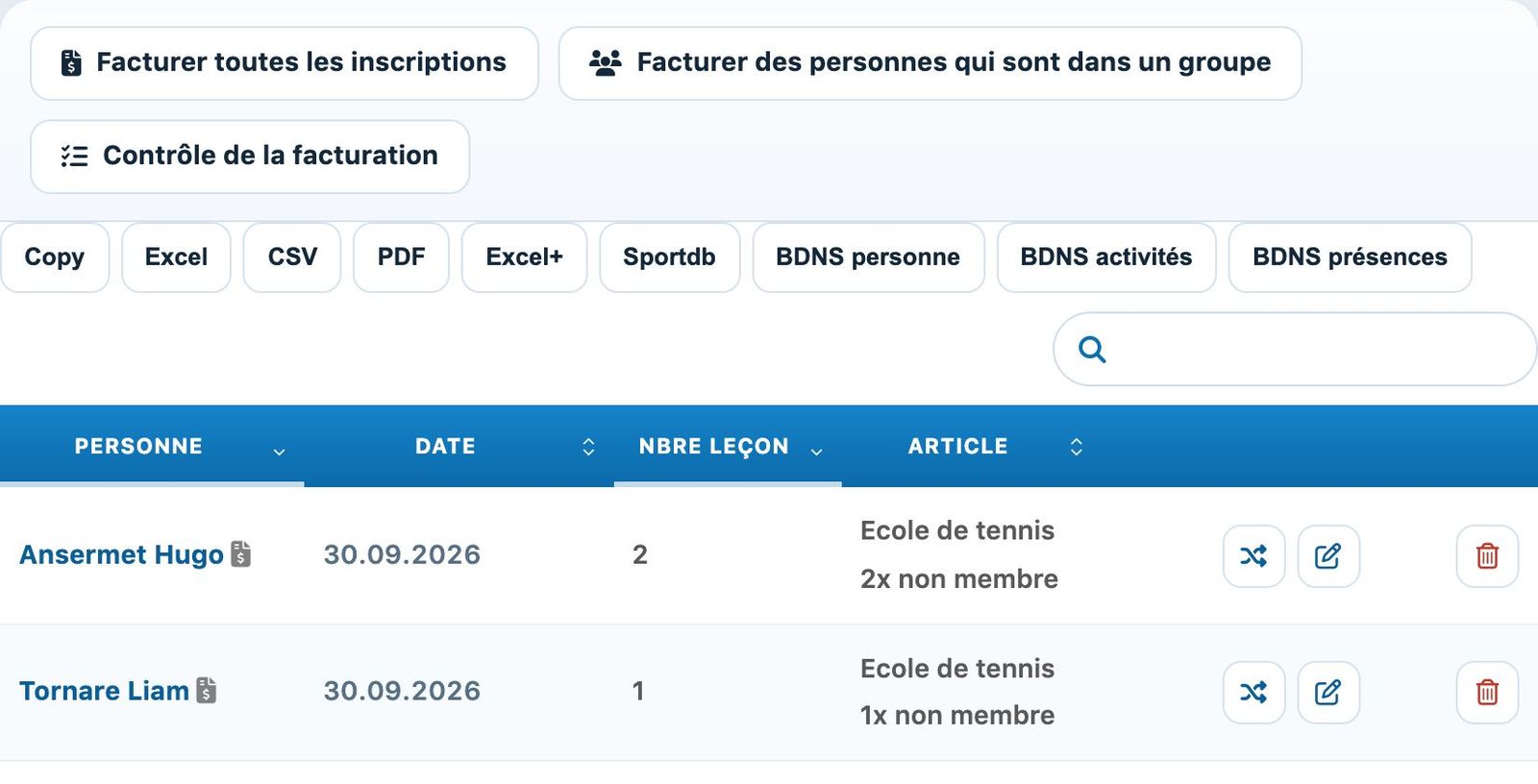
The invoicing buttons of a lesson.
For a lesson For each session, use Invoice people in groups in Manage groups; for a lesson By presence, Invoice according to presence, at the end of the lesson.
2Check invoiced registrations
After invoicing, the lesson's "to invoice" number goes down and an invoice icon appears next to the name of the people invoiced. Pupils not assigned remain to be invoiced.
Pupil registered 2x but placed only once: first correct their rate (rate change button on their card), then run invoicing again.
3Find the items to invoice
Each invoiced registration has become an item linked to the person, with the rate's description and price. You will find them in the Bills module, page Link an item to a member, with the filter Not invoiced. The description and the total can be changed directly in the table if needed.
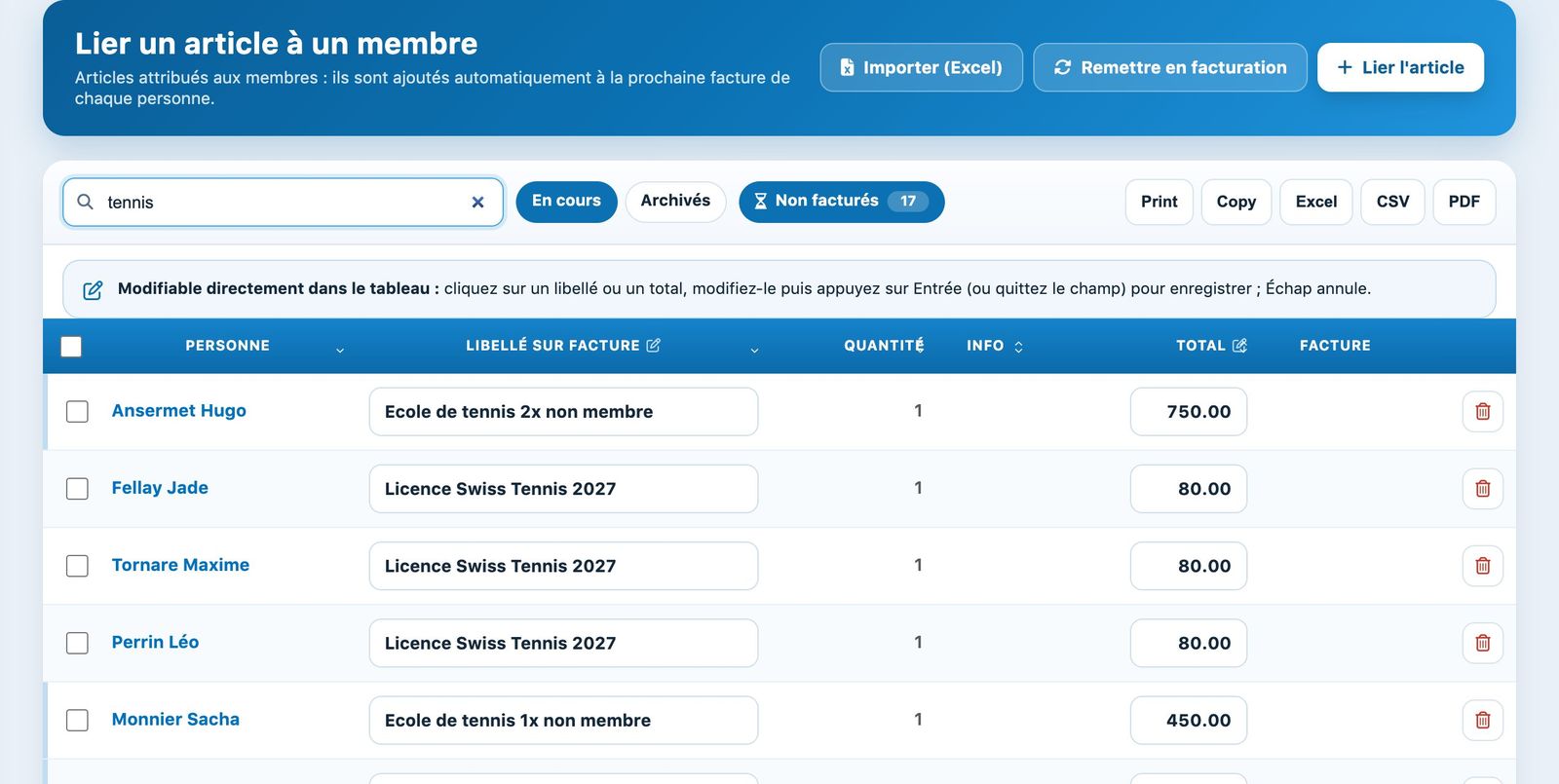
Lesson items waiting for an invoice.
4Create invoices
In the Bills module, open the Manage invoices and click Create invoices. The pending items are added automatically to each person's invoice. The invoice includes the club's logo and address, the template texts, the items and the payment QR code. See Create invoices.
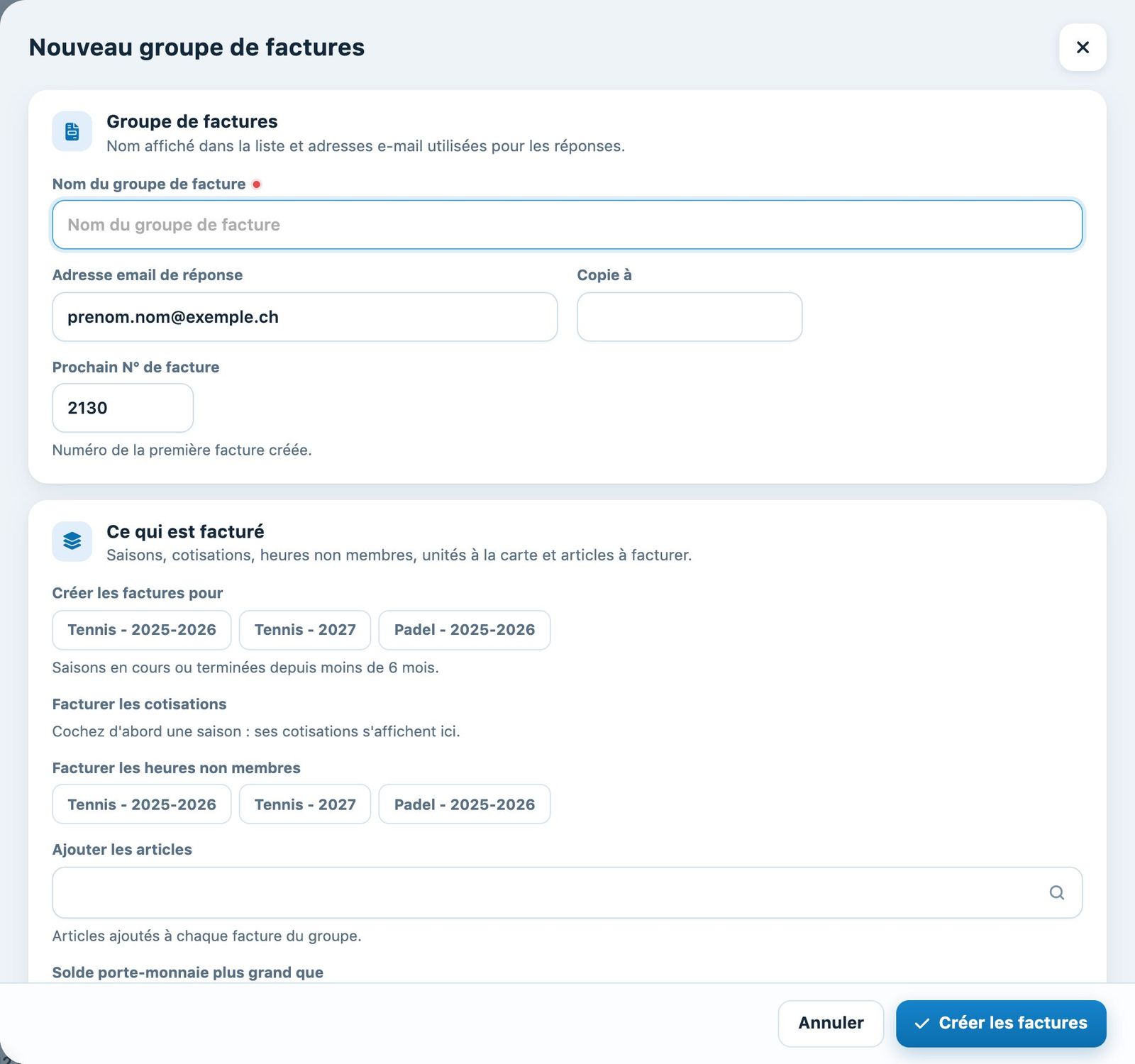
The panel for creating an invoice group.
Online payment: when a member pays for their registration by card or TWINT, the invoice is created and marked as paid in the invoice group chosen in the lesson; there is then nothing left to invoice for them.
Plugin.ch tutorial — Tennis school tutorial