


Manage members
Create a new member
Add a person to the club and assign their membership
Open the form
Open Members › Manage members and click Add a member, at the top right. The form Add person opens; the button List of members takes you back to the list.

The Add a member button at the top of the list of members
Identity and contact
Only the First name and the Name are mandatory (red dot). Fill in as much as possible:
- Gender: Mr, Mrs or Virtual. "Virtual" creates a person without an account, for example to block a court in the name of a school.
- Date of birth: it is used for age-based memberships (junior, senior…).
- RFID card: hold the card to the reader, the number fills in by itself. Photo: choose a file or click Take a photo.
- E-mail address, Phone and Language: the e-mail is essential for booking confirmations, invoices by e-mail and forgotten passwords.
- Receive club information by email and Notification by e-mail: the e-mails the member agrees to receive.
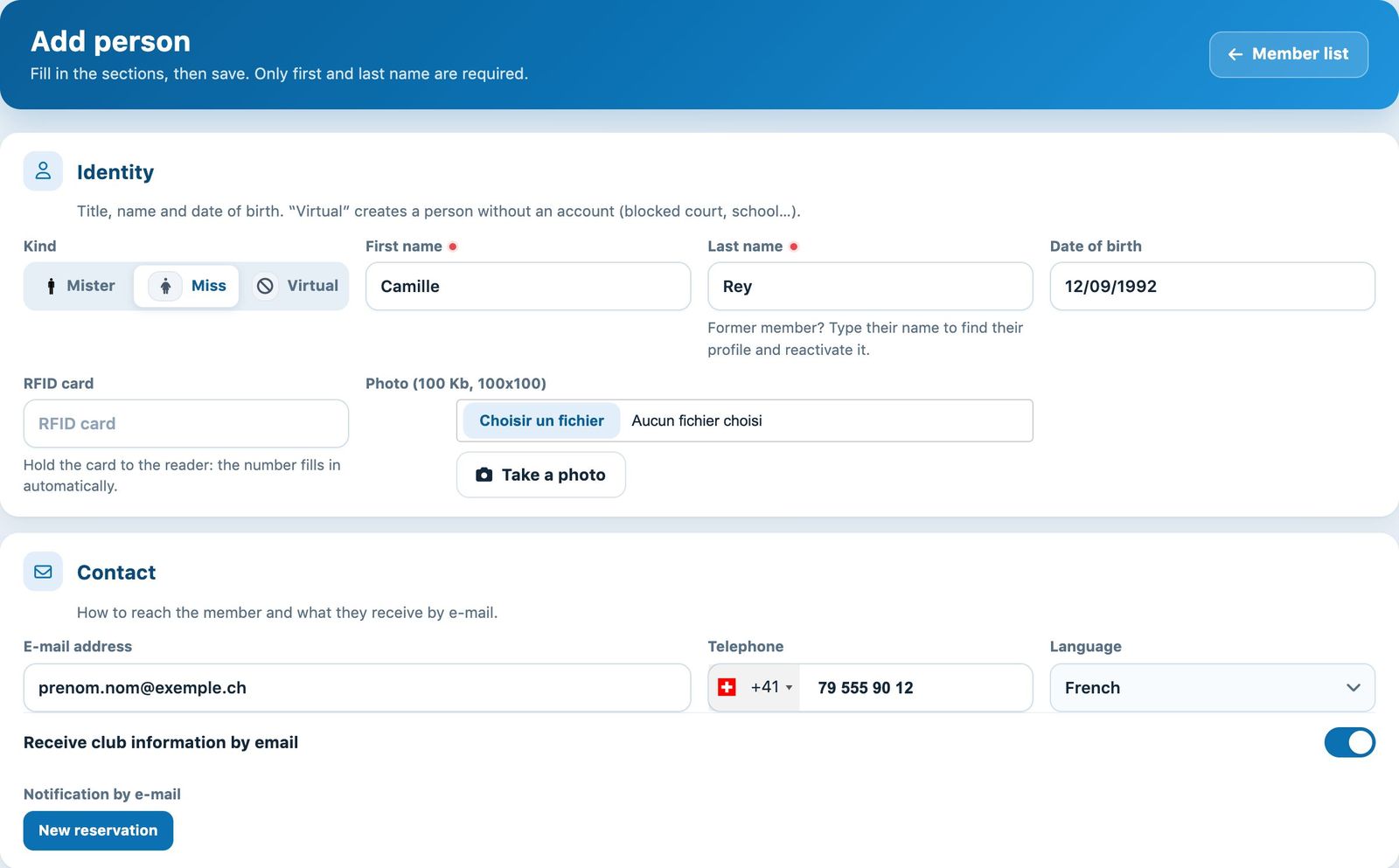
The Identity and Contact sections of the form
Former member? As you type the name, suggestions appear: choose the person to find their profile and reactivate it instead of creating a duplicate.
Address, account and invoicing
In Address, the town is suggested from the postcode. In Account and access, the Username and the password are created automatically if left empty; the switch Active account lets the member log in and book. Tick their member groups if needed.
In Billing, Group invoice with links the member to a family: type 2 letters then choose the person who receives the joint invoice. Also enter a Invoicing address different and the choice Receive invoice by e-mail.
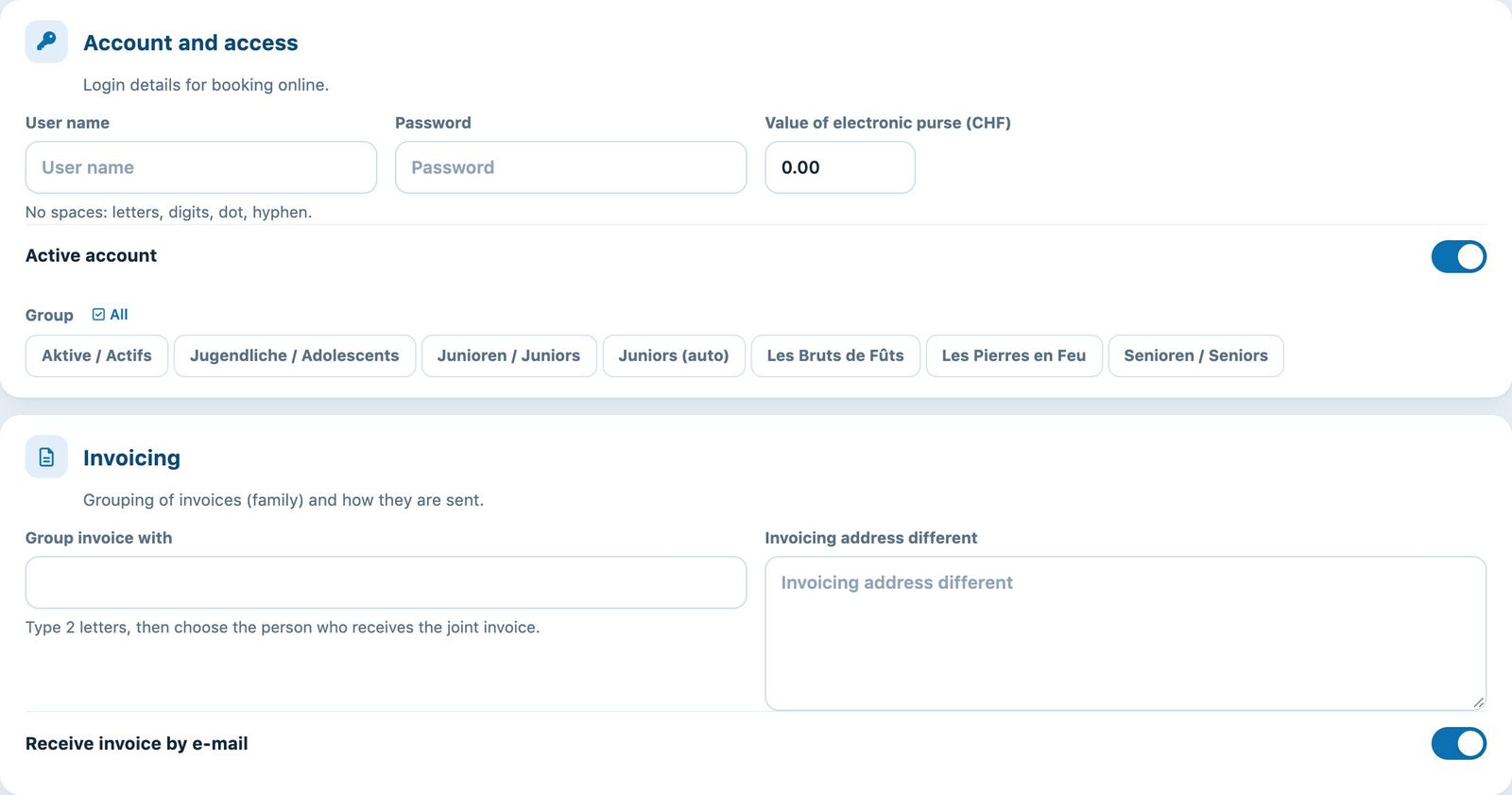
The Account and access and Invoicing sections
Membership and saving
The Additional information are your club's own fields. In Memberships, choose a membership for each open sport and season. The tick in the last column shows whether the membership is active (✓) or blocked (✗): click it to change.
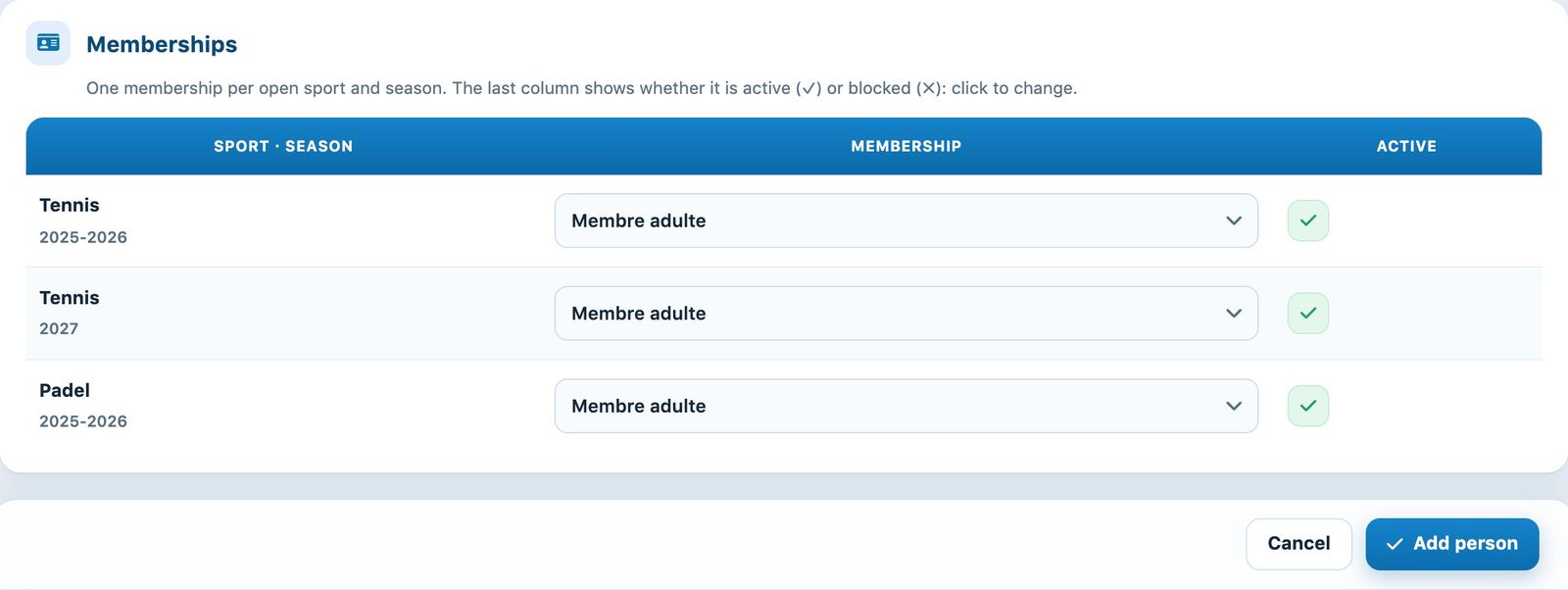
The Memberships section and the Add a person button
Click Add person. The member appears in the list; Cancel clears the form.
If the club has enabled the account creation e-mail, a new member with a membership and an active account receives an e-mail with their username and a link to choose their password.
💡 Helpful tip
To enter many members at once (setup, new tennis school…), use the Excel import (see the article Import member data). The available fields depend on your club's configuration.
Plugin.ch tutorial — Managing members