


Manage reservations
Configure and use open matches
An open match is a booking in which some places are left free: the player who creates it is looking for partners, and other members of a similar level can join it by paying their share. It is very popular in padel, which is played by four.
1. Enable open matches for a sport
- In the left-hand menu, open Sport → Link a sport to a season.
- Click the pencil of the sport-season concerned (for example "Padel - 2025-2026").
- In the Open matches part, turn on Allow open reservations.
- In Value of the level displayed?, choose the member record field that contains the players' level.
- In Accepted level gap, choose the gap allowed between the level of the match creator and that of the players who join (± 2 by default). Example: creator at level 3 and gap ± 1, players at levels 2 to 4 can join.
- Optional: in Forbidden hours for open matches, enter the hours and days during which no open match can be created. Add hours adds a row.
- Click Save.
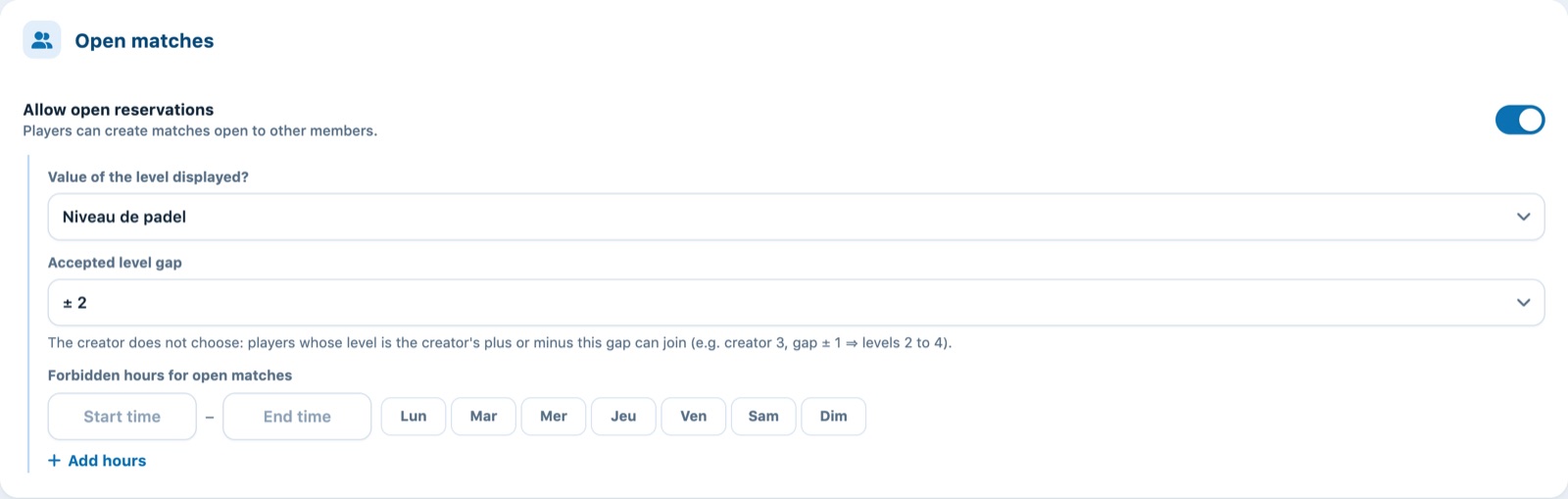
Level shown, accepted level gap and forbidden hours.
If the club does not yet have a field for the level, Plugin adds to the member records a field called Niveau de padel (levels 1 to 10) when you save.
2. The players' level
To join an open match, a member must have entered their level. They do this themselves in their profile; the administration can also fill it in or correct it in the member record (Members → Manage members).
A player can only join a match if their level is close to the creator's: the difference must not exceed the Accepted level gap value set for the sport-season (± 2 by default). The creator does not choose this range.
3. What the players do
- Create an open match: when booking, the player turns on the open match option and leaves places free. They only pay their share and that of the people they add themselves.
- Public or private: a public match appears in the schedule with a colour and a badge showing the free places; a private match can only be reached through the invitation link.
- Open to: the creator chooses Mixed (all), Women or Men. For a match reserved for women or men, Plugin uses the title (Mrs / Mr) on the player's record; a player with no title cannot join.
- WhatsApp contact: by ticking Players may contact me on WhatsApp, the creator makes their phone number visible to players viewing the match; they then see a button to write to them. The option is greyed out if the creator's record has no phone number.
- Hidden prices: on an existing booking, each player only sees their own share; only the person in charge sees every player's price.
- Invite: the creator shares the match link (WhatsApp, e-mail…).
- Join: the invited player opens the match, takes a free place and pays their own share.
The player-side procedure is described in the articles How to create an open booking and How to join an open match.
A player can only be in charge of one incomplete open match at a time: they must wait until it is full (or delete it) before creating another.
4. E-mails sent
In Messages → Manage automatic e-mails, four messages concern open matches: New open reservation, Delete an open reservation, Open match - a player joined and Open match - full. Turn them on and customise their text as needed (see Manage automatic e-mails).
In the administration schedule, an open match is handled like any other booking: click it to see the players, edit it or collect payment (see Managing bookings in the schedule).
Plugin.ch Tutorial — Manage bookings