


Payments and wallet
How do I use my restaurant vouchers?
Some clubs offer a credit of restaurant vouchers (for example with the membership fee) to spend at the club restaurant.
Check your credit
Click your name at the bottom of the left menu, then My restaurant vouchers (on a phone: My profile in the bottom bar, then the My restaurant vouchers tab). The Available balance card shows your credit and, for each credit, the date until which it is valid (Valid until).
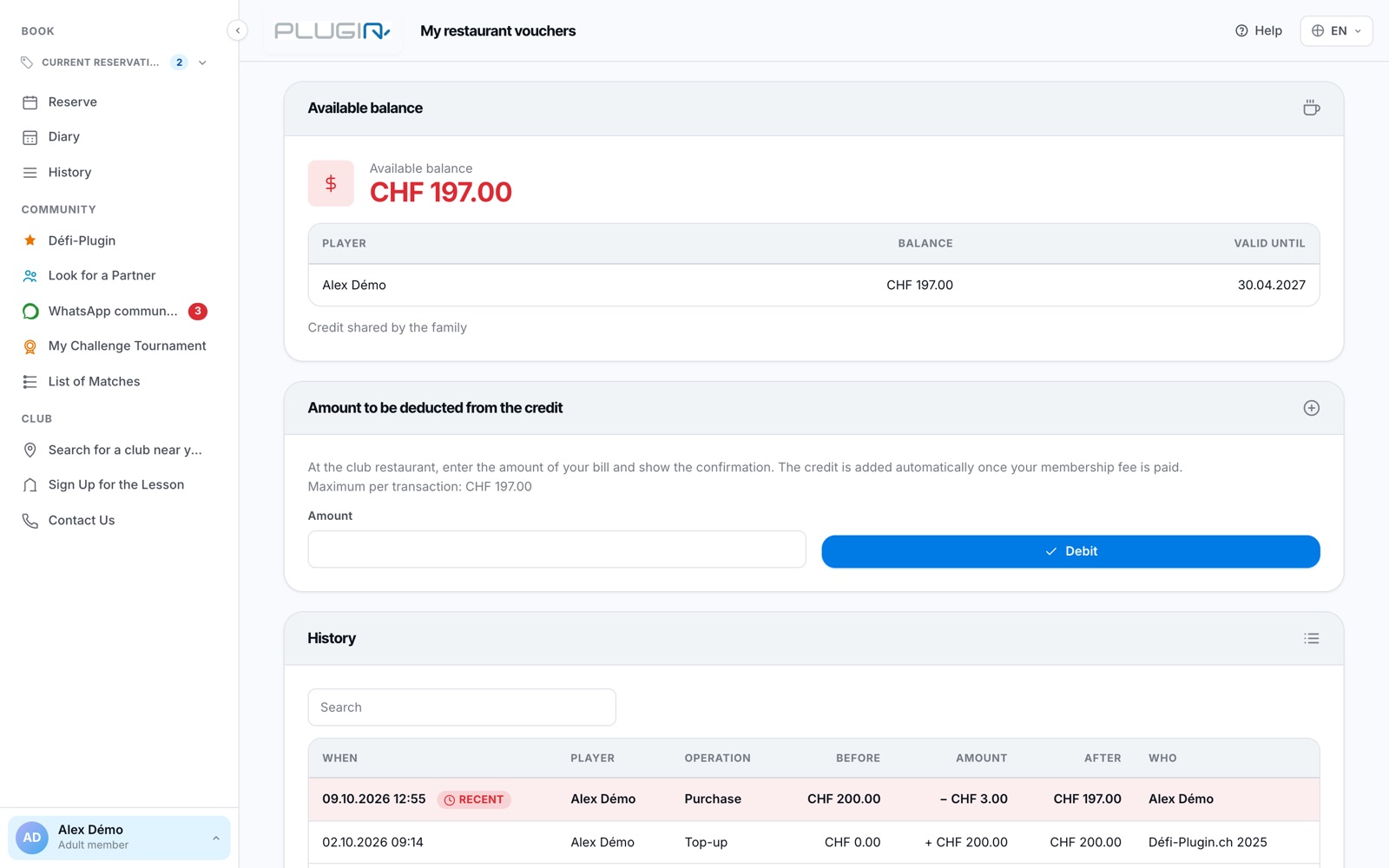
The My restaurant vouchers page.
The credit appears automatically within 15 minutes of your membership fee being paid. If the club allows it, the credit is shared by the whole family: the note Credit shared by the family then appears under the balance.
Pay at the restaurant
When paying, enter the amount of your bill in Amount then click Debit. A window asks you to confirm the amount: check it before confirming, then show the confirmation at the restaurant.
You cannot exceed your balance, nor the maximum per transaction set by the club (shown above the field): in that case nothing is deducted and a message tells you so.
Following your history
The History card lists each operation: Membership fee credit when your credit is opened, Purchase for each payment at the restaurant, Top-up when the club adds an amount, and Expired balance if a balance was not used before its validity date.
Any balance not used by the validity date is lost. If you entered a wrong amount, contact the club: only the club can top up your credit.
The My restaurant vouchers entry only appears if your club uses restaurant vouchers.
Plugin.ch Tutorial — Payments and wallet