


Partner search
Enable partner search
Let your members post when they are available and find someone to play with.
Partner search puts members who are looking for someone to play with in touch. A member posts a request with their availability (day, date, time) and a comment, for example their level. Other members see the list of requests and contact them to arrange the match, then one of them books the court.
1Enable the module
In the left menu, open Parameters then Manage parameters. In the section Modules, switch on Use search partner module, then click Save at the bottom of the page.
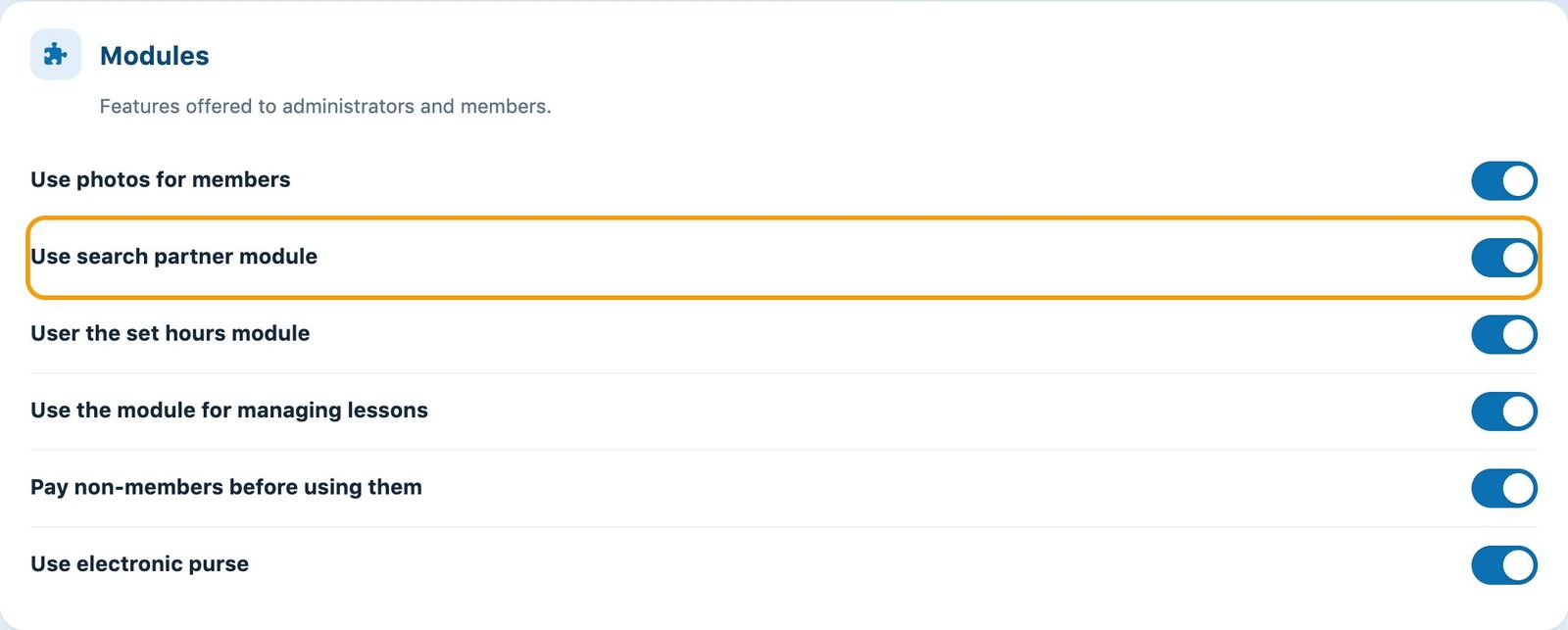
The Modules section of the general settings, with the partner search switch.
To disable partner search, simply switch off the same switch and save: the entry disappears from the booking site.
2What members see
Once the module is enabled, logged-in members find the entry Find a partner in the menu Community of the booking site. A badge shows the number of current requests.
- To post a request, the member chooses the day, date and time when they are available, adds a comment (level, type of play…) and clicks Add a partner request.
- The list Available Members shows the other members' requests. The button Contact Member lets them get in touch.
- Each member deletes their own request once they have found a partner.
The member side is explained in detail in the article How do I find a playing partner?, which you can pass on to your members.
Tips to keep the module active: announce it with a message shown on the booking site (see Manage messages) or a group e-mail, and remind members to delete their request once they have found a partner.
Plugin.ch Tutorial — Partner Search