


School/Camp
Sign up for a tennis lesson
Sign up your child or yourself for the tennis school
Want to sign up your child (or yourself) for the club's tennis school or a camp? Registration is done online in a few minutes: choose the person, the lesson and the option, then your preferred time slots.
1Open the registration page
Log in, then open Sign Up for the Lesson in the left-hand menu (The club section). If you have received an invitation e-mail from the club, its link takes you there directly.
Don't have an account yet? From the club's lesson registration link, answer the question "Does the person being registered already have a Plugin account?": Yes, they already have an account to log in, or No, create their account to create the profile.
2Choose the person, the lesson and the option
- Person: yourself or a member of your family. Only the lessons that match this person (age, gender, membership) are offered;
- Lesson: choose the lesson; a badge shows whether places are still available;
- Option: the option and its price, for example "2x Tennis school 780.00 CHF". Only the rates for your membership are offered (member or non-member).
The lesson dates, the registration manager and the club information are displayed below.
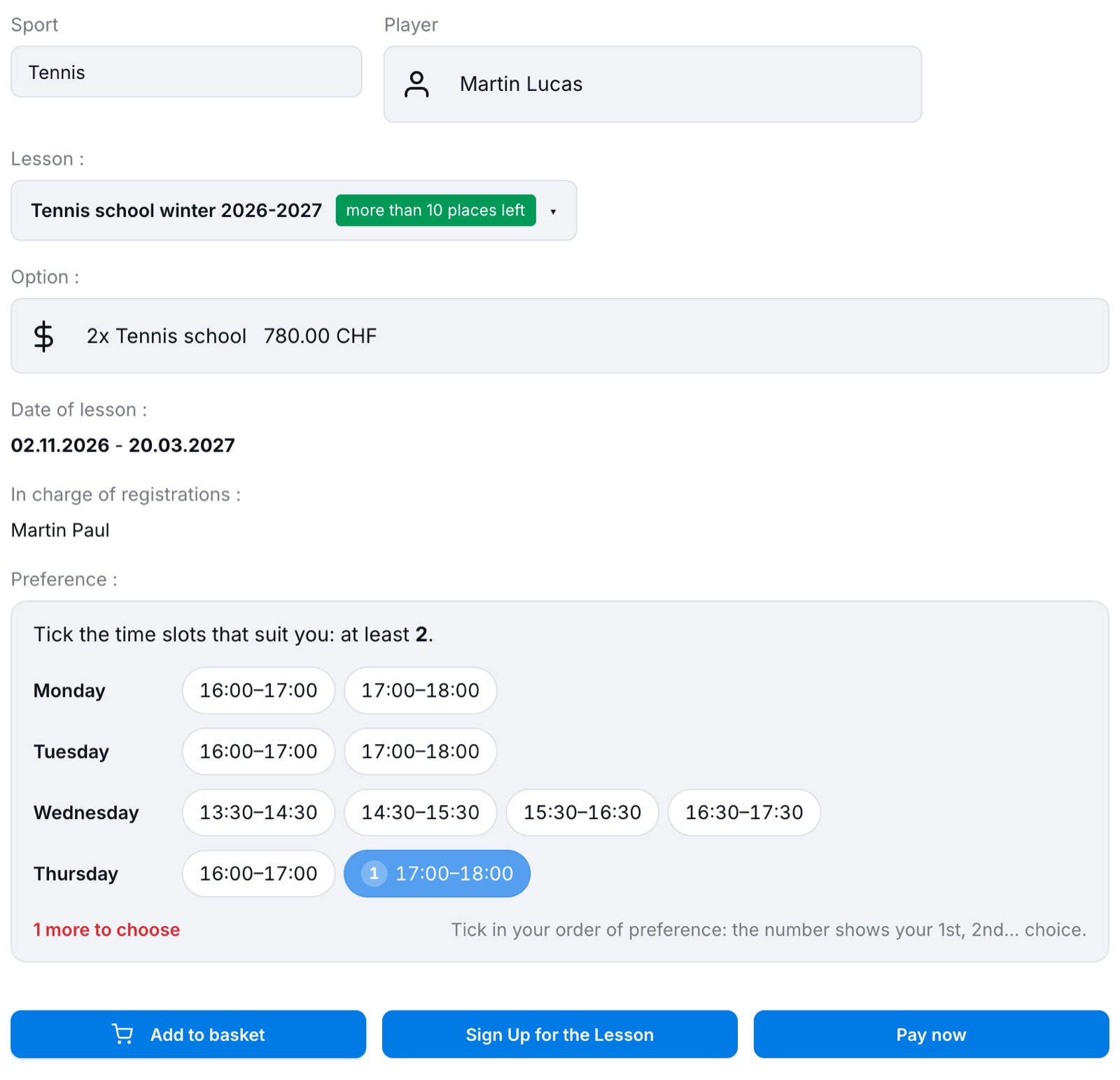
The registration form: person, lesson, option and time slots.
3Tick your preferred time slots
If the club puts the groups together itself, it asks for your availability. The time slots are shown by day, as tags:
- tick the time slots that suit you in your order of preference: the number on each tag shows your 1st, 2nd, 3rd… choice;
- the instruction shows the minimum to tick ("at least 2"); for a 2× per week option, at least 2 time slots are required;
- the counter shows what is missing ("1 more to choose"), then turns green ("3 chosen (minimum 2) ✓");
- to change the order, untick and then tick the tags again.
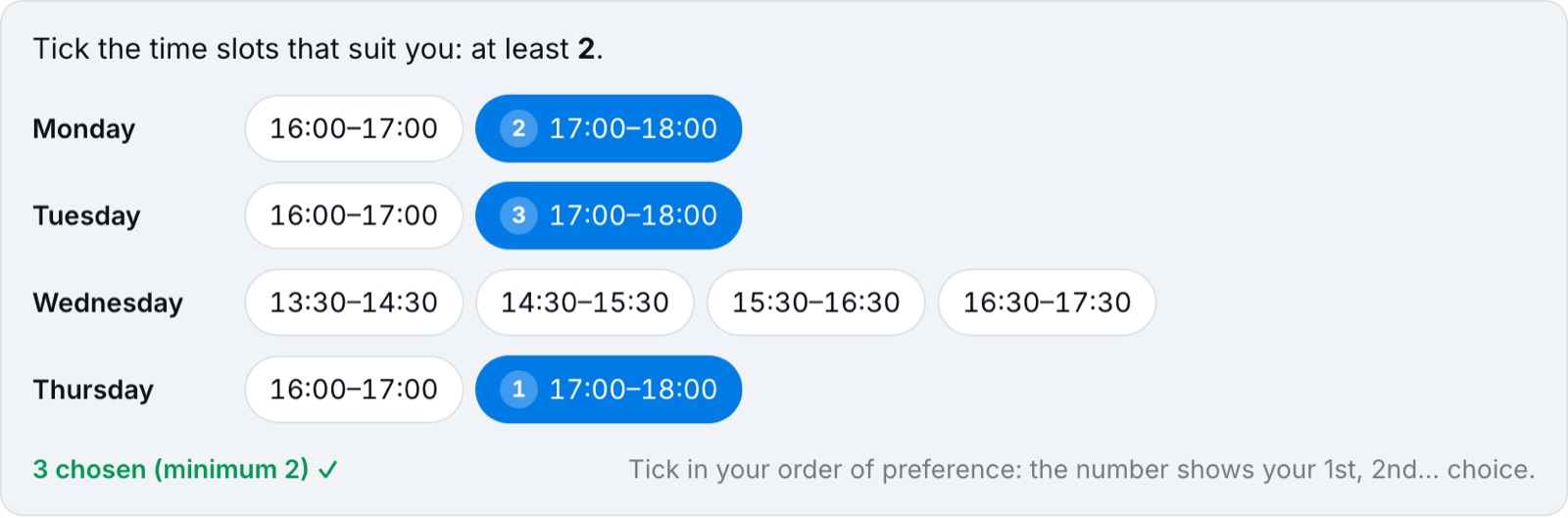
Thursday 17:00 as 1st choice, then Monday and Tuesday: the minimum is reached.
Tick plenty: the more time slots you indicate, the easier it is for the club to place you in a suitable group. These are only preferences: the club then tells you which group you have been placed in.
4Answer the questions and confirm
Answer the club's questions (for example the AHV number, which starts with 756, required for Jeunesse et Sport) and accept the terms if requested. Then, depending on what the club offers:
- Add to basket: to sign up several children or for several lessons and pay for everything at once;
- Sign Up for the Lesson: immediate registration, the club will send you the invoice;
- Pay now: online payment (card, TWINT…).
As long as the minimum number of time slots has not been ticked, these buttons do not confirm the registration and the preferences block is highlighted in red.
5Find or cancel a registration
The Already registered for course/camp table, at the bottom of the page, lists your family's registrations. As long as the registration period is open and the student has not yet been placed in a group, the bin lets you delete the registration, for example to redo it with other time slots. After that, contact the registration manager.
Plugin.ch Tutorial — School/Camp