


Payments and wallet
How do I top up my digital wallet?
The digital wallet saves you from getting your card out for every booking: you top it up once, then your bookings are paid in one click.
1. Open your wallet
Click your name at the bottom of the left menu, then My Wallet (on a phone: My profile in the bottom bar, then My Wallet in the tabs at the top of the page). Your balance and the history of your movements are shown.
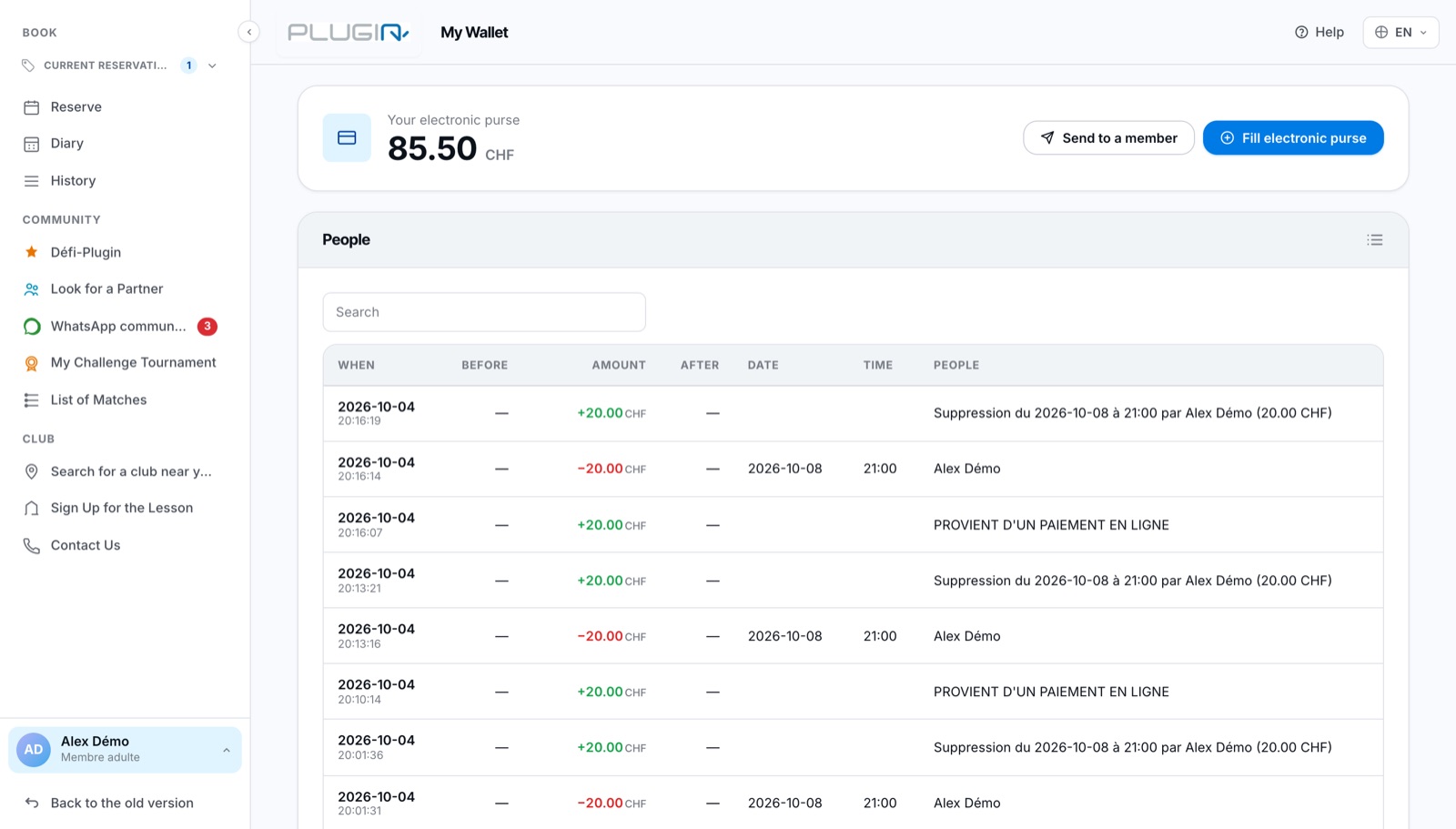
The My wallet page
2. Top up your wallet
Click Fill electronic purse. In the Add to electronic purse via PayPal window, enter the amount in Quantity (less than 999), then choose the payment method offered by your club (TWINT, credit card…).
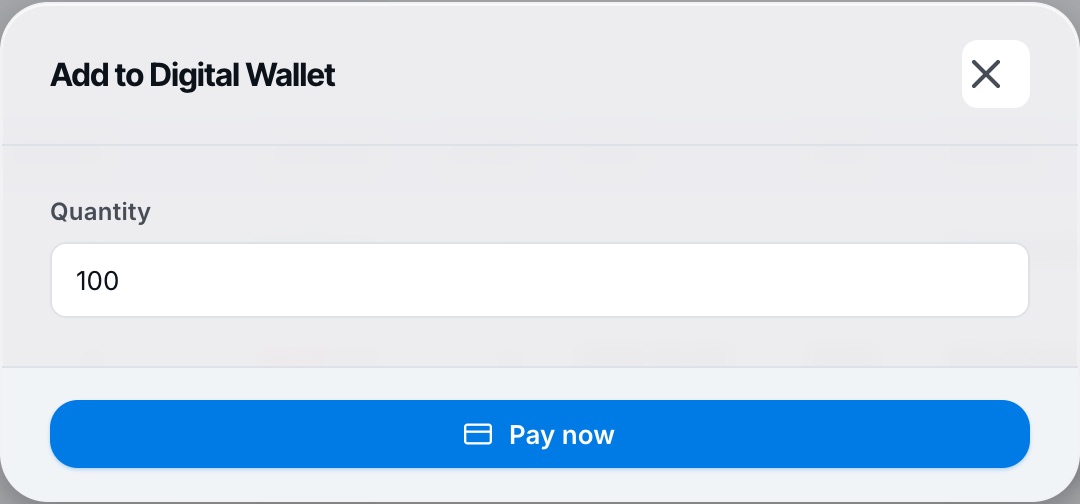
The top-up window
3. The balance is credited immediately
Once the payment is confirmed, your balance is updated and every transaction remains visible in the page's history.
The button Top up also appears on the Reserve page, in the digital wallet box.
If your club allows it, the Send to a member button lets you transfer part of your balance to another member (see How do I send money from my wallet to another member?).
Plugin.ch Tutorial — Payments and wallet