


Interface and app
How do I choose the notifications I receive on my phone?
Bookings, matches, lessons, payments and club messages
The Plugin.ch mobile app can send notifications to your phone. You choose yourself, by category, which ones you want to receive. This setting does not change anything for e-mails.
To receive these notifications, install the app and log in with your account (see How do I install the Plugin.ch mobile app?). Until then, the card shows “Install the Plugin app and log in to receive these notifications.”.
Open the Phone notifications card
Open My profile (click your name at the bottom of the left menu, or tap My profile in the bottom bar on a phone). In the Profile tab, the Phone notifications card is in the right-hand column (further down on a phone).
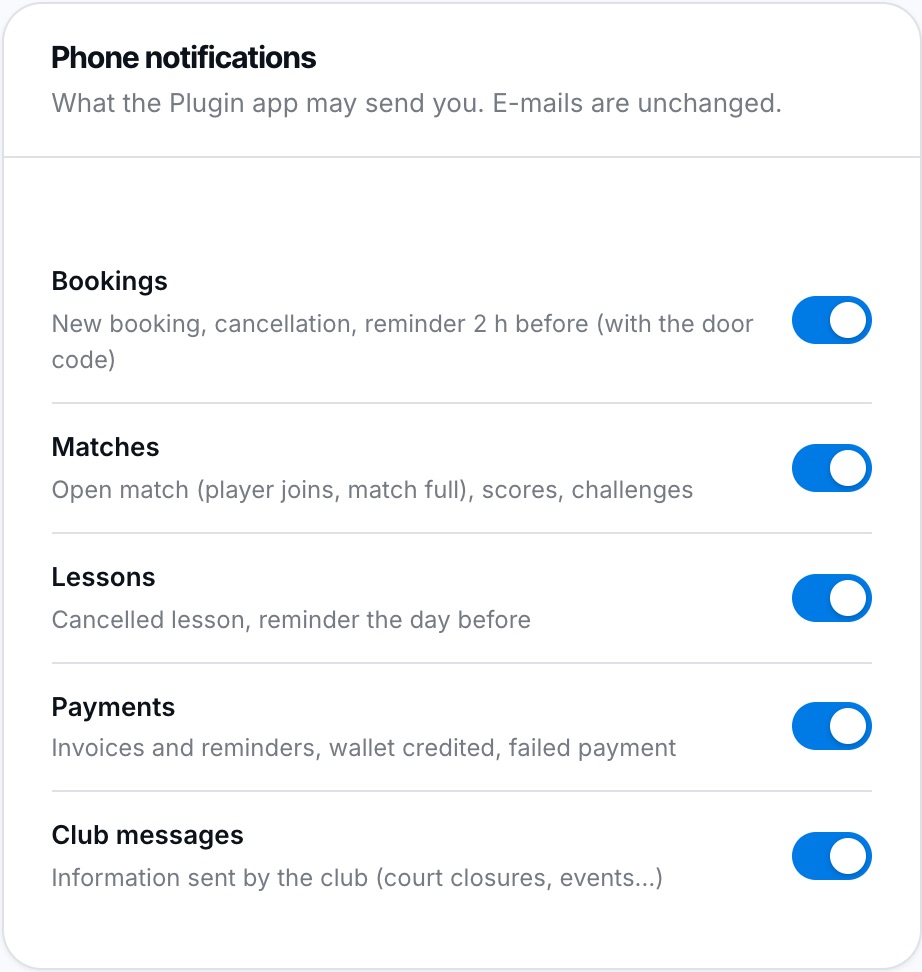
One switch per notification category.
Turn a category on or off
Tap a category's switch to turn it off or back on. Your choice is saved immediately (a message confirms it): no need to click Save.
| Family | What you receive |
|---|---|
| Bookings | New booking, cancellation, reminder 2 h before (with the door code). |
| Matches | Open match (player joins, match full), scores, challenges. |
| Lessons | Cancelled lesson, reminder the day before. |
| Payments | Invoices and reminders, wallet credited, failed payment. |
| Club messages | Information sent by the club (court closures, events…). |
All categories are on by default. A club message notification shows its subject; tap it to read the full message (see Where can I find the messages sent by my club?).
Plugin.ch Tutorial — Interface and app