


Manage items
Edit or delete an item
Update rates, merge duplicates or delete an item
Items are managed in the left side menu, under Parameters then Manage invoicing, in the item list at the bottom of the page. Each item has two buttons: the pencil to edit it and the bin to delete it.
Edit an item
Click the item's pencil. The window Modify item contains the same fields as when creating: name, long description, price per age bracket and accounting. For example, you can adjust the rates by age (50.00 for ages 0 to 17, 80.00 for ages 18 to 99) or add a bracket with Add a rate.
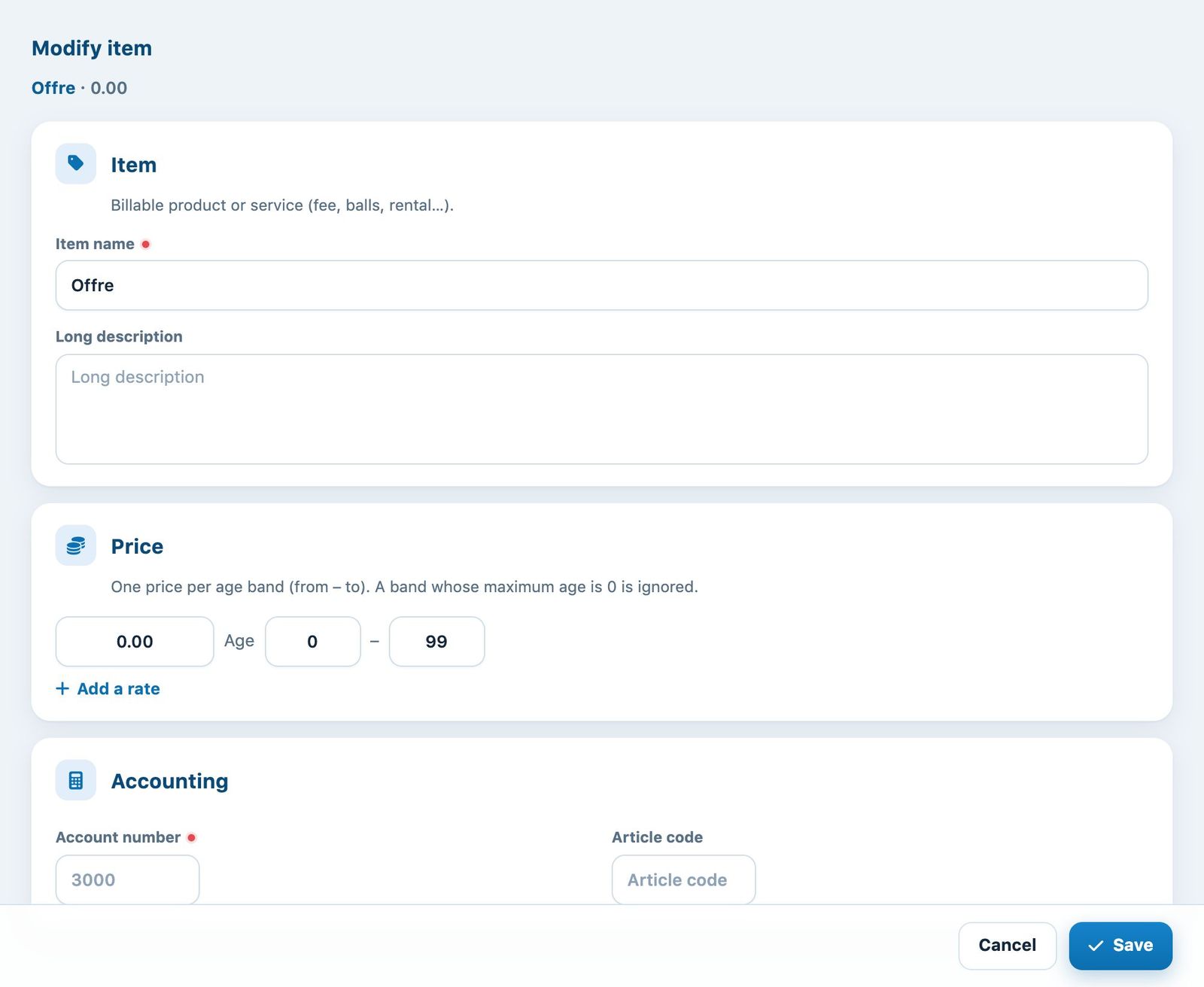
The “Modify item” window
Click Save. The new price is offered for future links and future invoices; lines already invoiced keep their name and amount.
Merge duplicate items
If several items have the same account number, the button Merge… appears on that account. It lets you keep a single item, for example when an item was created for each year or each camp.
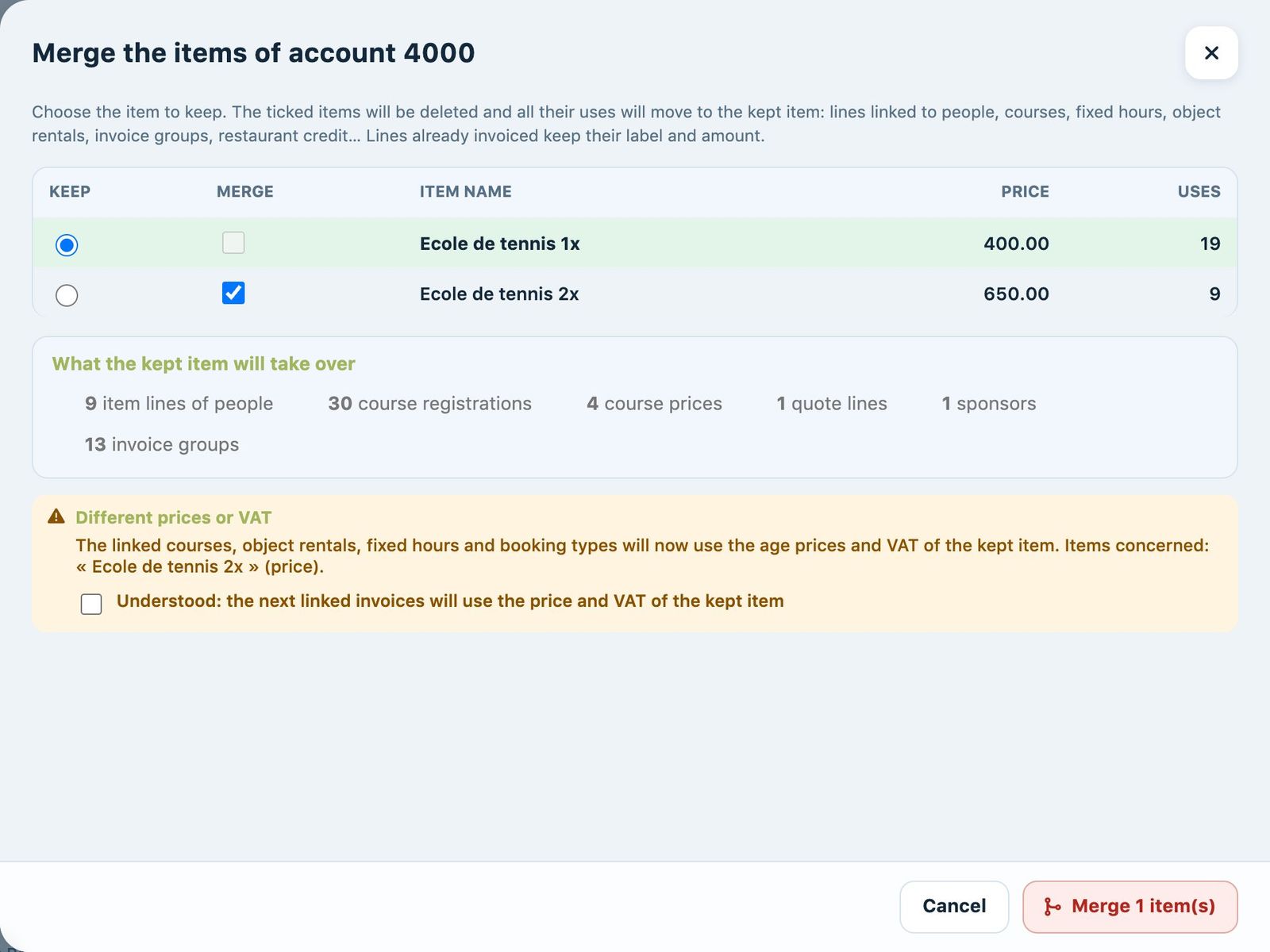
The merge panel for items of the same account
In the panel, choose the item to Keep and tick those to Merge. The box What the kept item will take over details all the uses that will move to the kept item: lines linked to people, registrations and course prices, fixed hours, equipment rental, invoice groups, etc. Lines already invoiced keep their name and amount.
If the prices or VAT differ, tick the confirmation Understood: the next linked invoices will use the price and VAT of the kept item, then click the merge button. A merge can be undone from Recent merges, below the list, with Undo the merge.
Delete an item
Click the item's bin, then confirm. Only delete items marked Never used: an item already linked to people, courses or invoices must not disappear. To combine two items that are in use, use the merge described above instead.
Warning: deleting an item does not remove the lines already assigned to members. To remove an item linked to a member, see Delete an item assigned to a member.
Plugin.ch Tutorial — Manage items