


Manage members
Charge an item to a member or a group
Add an item to the next invoice of one or more people
Open the page
In the left-hand menu, open Invoices › Link an item. The page Link an item to a member lists the linked items In progress; the chips Archived and Not invoiced show the others. The items themselves are created in Parameters › Manage invoicing.
Link item
Click Link item. In the panel:
- in People, type a few letters and choose one or more people, or an entire member group;
- choose the Item: the Name on invoice and the Unit price fill in (with a price per age bracket if the item has one) and can still be changed;
- enter the Quantity and, if needed, a long description.
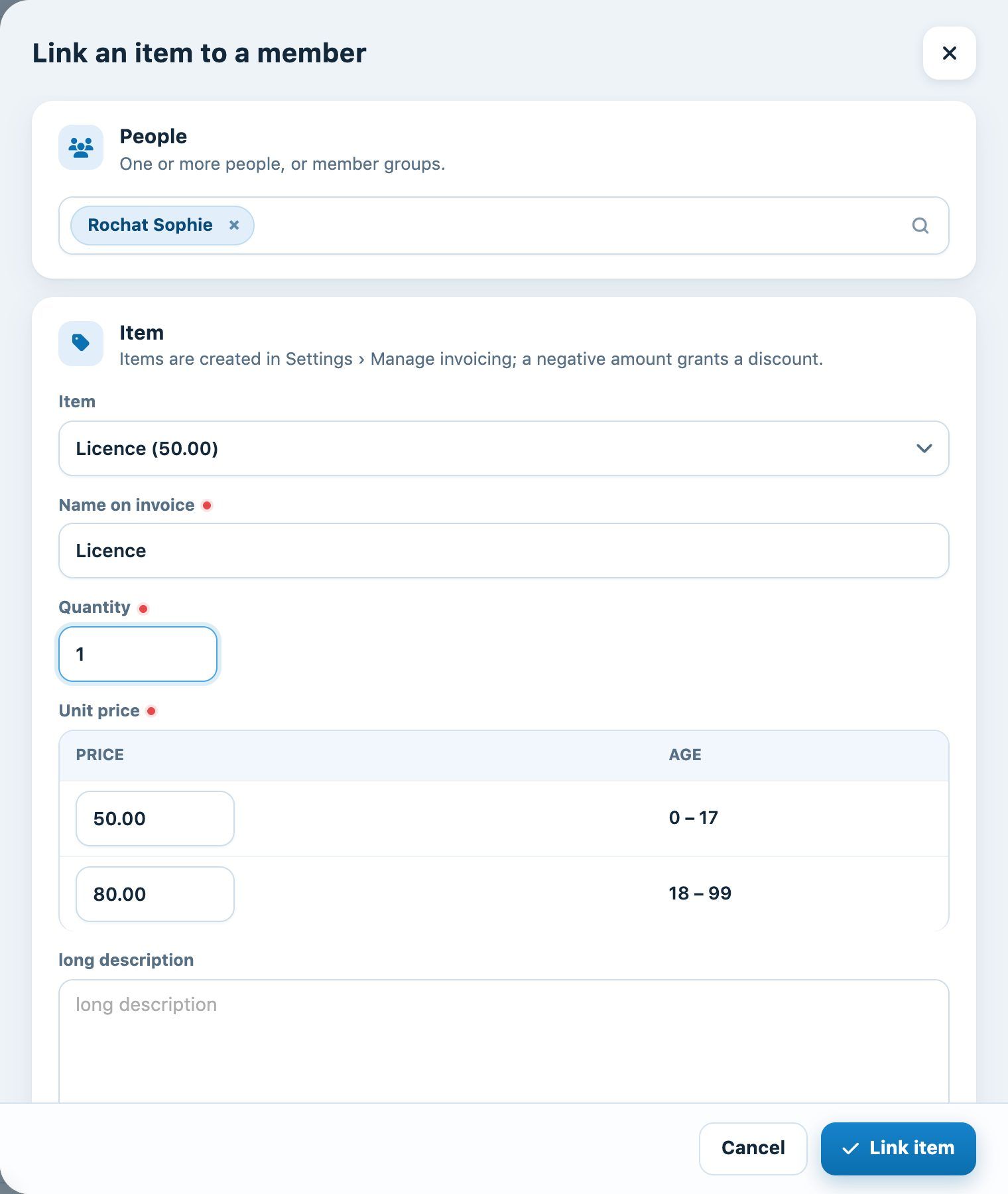
The Link an item to a member panel
Click Link item. The item waits in the list and will be added automatically to each person's next invoice; the column Invoice then shows the invoicing run it appears in.
Correcting or deleting a linked item
The label and total can be changed directly in the table: click them, edit, then press Enter (Esc cancels). The bin deletes the row.
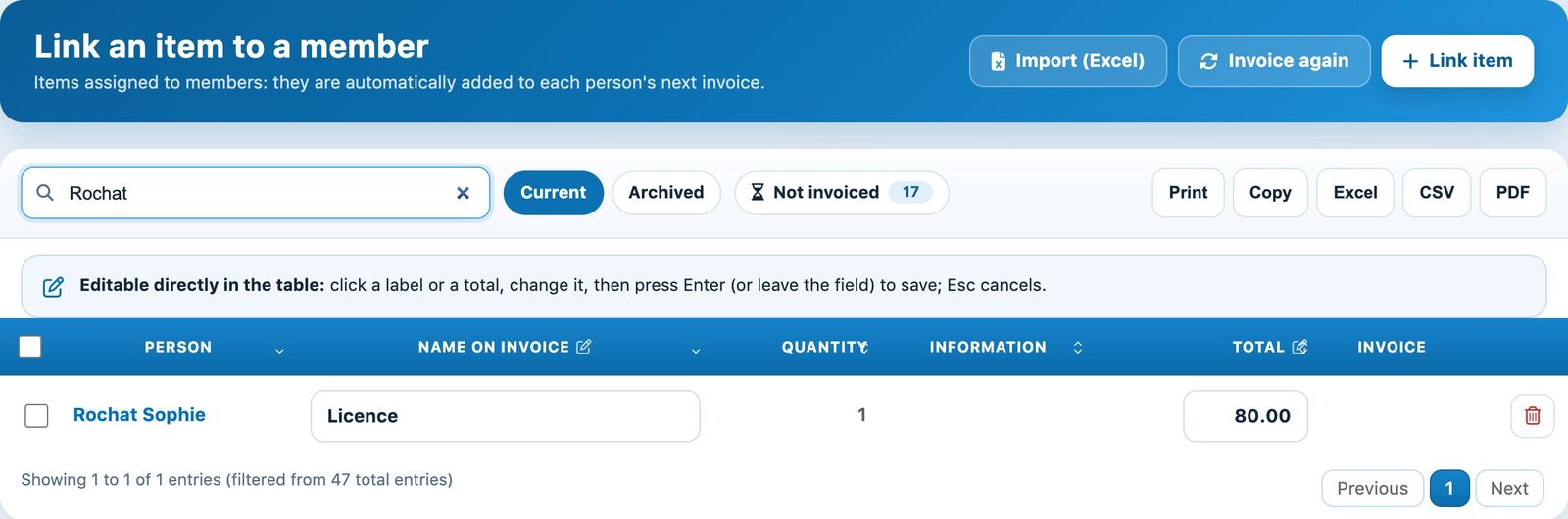
An item linked to a member, waiting to be invoiced
Going further
- Import (Excel) links items to a whole list of people from a file: see Import linked items from Excel.
- Invoice again makes the links of an item already invoiced "to be invoiced" again, for example to re-invoice an annual fee.
💡 Discount
To give a discount, use an item with a negative amount or enter a negative total: it will be deducted from the next invoice.
⚠️ Important
Linked items appear on the next invoice created for the person (or for the person who receives their family's invoice). Link all items before running the invoicing.
Plugin.ch tutorial — Managing members