


Manage parameters
Manage clubhouse
Clubhouse opening hours and their effect on bookings and doors
If your club has a clubhouse, a restaurant or an office with opening hours, Plugin.ch can take them into account: on-site payment of bookings during opening hours, closing online bookings or RFID doors when the clubhouse is closed. Everything is set on a single page.
Open the page
In the left side menu, open the module Parameters and click Manage clubhouse.
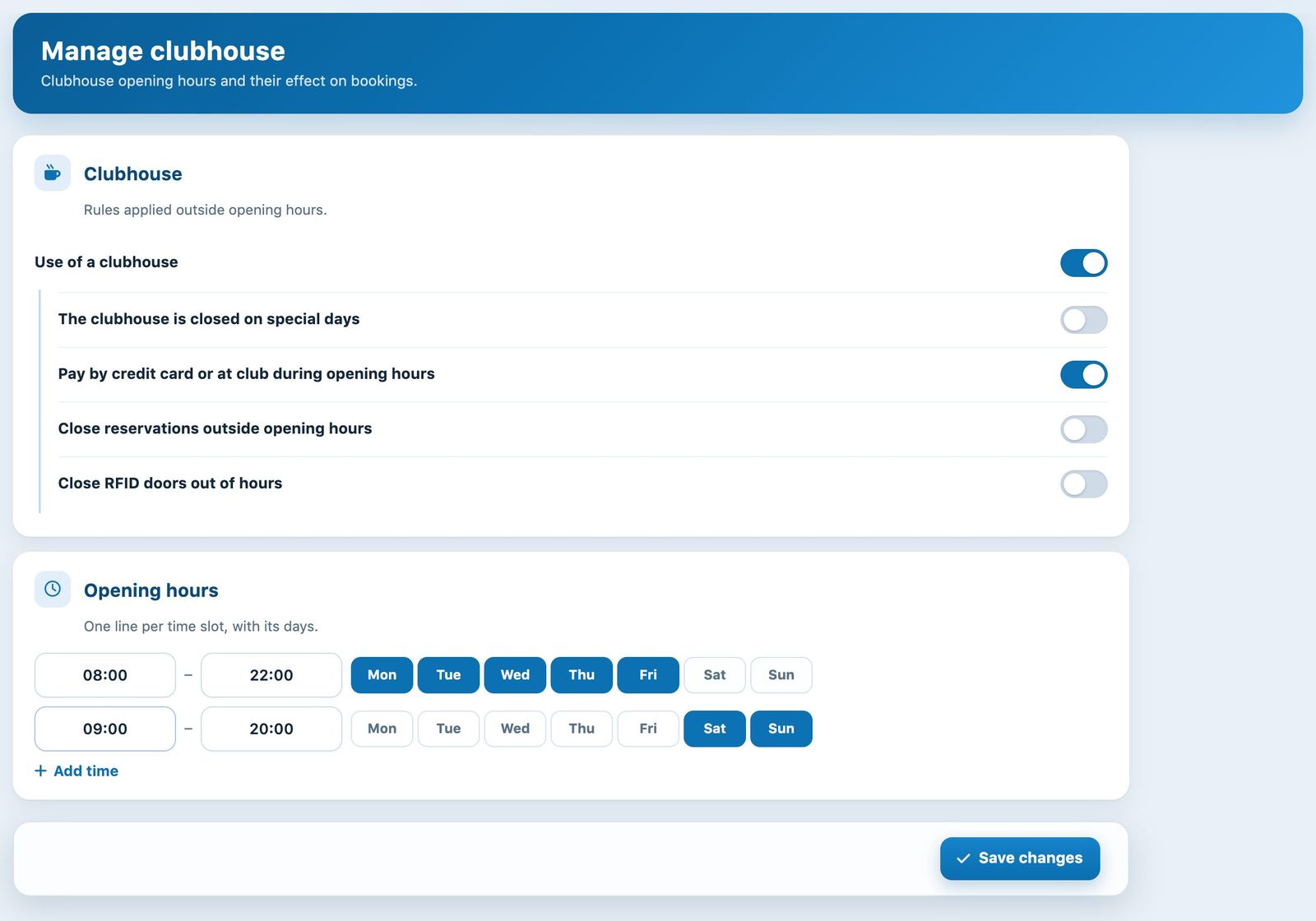
The Manage clubhouse page: the rules at the top, the opening hours below.
Activate the clubhouse and choose the rules
Turn on the switch Use of a clubhouse. The following options appear below; turn on the ones that match the way your club works:
- The clubhouse is closed on special days: the clubhouse is treated as closed on the dates defined in Manage special days.
- Pay by credit card or at club during opening hours: in addition to online payment (credit card), the member can choose to pay for the booking on site when it falls within the clubhouse opening hours. The member's booking type must also allow payment at the till.
- Close reservations outside opening hours: when the clubhouse is closed, members can no longer book online. Booking types with a quota remain usable.
- Close RFID doors out of hours: outside opening hours, presenting an RFID card at a door is refused, even if the member has a booking.
Enter the opening hours
In the section Opening hours, each row is a time slot: enter the start time and the end time, then click the days of the week concerned (selected days turn blue).
If the hours vary from day to day, click + Add time to add a row. For example, Monday to Friday from 08:00 to 22:00, then Saturday and Sunday from 09:00 to 20:00:
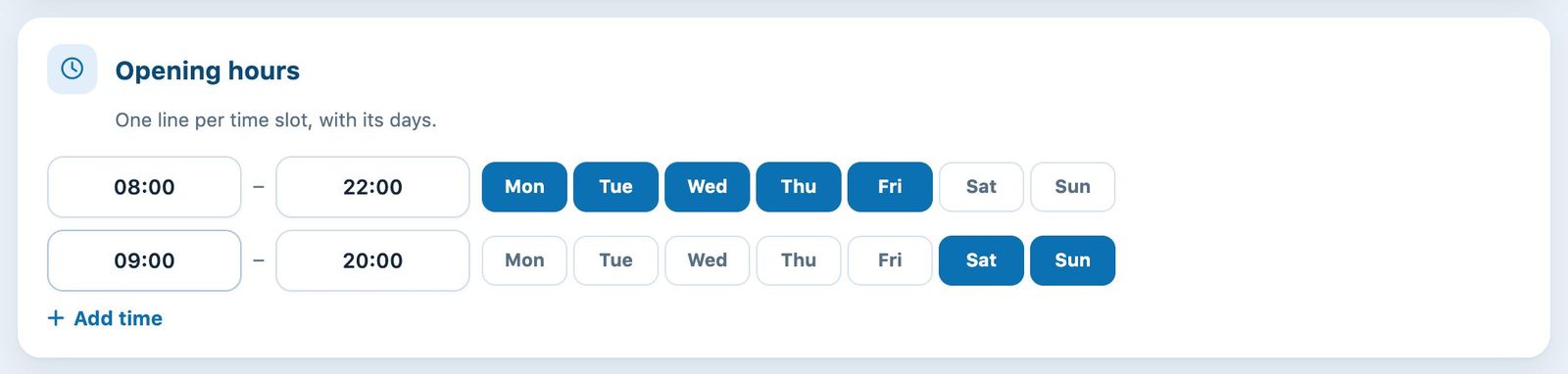
Two time slots: weekdays and weekend.
Important: tick at least one day on each row, starting with the first. A row without a day never opens the clubhouse.
Save
Click Save changes at the bottom of the page. The switches and opening hours are saved together; a message confirms the save.
Tip: if you turn on “Close reservations” or “Close RFID doors”, check your opening hours carefully and tell your members: outside these slots, they will no longer be able to book or get in.
For your members' restaurant credit, see the article Manage restaurant credit.
Plugin.ch Tutorial — Manage settings