


My profile
I have several accounts: how do I merge them into a single login?
If you play at several clubs that use Plugin.ch, you may have a different account (with another username and password) at each club. You can bring them together into a single login in two ways: by accepting the automatic suggestion, or yourself from your profile.
For a child or a relative, do not merge: add them to your family (see A family member wants to become a member, can I add them?).
Accept the automatic suggestion
When Plugin.ch finds an account at another club that seems to belong to you, a “One account for all your clubs” window appears when you log in. It offers three buttons:
- Merge: the other club's account is merged with your current account;
- Later: the suggestion will come back at a later login;
- Do not show again: the suggestion is no longer shown.
The credentials of the account you are logged in with are kept: it becomes your main account.
Merge yourself from your profile
If no suggestion appears, log in with the account you want to keep, open My profile then the Merge accounts.
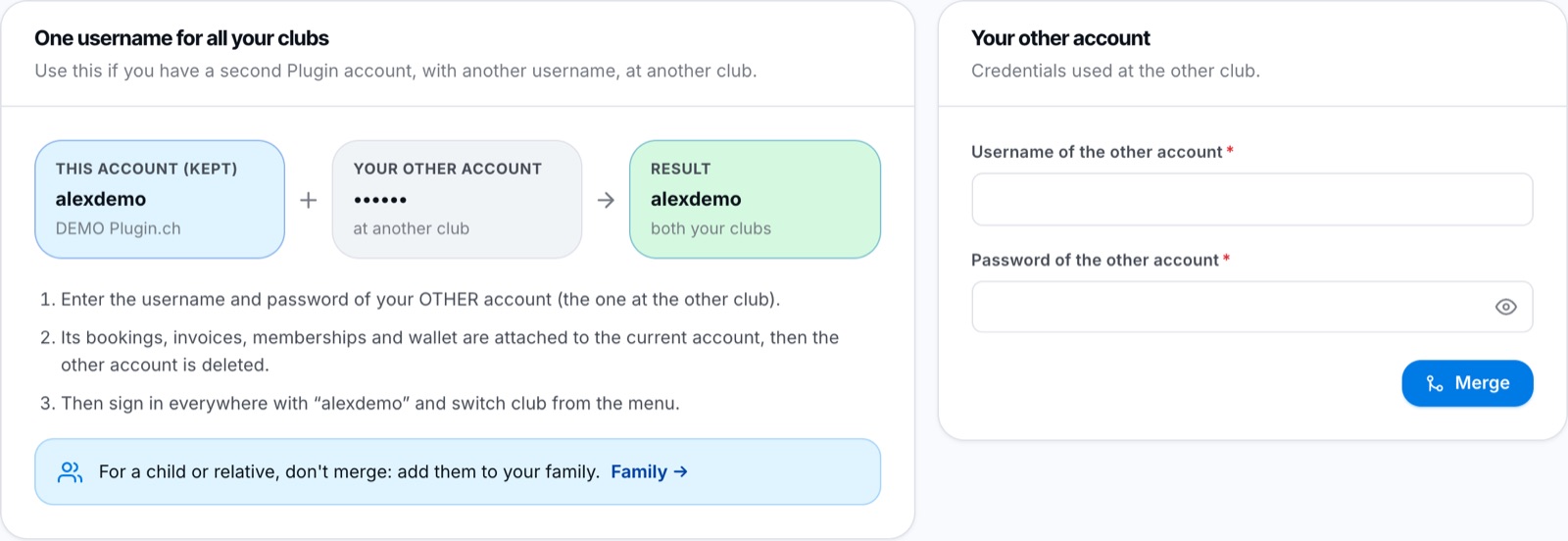
On the left, a summary of the merge; on the right, the other account's credentials.
- In the Your other account card, fill in the fields Username of the other account and Password of the other account (the credentials you use at the other club).
- Click the blue button below the fields, then confirm.
The other account's bookings, invoices, memberships and wallet are attached to your current account, then the other account is deleted.
The merge is final: the other account's username no longer works afterwards.
After the merge
You log in everywhere with the same username. To switch from one club to another, see the article I have a single account across several clubs, how do I choose which club to display?. You can repeat this for each club where you have another account.
Plugin.ch Tutorial — My profile