


Bookings
How to join an open match
Find a game and pay your share
Find a match
In the left menu, section Reserve, click Available Reservations. The page lists public open matches by date, with the players already signed up and their level. Filters let you choose the sport, place, canton and date.
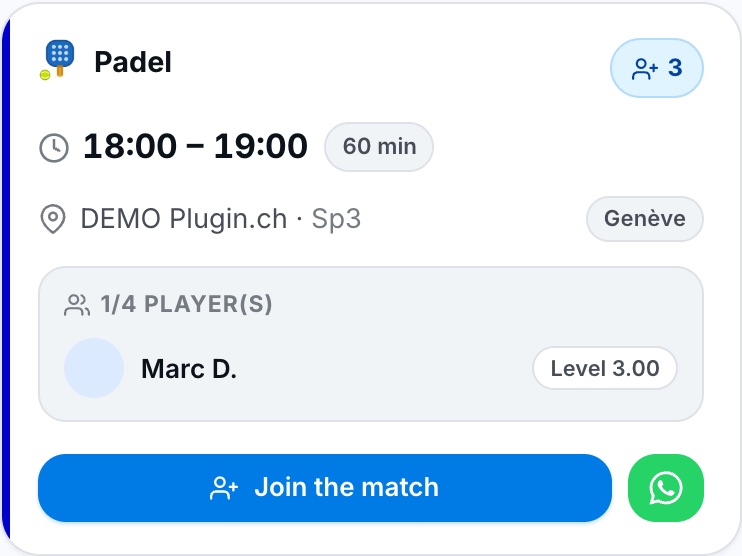
An open match: time, court, free places and players signed up.
You can also click an open match directly on the planner (coloured slot with a free-places badge), or open the link the organiser sent you. A private match can only be joined through that link.
The Available Reservations entry only appears if the sport chosen on the Reserve page allows open matches.
Join the match
Click Join the match. The booking panel opens: you are added to a free place. You can add other players to the remaining places. Pay your share if the booking is not free, then click Join the match at the bottom of the panel.
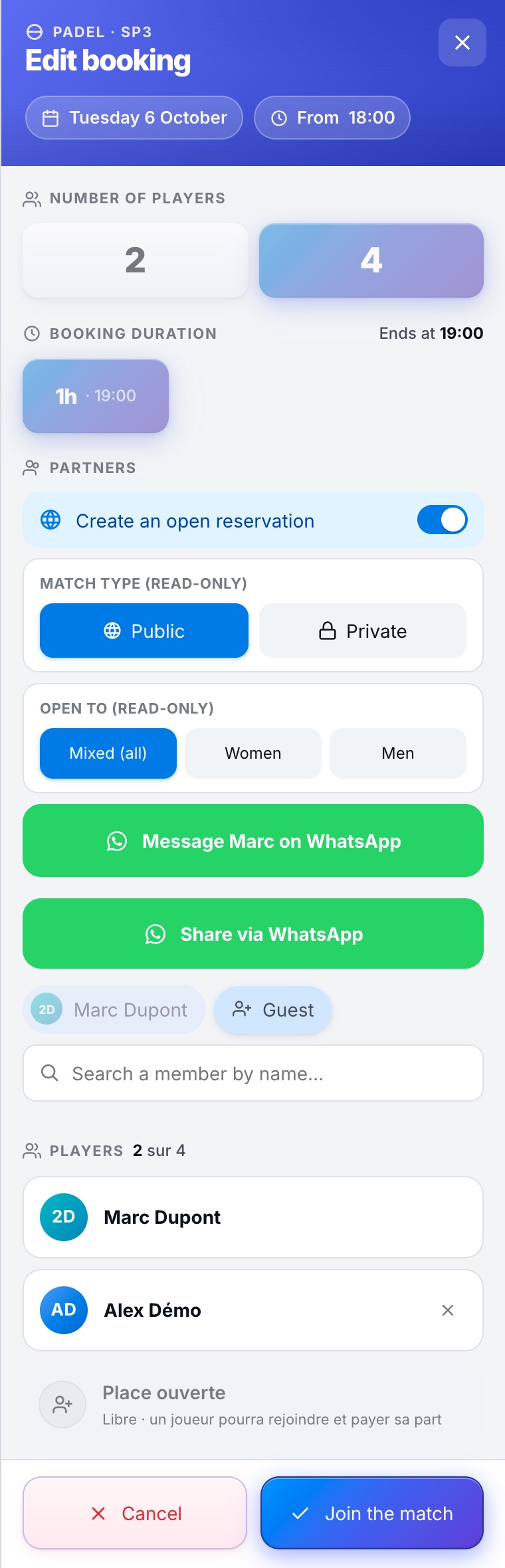
The join panel: the match type and the audience are read-only.
If the organiser has agreed, the Write to … on WhatsApp button opens a conversation with them, with a message already written. The Share via WhatsApp button lets you invite other players.
You only see your own share: the prices paid by the other players are hidden.
If you cannot join
In these cases a red message appears in the panel and you cannot join the match:
- level too far apart: your level must be close to the organiser's. The accepted gap is set by the club (two levels by default); the message shows the accepted level and yours. If your level is not filled in in My profile, complete it first;
- reserved match: the match is open to women only or men only, based on the title (Mrs / Mr) in the profile. If your title is not filled in, complete your profile.
To leave a match you have joined, see How do I withdraw from an open match?.
Plugin.ch Tutorial — Bookings