


Manage members
Topping up a member's wallet
Credit a member's electronic wallet and record the payment in the cash register record
Open the panel
The electronic wallet must be enabled for your club. Open Members › Manage members and click Add to wallet at the top of the page. A panel opens on the right.
Enter the transaction
- In Name, type the first letters of the member and choose them from the list: their current balance is shown in brackets. Only active members are offered.
- Check the Date (today by default).
- Enter the amount in E-P: a negative amount takes money out of the wallet.
- If needed, enter the Reason for the transaction (for example "Top-up at the bar").
- Choose the Payment method used by the member: cash, credit card, wallet, bank transfer, other payment method (and debit card, Visa or Mastercard if these accounts are set up).
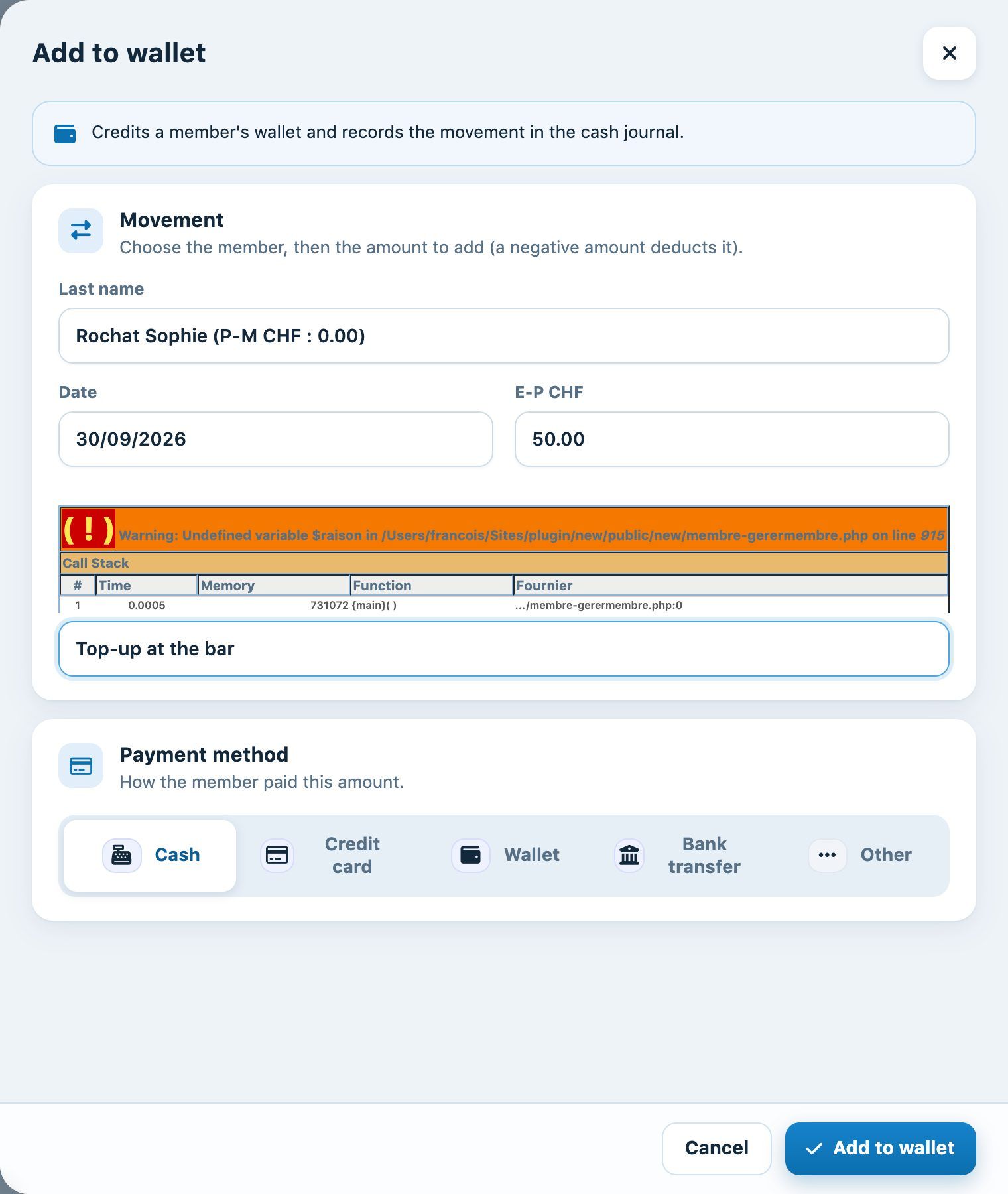
The completed Add to wallet panel
Click Add to wallet. A message confirms the operation (old balance + amount = new balance) and the transaction is entered in the cash register record with the chosen payment method.
Correcting a balance directly in the list
The column E-P in the list shows each member's balance. You can enter a new balance there: after confirmation it replaces the old one, and the adjustment is also recorded in the cash register record.
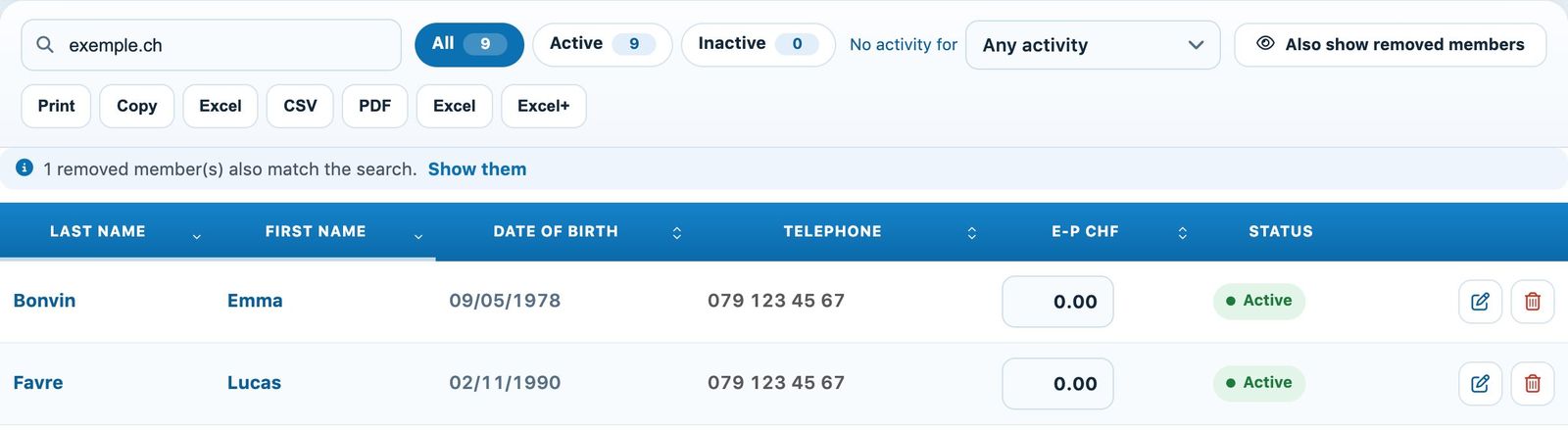
The E-P column in the list of members
Prefer the panel Add to wallet for a payment by the member: it records the payment method. The correction in the column is for fixing a wrong balance.
💡 On the member's side
The member sees their balance and can top up their wallet online themselves from their area (see the article How do I top up my digital wallet?). The transaction history is in their profile, tab Electronic purse value.
Plugin.ch tutorial — Managing members