


Assign and remove a role
Give access to the administration, remove it, and log in to the right club
Assign a role to a person
Open the Members › Roles and access page, then use the Assign a role button at the top of the page, or the Add person button in a role's card (the role is then already chosen).
Choose the role, then type at least 2 letters of the person's name or e-mail and select them in the list. Only club members with an account are listed. Confirm with Assign a role.
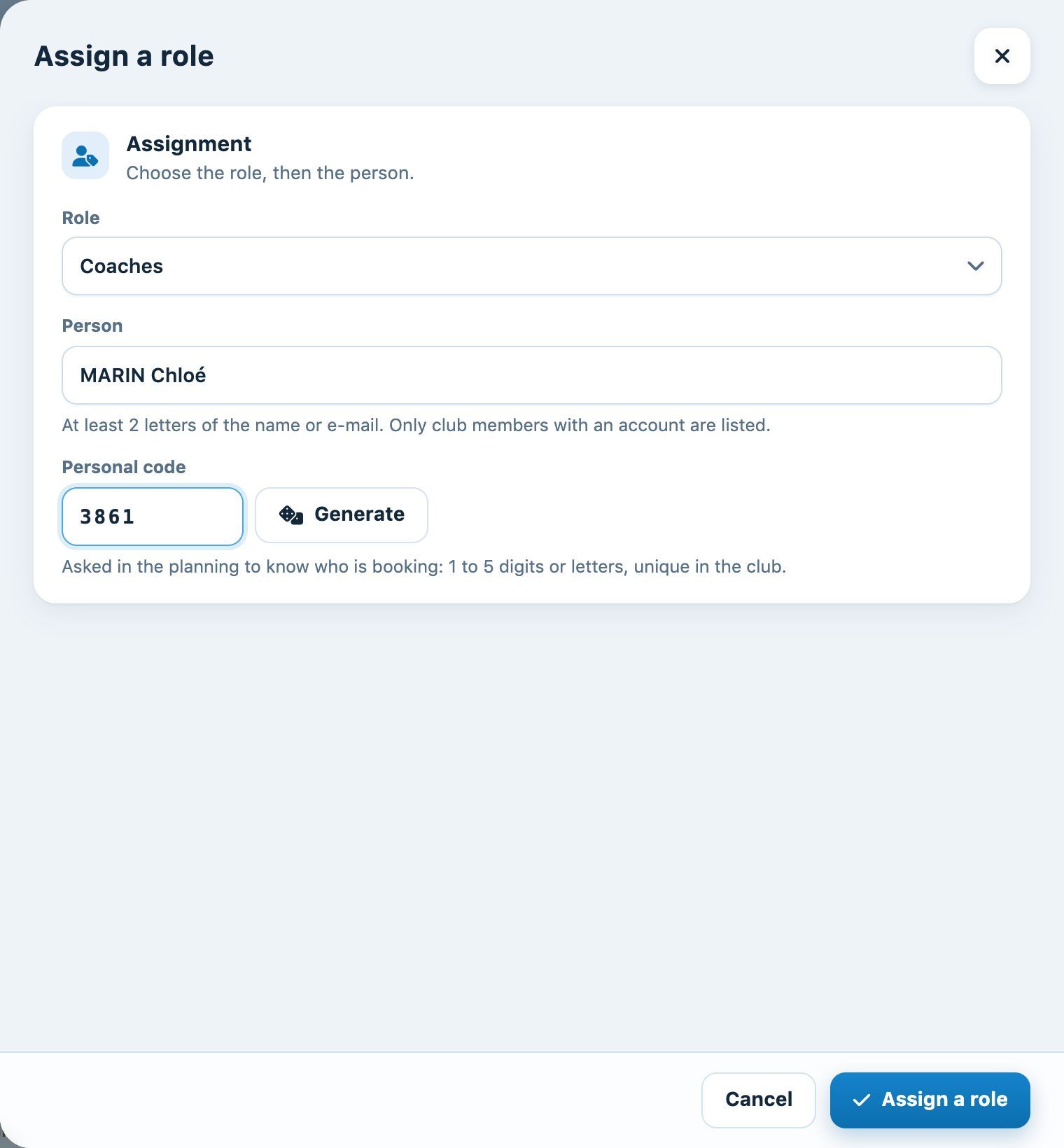
If your club uses the personal code in the planning, enter it here or click Generate. The code has 1 to 5 digits or letters, different for each person in the club. You can change it later by clicking the code (key icon) next to the name.
Remove an access
Click × next to the person's name, in the role's card. A message confirms the removal and lets you undo it for a few seconds in case of a mistake.
You cannot change your own access: ask another administrator.
Check who has access to what
The By person tab lists each person with their roles and the tabs they end up seeing. The + button adds a role to them.
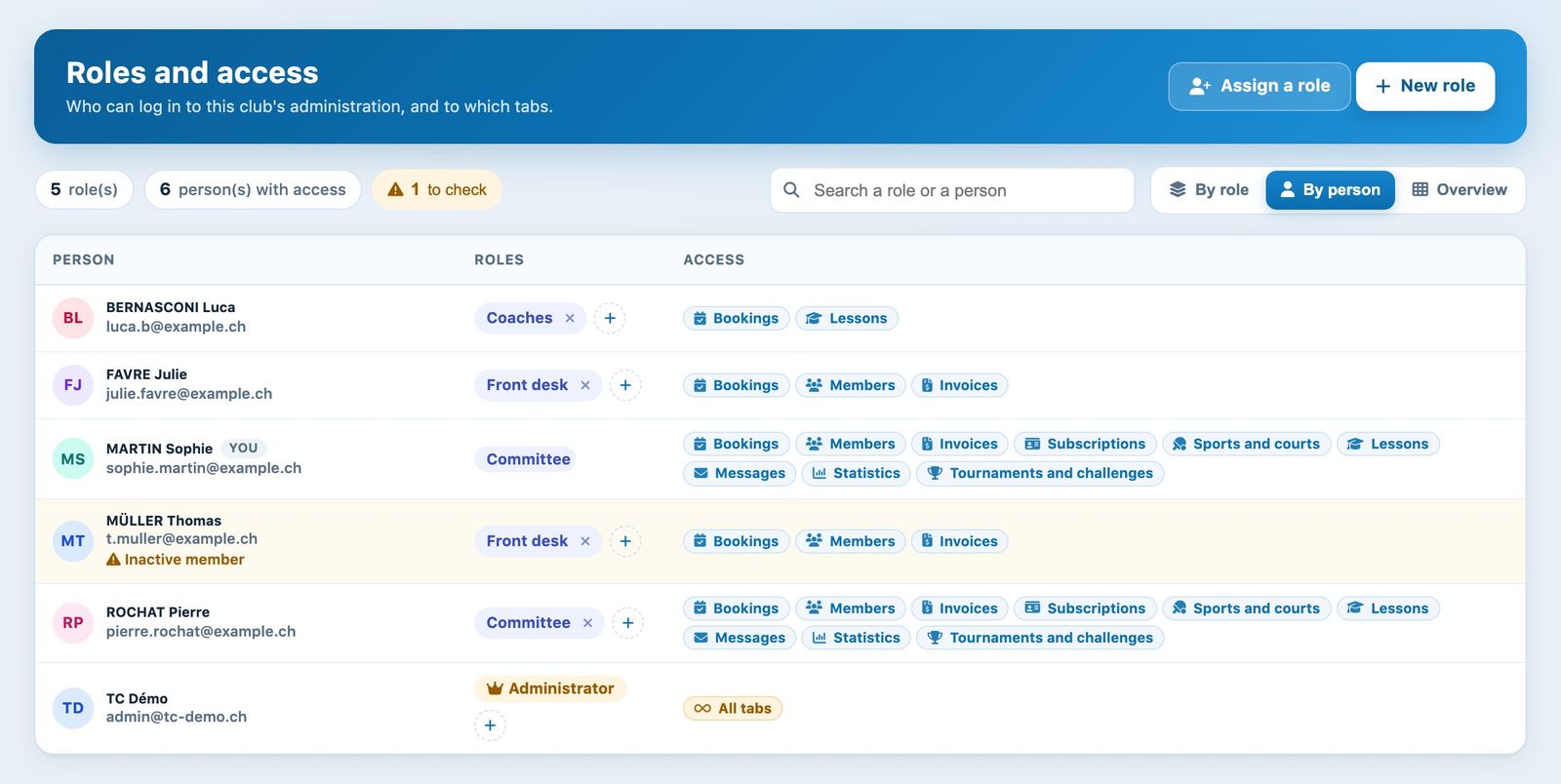
A person who is no longer a club member, or who is inactive, keeps their access: they are flagged in orange (to check at the top of the page). Remove their role if this is no longer wanted.
Logging in: landing on the right club
The person logs in at club-name.plugin.ch/new/ with their user name and password. They only see the tabs of their roles.
An account can have roles in several clubs. Each role only applies to its own club:
- if the address names the club (club link, or ?idclub=), the person lands on it directly;
- if they manage only one club, they land on it without being asked;
- otherwise, a screen asks them to choose a club.
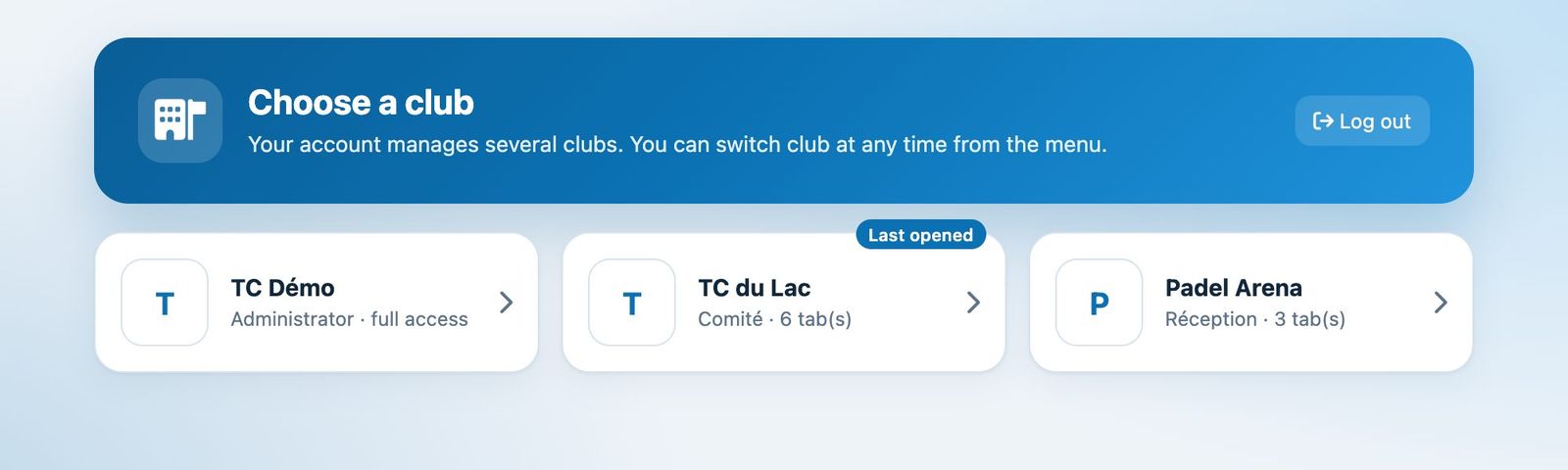
Once logged in, they can switch club at any time with the Switch club link under the club name, at the top of the menu, without re-entering their password.
💡 Tip: login credentials
The user name and password are in each member's record, in the fields Username and Password.
Plugin.ch • Help Center • Video tutorial