


Manage members
Display a member's operational data
A member's profile: family, items, invoices, payments, memberships and bookings
Open the profile
In Members › Manage members, click a member's last name or first name. Their profile opens in a panel: unique identifier, then the section Details (username, e-mail, phone, wallet value and the club's own fields).
The same profile opens from the other pages where a member's name can be clicked (memberships, licences, duplicates…). Close takes you back to the page you came from.
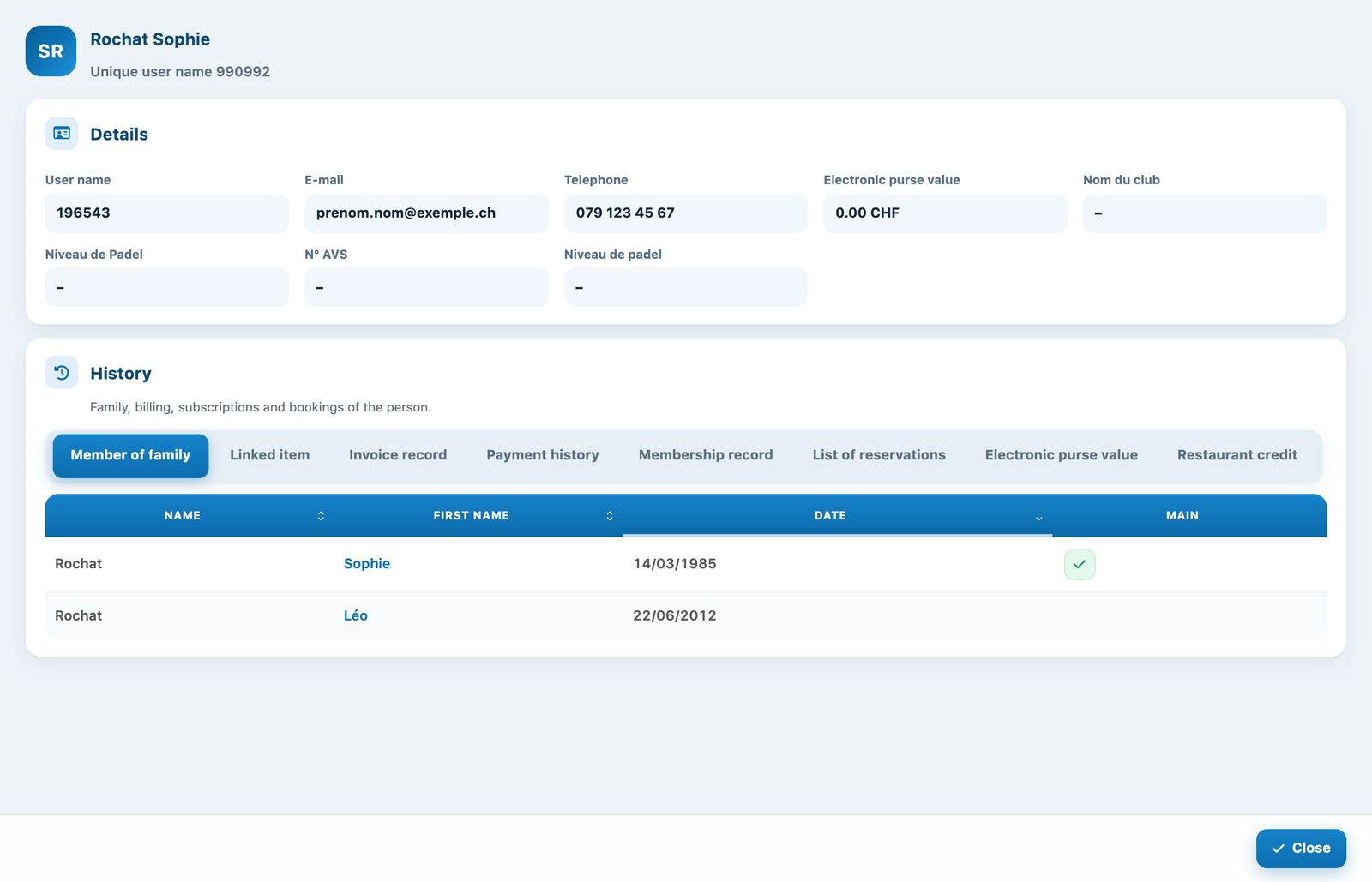
A member's profile with their details and history
Browsing the history
The section History groups everything about the person in tabs:
- Member of family: the people invoiced together; the tick shows the main person, who receives the invoice.
- Linked item: the items waiting to be invoiced or already invoiced (see the article Charge an item to a member or a group).
- Invoice record and Payment history: the person's invoices and the payments received.
- Membership record: the membership for each sport and season, with the remaining personalised units and non-members.
- List of reservations: the person's bookings, exportable to Excel, CSV or PDF.
- Electronic purse value: the movements, if this option is enabled.
- Restaurant credit: the balance available, each current credit with its end-of-validity date, then the full history, if restaurant credit is enabled. See the article Manage restaurant credit.
Tracking and sending invoices
The Invoice record shows for each invoice its amount, balance, payment date and follow-up: Upcoming, Overdue with the number of days overdue, etc. The columns Sent on and Read on show whether the invoice was sent by e-mail and opened.
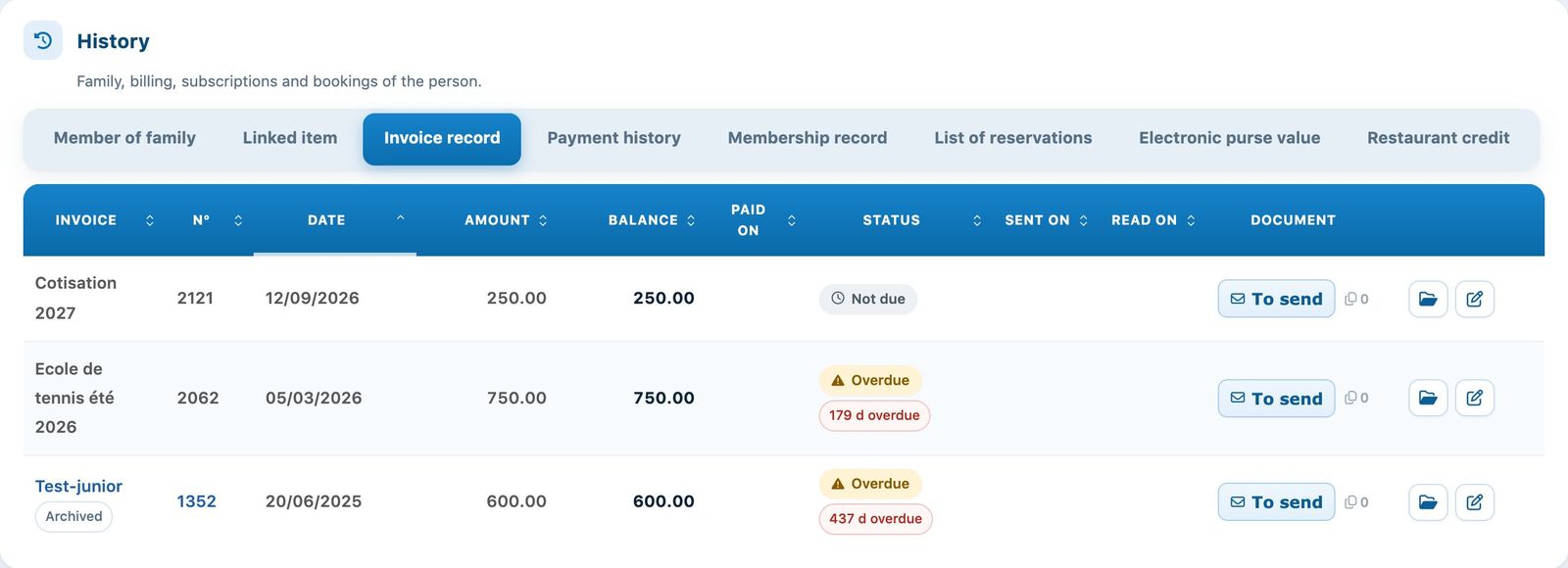
The Invoice record tab
- To send sends the invoice to the member by e-mail, after confirmation;
- the icon File opens the invoice follow-up (dispatches, reminders, payments);
- the pencil opens the invoice to edit it.
Memberships and bookings
In Membership record, the numbers of remaining paying and free non-members can be changed directly in the table, and the tick activates or blocks the membership.
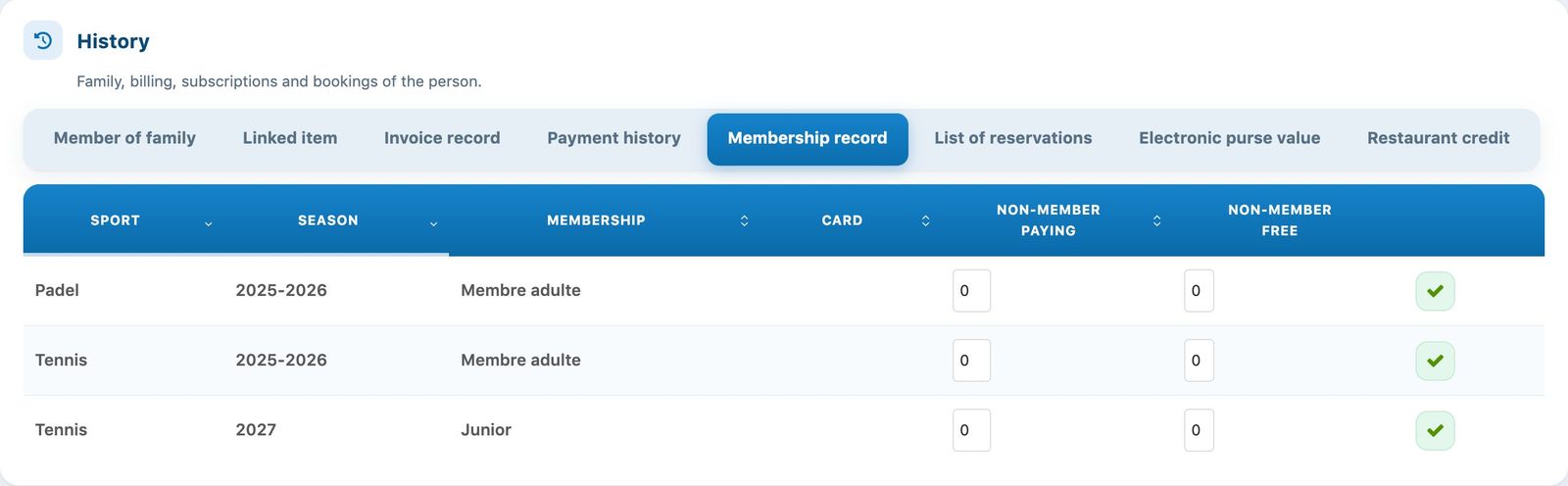
The Membership record tab
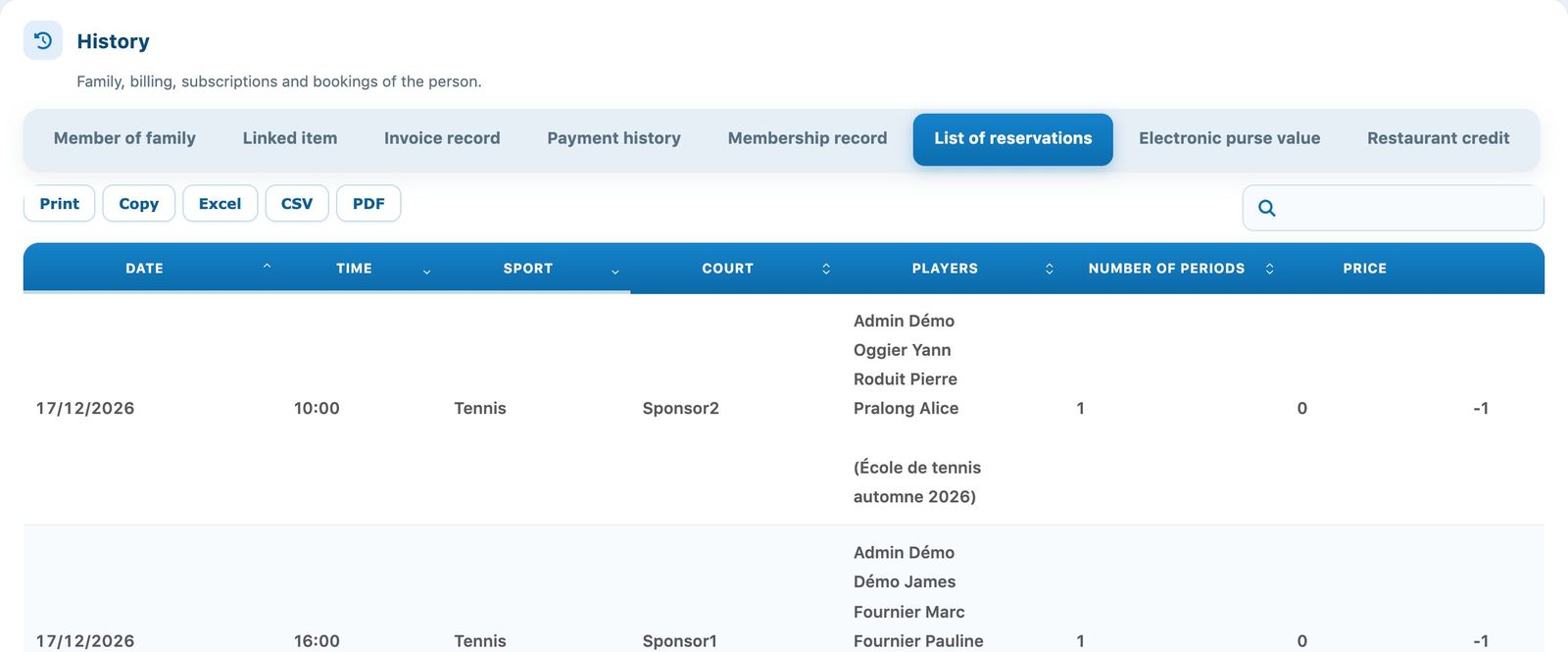
The List of reservations tab
💡 Helpful tip
The profile quickly answers common questions: is an invoice unpaid? What is the membership for the season? Has the member booked recently?
Plugin.ch tutorial — Managing members